I was wondering if there’s support for using Avatar Masks with 2DAnimation?
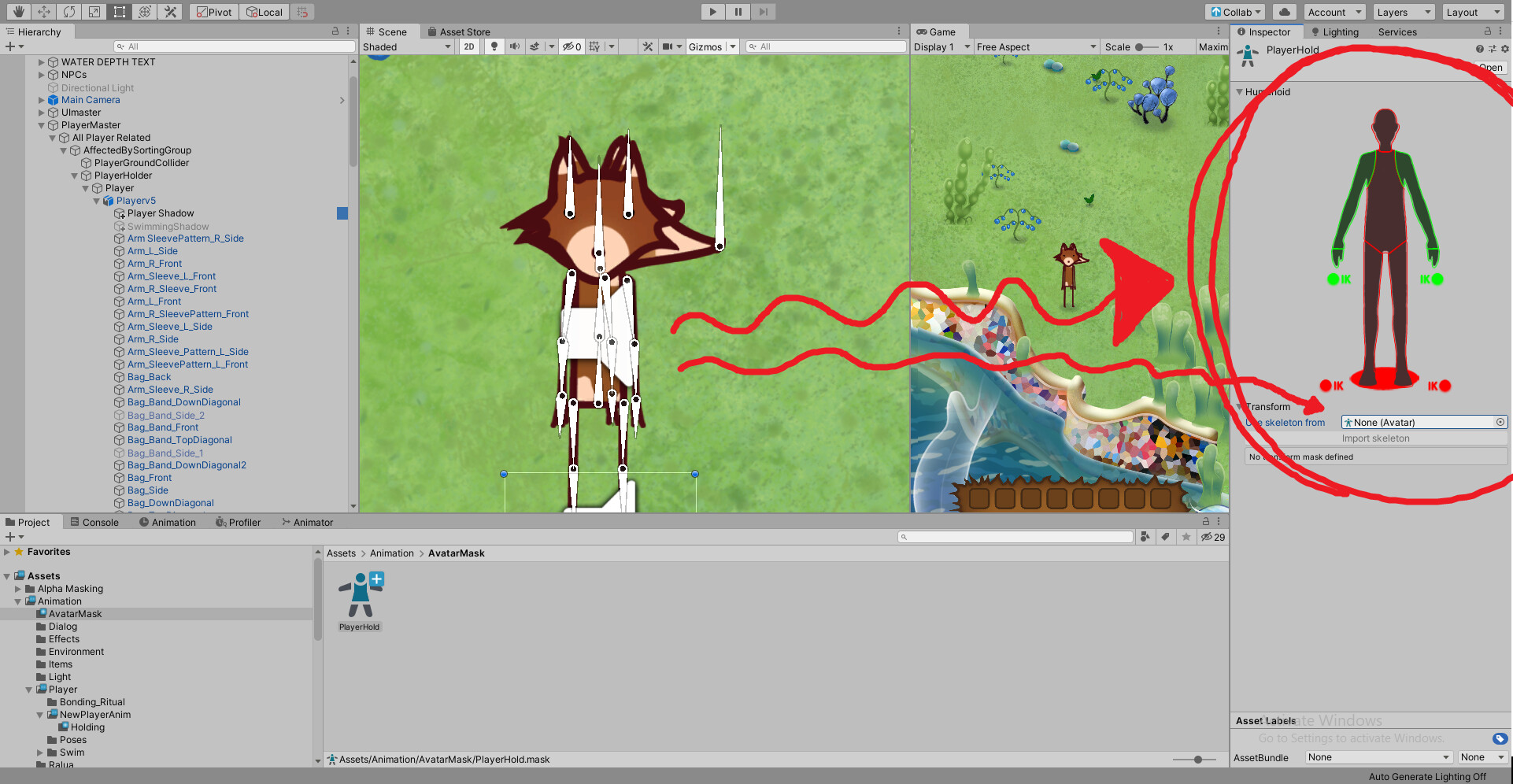
For example to be able to mix a “holding item in air”-animation (that only effects the arms) and a “running”-animation (that affects the lower body) seamlessly? Below is an image of me attempting to use Avatar masks:
I’m giving it a try right now in Unity, and I’m unable to find a way to make a custom skeleton out of 2DAnimation-bones, to use in the Avatar Mask.
To use the avatar-mask I must somehow connect the 2Danimation bones with the Avatar Mask to be able to select bones that should be affected (like only the arms) when the character is holding something. With 3D-bones this seems to be done for eg. with skeletons like in the image below:
I cannot find anything online on how to make 2Danimation skeletons for avatar masks.
My Questions: 1.) Is there a way for me to use Avatar Masks using the 2DAnimation package as described above? 2.) If not, are there plans to add support for this? 3.) Do you know of another way I can achieve the affect described above, if not possible with Avatar Masks?
Thank you for your suggestion, it made me investigate Animation-Layers further.
Prior to asking the question above I was trying to use the Animator-Layers as well. I’d made a temporary “holding item” animation that affected all bones, and when I dialed up the weight the whole body was effected (when I only wanted the arms to be affected).
But following your advice I remade the “holding item” animation to only alter arm-bones, and when I slide the weight to 1 now it works! Thanks so much! This is exactly what I was looking for.
Hi, we found that TransformAccessJob.cs was using obsolete API which invoke ScriptUpdater every build in our pipeline. Hope this can be fix in the upcoming release.
Currently no Camera stacking in 2D URP, so Post Process effects get on my UI
Also using Additive scenes and using 3rd party plugins that do not play nice with Worldspace UI
Appreciate the work you’ve done so far on this, it’s pretty slick.
I’ve used Spine2d on my previous projects, but have made the switch!
Sorry, noob question here. I have read through docs but I likely missed this or forgot it…
I am curious, I want to snap my rig to a grid. I have a mechanical spaceship that I want to precisely align the bones to elements on the ship. its pixel art, so I have an idea where I want things, but I can get it precisely there. Is there a way to snap, or enter information precisely? . I also want the rig to be symmetrical but haven’t found a way to copy a portion of the rig. Same thing for while animating, I want to precisely pose the rig?
Tips? Did I miss this in the manual somewhere?
I have no problems with organic objects and rigging non pixel art, but for mechanical things and pixel art, I want, no, I NEED precision. I literally can’t sleep at night if I know my models geometry is aligned when it is supposed to be.
One more thing. When I am setting up a rig, I import a photoshop file. Everything is great, except two things:
First I want to mirror the right wing and not have to include a left wing as a layer. Is this possible? Essentially, I have a symmetrical model and don’t see the point in duplicating data, but can’t figure out a good way to do this.
edit -Solved second problem. See below.
Secondly, this is a fantasy space ship, and the wings are unattached and are just floating there. However, for the sake of animation, the rig is all attached and there are several bones in space that don’t have any weights on the texture. They simply exist for ease of animation. However, when I drop the model in the scene and try to animate, the bones that have no weight on the mesh no longer exist as tools to interact with. The transform is there in the prfab, but the bone isn’t displayed in the editor and I can’t edit it the same as the others, if this makes sense. Basically, the wings function as bird wings, but with much of the wing “invisible”. I need the bones in the invisible part to make a good animation.
edit -Solution.
I had to add to add the bones with no weight as an influence on a sprite. Once they were “influencing” a sprite, they are properly set up when you drag the prefab to the editor. But they have no weight on the sprite.

 This is exactly what I was looking for.

