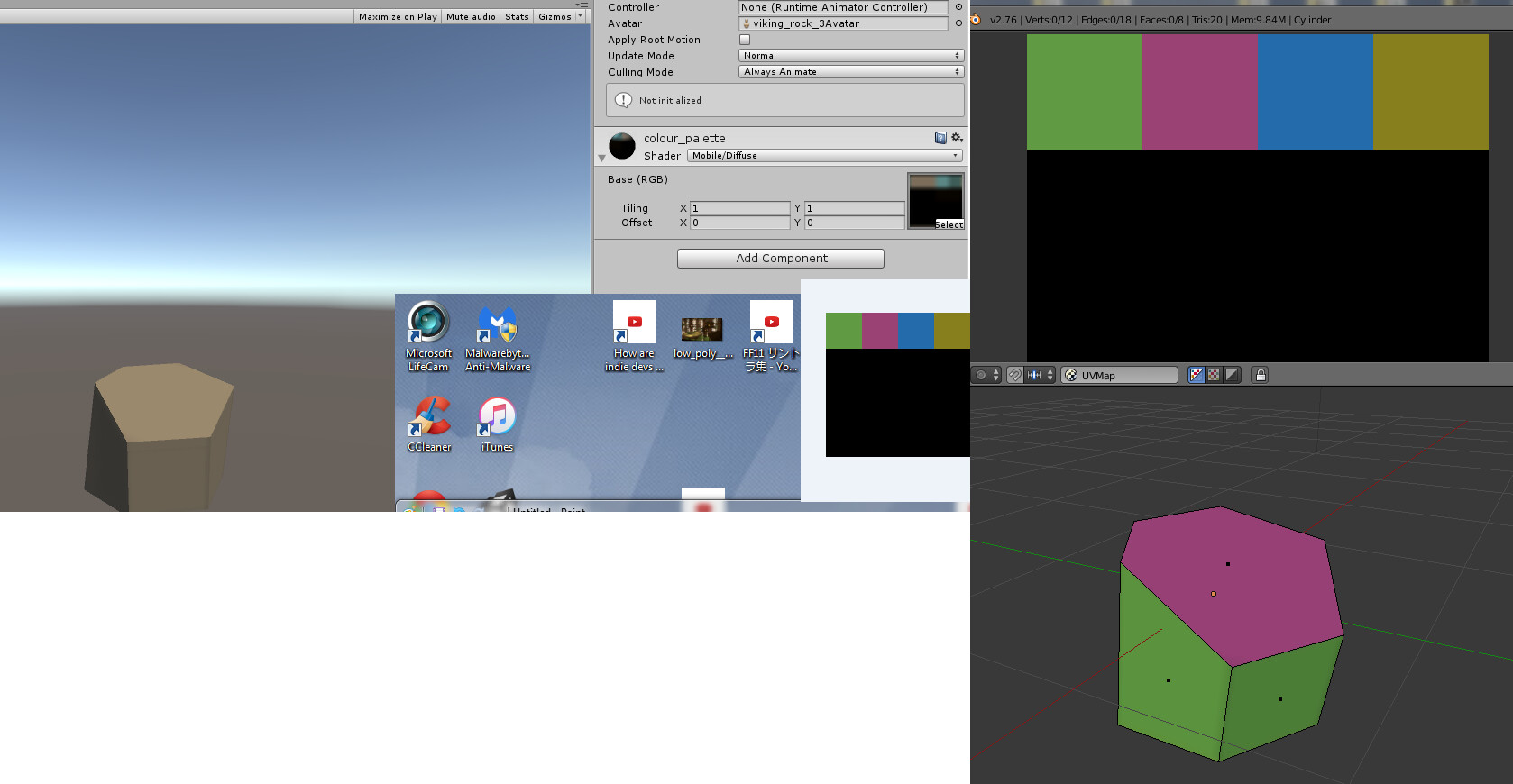
I made a small 8x8 texture, each pixel has its own colour. I mapped my blender object, and its certain parts to a pixel and it looks perfect in blender. Now when I bring it into Unity, the texture only shows a weird colour of what the general texture colour is like the colours I don’t use and it’s ignoring my UV map. When looking at my texture in Unity it also imports weird and looks weird. Anyone know whats wrong here? I did the normal steps of changing it to mobile/diffuse and added the texture I used in Blender, as I know how to do that from previous projects, just the only thing that is different is I am using my colours that are assigned by 1x1 pixels.
The picture shows the blender UV mapping, and shows what happens to the texture in Unity. Sorry for the weird background stuff.
Change texture settings to point filter should fix this issue for this kind of small precise image.
In additional as I see your screenshot for what you are doing. Vertex paint is the most suitable solution.
You don’t need any texture on it actually. But never mind. Learn slowly.
It’s because the default texture format is DXT1 which works by compressing images in 4x4 blocks of pixels of which can only have 4 colors (really two colors with two more as 1/3rd blends of the first two). If your entire texture is 4x4 and, in your case, you have 5 different colors and they’re all fairly different, there’s no way for DXT1 to represent those colors accurately.
Now with the texture being 16x16 with each color having it’s own 4x4 block you’ll get the correct color in each of those blocks.
Alternatively you can use the original 4x4 texture and change the texture type to advanced and select uncompressed, no mip maps, and point filtered