I ran into a very weird error, and I think I have tracked it back to a caching error in Accelerator.
It has taken me a week of debugging and experiments to get to this point, and I’ve essentially run out of leads to follow as well as run out of time to work on this so I’m going to dump everything I’ve discovered here in the hope that it helps someone.
TL;DR: Updating the package manifest while Unity is closed (when you pull from source control) causes packages to import incorrectly from the Accelerator cache, breaking the project and then causing data corruption in serialised assets.
Wall of Text:
After upgrading the com.unity.addressables package from 1.21.17 to 1.21.19 It seemed to work fine on my machine. It was just a simple change to the package manifest.json and I was able to build the game locally along with addressables. However when I merged the change back in to the main branch our CI build started spitting out builds very fast. The builds were tiny compared to what they should have been and on inspection it turned out they had no addressable/asset bundles.
This then started happening randomly on other team members machines.
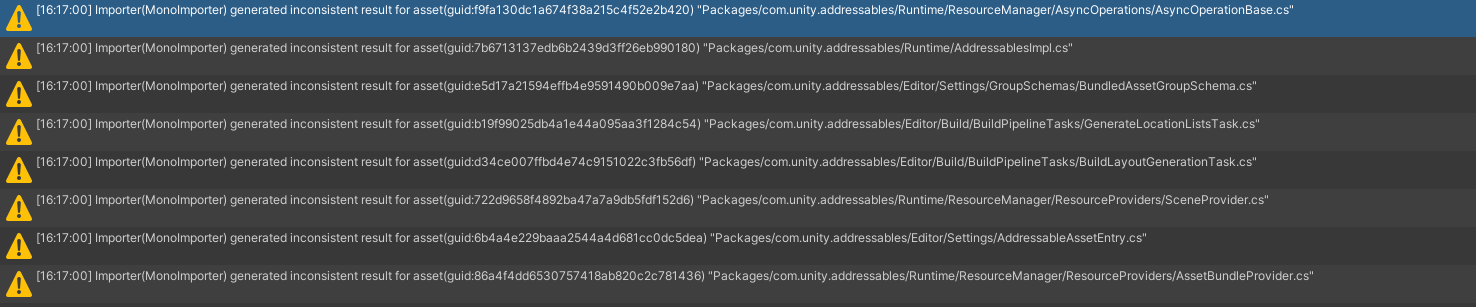
After some digging what I found was that certain scripts within the addressables package had not imported correctly. the source code was there, and it was compiling correctly But for some reason Unity’s MonoImporter hadn’t recognized them as containing valid classes for serialization.
If I look at one of the broken scripts (BundledAssetGroupSchema.cs is the one that I first noticed was bas) in the inspector (in Debug mode) they look like this
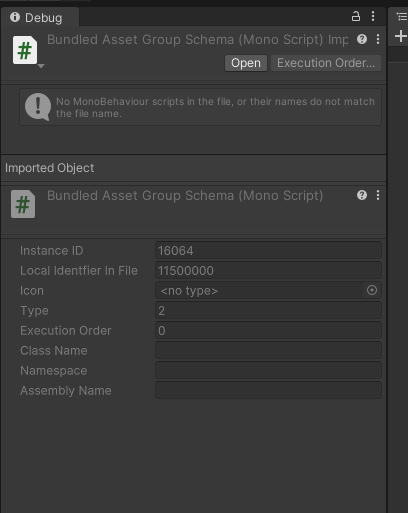
Note the missing “Class Name” property and so on when compared to a working script that looks like this:

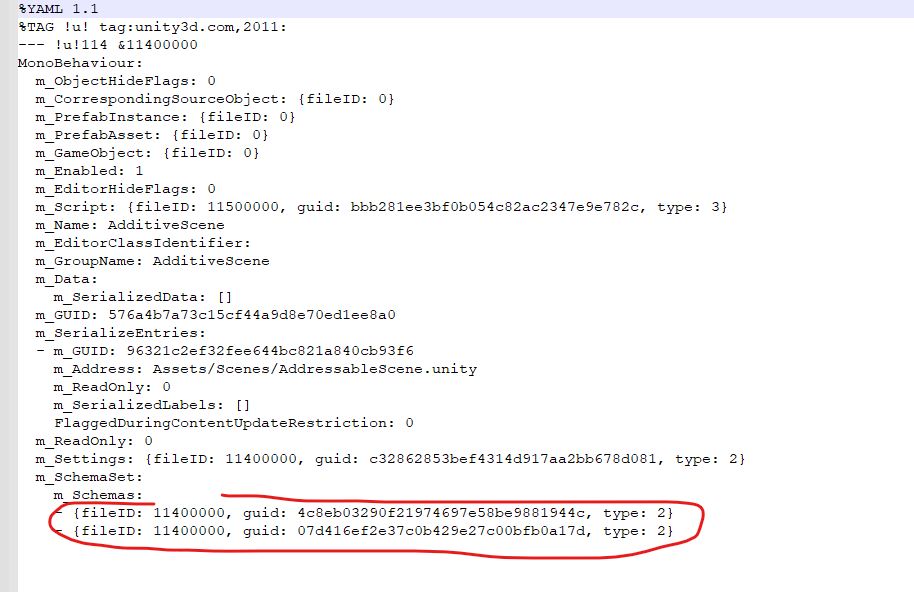
Because the serialization for these classes was now missing all the serialized assets of that type were now missing (sort of), selecting one of these in the project shows an empty object. Interestingly the script does show up as correct, not missing, but all the other contents of the asset are not there. All my BundledAssetGroupSchema scriptable objects were empty and looked like this (empty):

Whereas they should look like this (full of lovely data):

More images and discussion in thread…