# Camera snapping to bottom rig
**URL:** https://discussions.unity.com/t/camera-snapping-to-bottom-rig/922622
**Category:** Cinemachine
**Tags:** Bug
**Created:** [July 6, 2023, 4:18am UTC](https://discussions.unity.com/t/camera-snapping-to-bottom-rig/922622 "2023-07-06T04:18:52Z")
**Posts on this page:** 5
**Page:** 1
### Author:  [@clurpslurp](https://discussions.unity.com/u/clurpslurp)
#### Post date: [July 6, 2023, 4:18am UTC](https://discussions.unity.com/t/camera-snapping-to-bottom-rig/922622/1 "2023-07-06T04:18:52Z")
As background, I know nothing about cinemachine. I’m using a freelook camer but i’ve emptied out the orginal mouse input for X and Y with a script that can do click + drag camera movement. The input is from the left mouse button.
When I’m playing around with the values in edit mode, everything works fine, but when I run the game, the camera bugs and stays on the bottom rig. All the X axis controls work normally. Sometimes, the camera will snap into the middle and top rigs, but only breifly before it glitches back down to the bottom rig when the left mouse button is held down or clicked at any location.
I put in a Dev Log to see the mouse position and the numbers are correct and go past 0.5, but the camera doesnt agree lmao.
**This is the code**
using Cinemachine;
using System.Collections;
using System.Collections.Generic;
using UnityEngine;
using UnityEngine.XR;
public class DragCamScript : MonoBehaviour
{
public float dragSpeed = 2;
private CinemachineFreeLook cinemachineFreeLook;
public AxisState m\_XAxis;
public AxisState m\_YAxis;
private void Awake()
{
cinemachineFreeLook = gameObject.GetComponent();
}
void Update()
{
if (Input.GetMouseButton(0))
{
var newPosition = new Vector3();
newPosition.x = Input.GetAxis(“Mouse X”);
newPosition.z = Input.GetAxis(“Mouse Y”);
Debug.Log(newPosition.z);
cinemachineFreeLook.m\_XAxis.Value = newPosition.x \* dragSpeed \* Time.deltaTime;
cinemachineFreeLook.m\_YAxis.Value = newPosition.z \* dragSpeed \* Time.deltaTime;
}
}
}
**The code ends here**
**This is the game and scene view**
**And here are the settings I have for the rigs**
All other settings on cinemachine are the default ones, accept that the camera follows and looks at my player
And my main camera has a brain component which I haven’t touched.
I don’t understand anything, so if theres any other feilds that anyone needs for more info pls comment.
---
### Author:  [@Gregoryl](https://discussions.unity.com/u/Gregoryl)
#### Post date: [July 6, 2023, 10:36am UTC](https://discussions.unity.com/t/camera-snapping-to-bottom-rig/922622/2 "2023-07-06T10:36:40Z")
The images are not visible.
This code is questionable:
```csharp
cinemachineFreeLook.m_XAxis.Value = newPosition.x * dragSpeed * Time.deltaTime;
cinemachineFreeLook.m_YAxis.Value = newPosition.z * dragSpeed * Time.deltaTime;
```
The X axis value range is -180…180 and the Y axis value range is 0…1. What values are you seeing?
---
### Author:  [@clurpslurp](https://discussions.unity.com/u/clurpslurp)
#### Post date: [July 6, 2023, 5:41pm UTC](https://discussions.unity.com/t/camera-snapping-to-bottom-rig/922622/3 "2023-07-06T17:41:45Z")
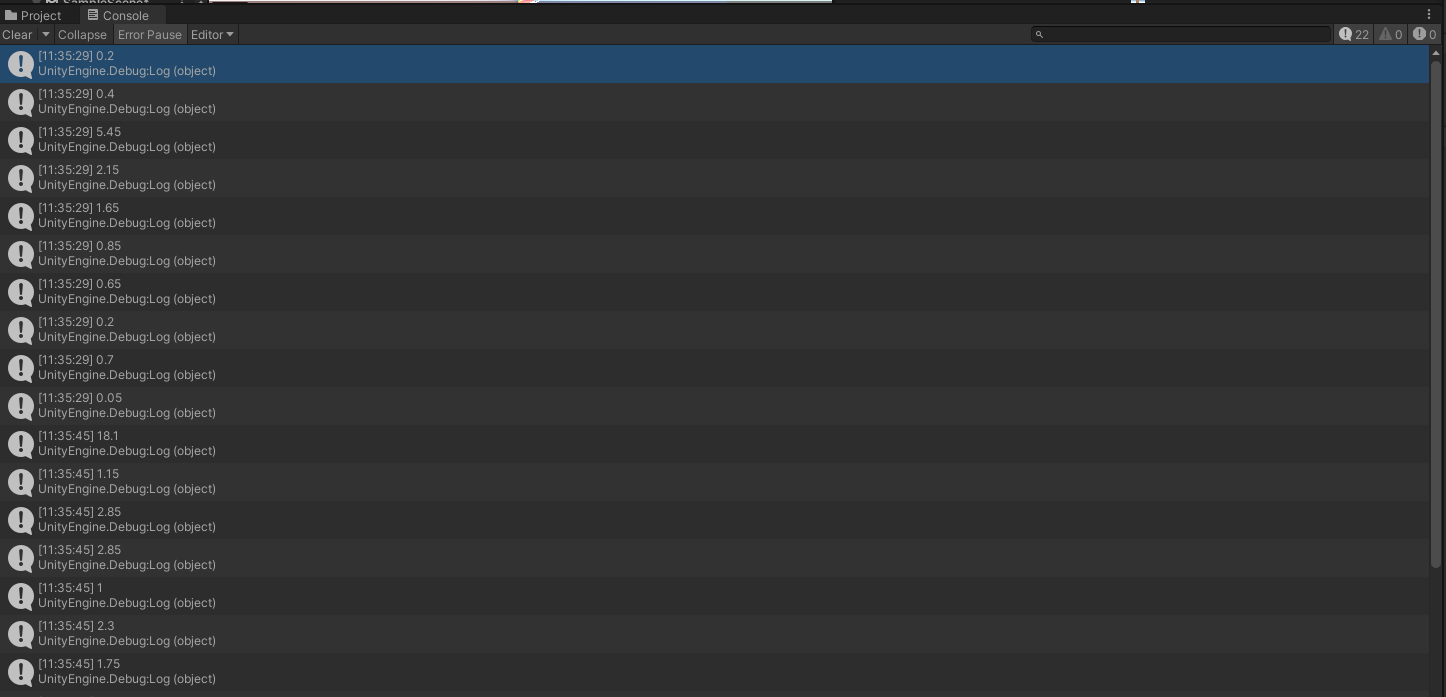
Some youtube tutorial said to get data from the z axis then name it Y (thus newPosition.z), and these are some values.
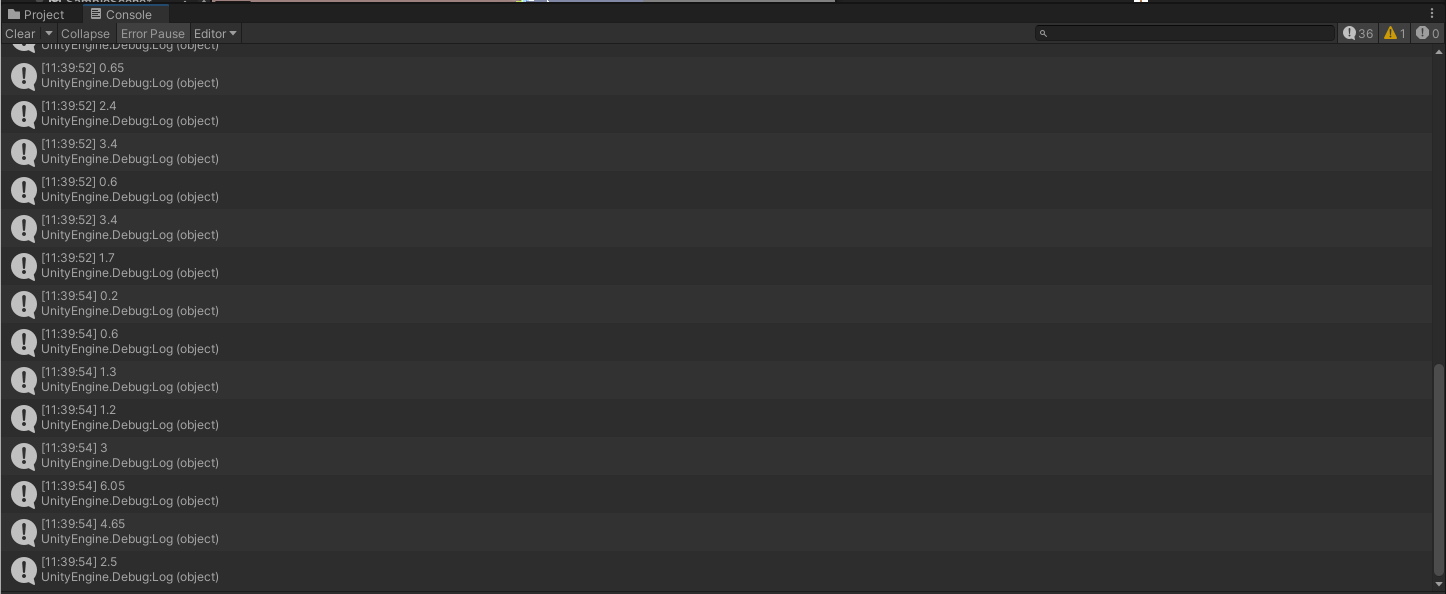
These are the values if i get the input from y axis though. Um, well, it’s definitely not ranged from 0-1
---
### Author:  [@Gregoryl](https://discussions.unity.com/u/Gregoryl)
#### Post date: [July 6, 2023, 5:47pm UTC](https://discussions.unity.com/t/camera-snapping-to-bottom-rig/922622/4 "2023-07-06T17:47:20Z")
I don’t understand why you’re using a custom script to drive the axis from the mouse. You are sending incorrect values. Why not use the builtin one? Is it because you want input only when mouse button is pressed? There are easier ways to do that. See here: [How do I make a CinemachineFreeLook orbiting camera that only orbits when the mouse key is down?](https://discussions.unity.com/t/698898/5)
---
### Author:  [@clurpslurp](https://discussions.unity.com/u/clurpslurp)
#### Post date: [July 6, 2023, 7:54pm UTC](https://discussions.unity.com/t/camera-snapping-to-bottom-rig/922622/5 "2023-07-06T19:54:16Z")
Thank you! I don’t know what I’m doing I’ve been trying to find code for this, it worked how I wanted 🙂