I found something that happens in Unity:
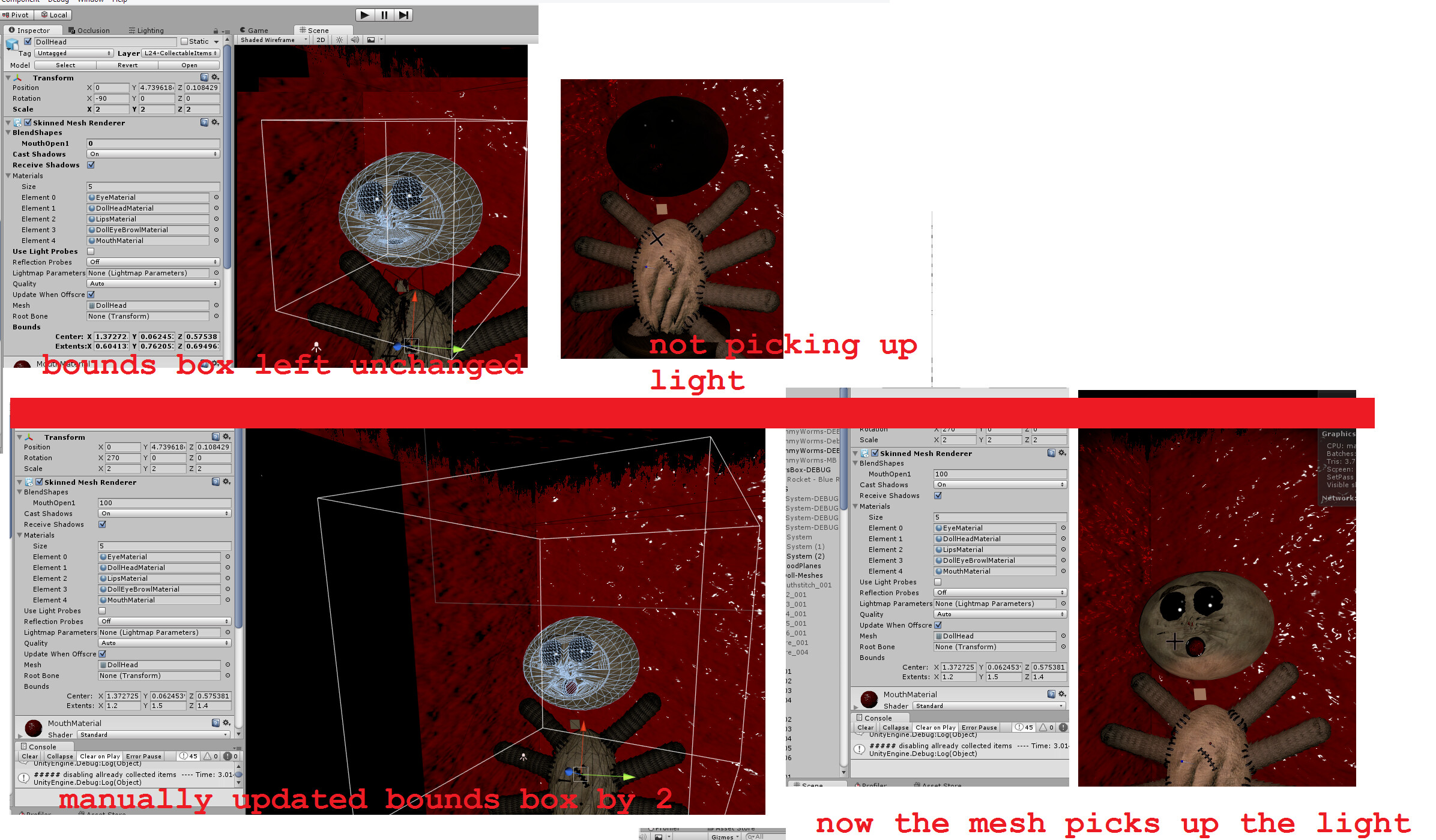
If you have a game object with a skinned mesh, the bounds of the skinned mesh does not change automatically with respect to the new scale, even though the bounds box shown in the editor appears to have been adjusted automatically.
Before scaling:
after scaling:
The bounds box values are not changed. They must be changed manually.
So be careful when scaling a gameobject with skinned mesh renderer.
This caused problems with the skinned mesh renderer incorrectly picking up lighting in the scene.
Have you reported this as a bug?
No, because I wans’t sure if it was a bug. Do you think it’s a bug, if so I’ll submit a bug report.
Actually no. The bounds is in local space, it gets multiplied by the scale to give what you see in the world. This is the same for normal mesh renderers but you don’t see the bounds value so its not noticeable 
2 Likes
Something stills seem a little bit strange with this:
In the upper screenshots, i changed the scale to 2. The bounds box shows around the mesh, but the mesh does not pickup lighting information correctly in playmode. It’s like Unity assumes the mesh is in some other location in the scene. The entire mesh is black. In the screen shot a spot light is shining directly on the mesh.
In the lower screenshots, I manually multiplied the bounds by 2. Now the mesh picks up the lighting from the spotlight.
This may be an issue with the center being off?
Everything is fine if I leave the scale at 1,1,1.
According to the way the bounds box is shown in the editor, there shouldn’t be an issue.
Either-way, I have to do something with the bounds manually otherwise the mesh does not correctly pickup the light.
j