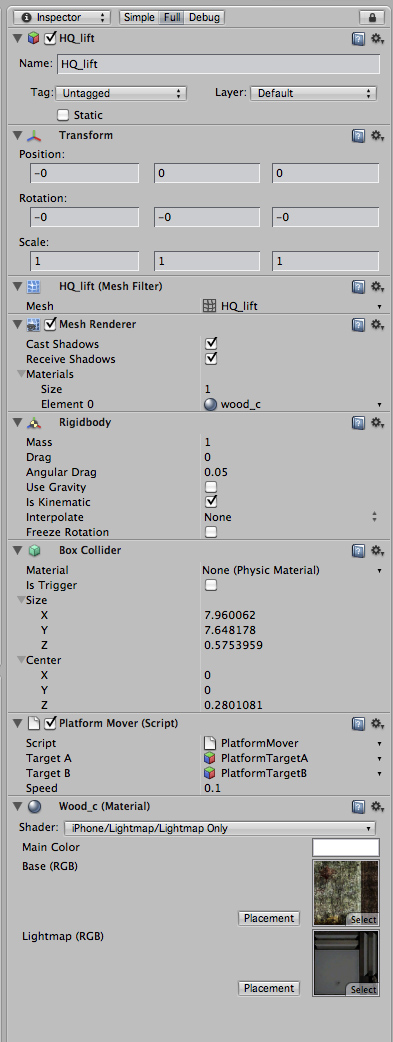
i made a lift and give him following script to move:
var targetA : GameObject;
var targetB : GameObject;

var speed : float = 0.1;

function FixedUpdate () {

	//Debug.Log("FixedUpdate");

	var weight = Mathf.Cos(Time.time * speed * 2 * Mathf.PI) * 0.5 + 0.5;
	transform.position = targetA.transform.position * weight
						+ targetB.transform.position * (1-weight);

	//Debug.Log("transform.position= "+transform.position);
}
tha works fine…
the character has a Box Collider but he always falls through the lift…somebody knows why? I made all like in the 2D Gameplay Tutorial…but on iPhone? Is it possible that the character has to much gravity?
Just to check, does your lift have a Collider attached to it and does your character have a Rigidbody attached?
I’d recommend scanning over the Matrix at the bottom to get a feel for how the various combinations of colliders, rigidbodies, and triggers interact with one another.
Also, you’ll get better performance out of your scripts if you get in the habit of caching component lookups in the Start() functions as opposed to using
function Update()
{
     transform.postion = ...
}
in an Update or FixedUpdate loop. The above code emits as GetComponent call each time through behind the scenes, so by declaring and assigning that to a local variable on start removes that overhead:
var cachedTransform : Transform;
function Start()
{
    cachedTransform = transform;
}

function Update()
{
    cachedTransform.position = ...etc
}
Lastly, since in this example you’re moving the object through its transform component as opposed to applying physics forces, I’d do that work inside of Update instead of FixedUpdate.
Ah, the Character Controller, didn’t realize you were using that…it doesn’t act under physics at all. Example, attach a Rigidbody to it, turn on gravity, and you’ll notice that class overrides it - your character will not fall. From the scripting docs on the Character Controller
Anyway, no need re-inventing other answers, head on over to here and you’ll find all manner of solutions: