Hi,
I am confused with Quaternion.AngleAxis, I try to rotate by 45 degrees compared to the player’s forward, and the result is never good. Would you know how to make this work? (the world’s right is the player’s forward)
Thanks, I would like the player to run forward, collides with the ball, if the angle is “45”, then the ball should go 45° , added to the player’s forward (the force is the amount of time I let the key down).
So when I use Vector3.up, the ball goes up in the air (it should stay on the x/z axis).
If I try some values, from around 45 to 179 with Vector3.forward, it is almost every time the same direction towards the world Vector3.forward, and after 180, it goes straight at the opposite at the bottom of the screen.
If I try with “ptr.forward”, it goes towards the Vector3.forward and in the air.
How can the ball takes an angle of ptr.forward + 45°, multiplied by the force?
I want the player to run with the ball, so if the joystick moves " 45° ", the player rotates 45 degrees, so the ball should also move by 45 degrees. I ask the ball to add a force in a direction of : player.transform.forward + 45°. But it does not work.
    public Transform Player;

    public float Force = 10;

    private CharacterController _PlayerController;
    private Rigidbody _RigidBody;

    void Start ()
    {
        _RigidBody = GetComponent<Rigidbody>();

        Player = GameObject.FindGameObjectWithTag("Player").transform;
        _PlayerController = GameObject.FindGameObjectWithTag("Player").GetComponent<CharacterController>();

    }

    void Update ()
    {
        if(_PlayerController.velocity != Vector3.zero)
        _RigidBody.AddForce(Player.transform.forward * Force, ForceMode.Force);
    }
You will have to tweak it a bit for your purposes. Notice that in my case, the force will not be applied unless the character has moved. To check that, I am using a character controller. If you are moving your player with a rigidbody then you can check like this
Thanks, I appreciate your help, but it confuses me a bit with what I want. I did not explain well, here is the thing :
the ball is hit and only then the player should rotate with a smooth effect. When you play soccer, you can hit the ball and then only rotate your body, you don’t rotate all of a sudden.
So I should add the angle of the joystick to the ball. The player should rotate after the ball has taken its new angle, I cannot use the “new rotation” of the player because it will occur after the ball has been hit. (the smooth effect takes a small amount of time).
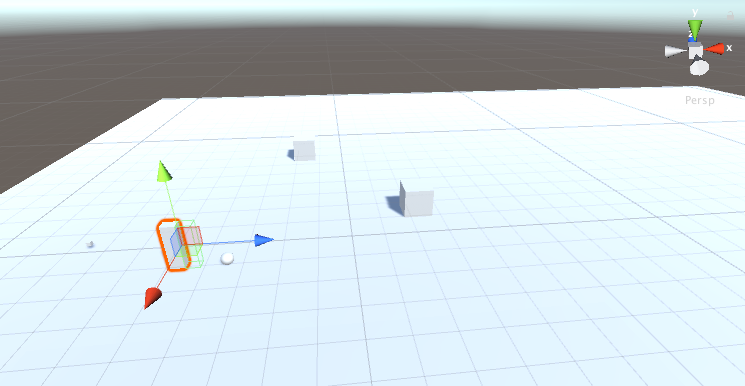
 I want the player to run with the ball, so if the joystick moves " 45° ", the player rotates 45 degrees, so the ball should also move by 45 degrees. I ask the ball to add a force in a direction of : player.transform.forward + 45°. But it does not work.