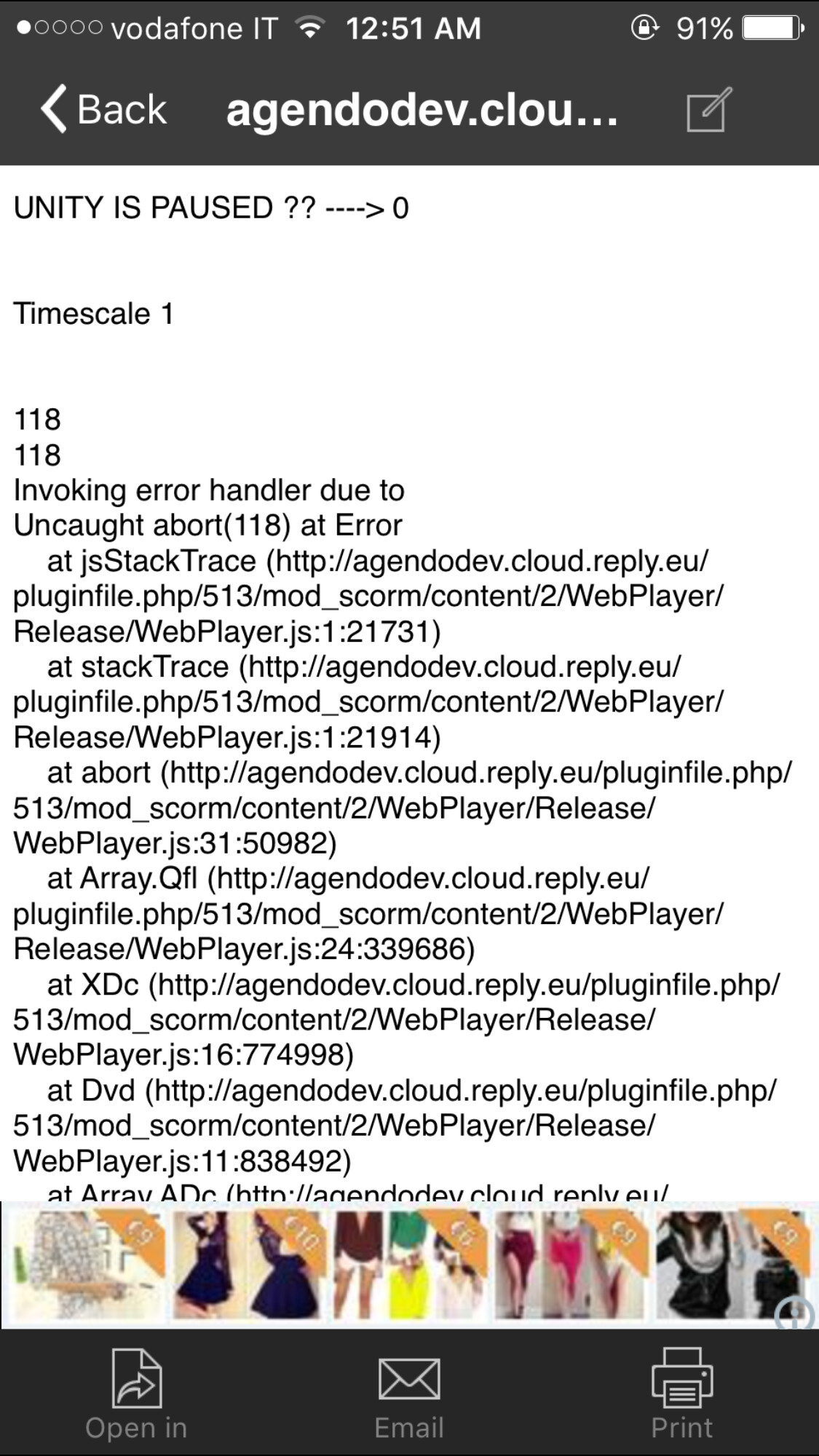
We are currently making a lot of WebGL games for our soon to be launched online portal and are getting a lot of Abort() errors at different times in the builds. The most common cases for the abort error is when going back to the menu scene from the Game Scene and more commonly when navigating away from the page with the game.
I have included screenshot of the error when I navigate away from the page in one of the games.
The build was made using Unity 5.2.1
No the Abort() when navigating does not happen in Firefox. Strangely enough occurs more or less randomly in chrome, it happens sometimes and sometimes doesn’t.
Btw another issue has also cropped up in one of the builds, This time chrome crashes and closes completely sometimes, in one of the builds, any clue as to why this happens.
The callstack is from a Release build so it’s hard to tell what’s the problem, however, we recently fixed a bug that might be releated. Try the latest patch.
When does it happen exactly? Loading the page or during the game ?
It happens when the game has been running for a few minutes. It also doesnt happen everytime, more or less at random. Ive tried to trace it to something specific in my build, but it doesnt seem linked to anything that I could figure out.
Thank you for the quick replys, Ill build with patch and post back my results. Ill also post a stack from a Development build tomorrow.
The Patch you linked Fixed the Abort() Error on Navigating away from the webpage, but in all builds with the patch the Fill Image Bar got ruined I am linking a screen shot in one of the games. This was working Fine previously.
I also managed to fix the abort error() in scene change, by removing some awake code in my singleton classes, however It is still not clear to me why that error occurred as it seemed to be working perfectly fine in the error. Any help would be appreciated.
if (isPersistant)
{
if (!instance)
{
instance = this as CoinSystemServiceHandler;
}
else
{
DestroyObject(gameObject);
}
DontDestroyOnLoad(gameObject);
}
else
{
instance = this as CoinSystemServiceHandler;
}
}
Replaced it with this and it seemed to work:
void Awake()
{
if (isPersistant)
{
if (!instance)
{
instance = this as CoinSystemServiceHandler;
}
else
{
DestroyObject(gameObject);
}
DontDestroyOnLoad(gameObject);
}
else
{
instance = this as CoinSystemServiceHandler;
}
}
I have already the same issue when I try to play my webgl minigames on office-pc Mac os x. This error seems to occour using a particular version of Chrome that generate the alert error pop up. I tried to play and test my minigames on different Mac PCs but only one in specific show regularly the message error.
I Uploaded on attachments a console chrome log of a game session that call this error pop up.
On Tuesday i will come back to office and get more infos on Different Chrome versions used.
Ok, so i need to rebuild the game with checked Development build setting and finally resave the Chrome Console log ?
Are correct only these steps ? or i need to do something else ?