Hi Everyone!
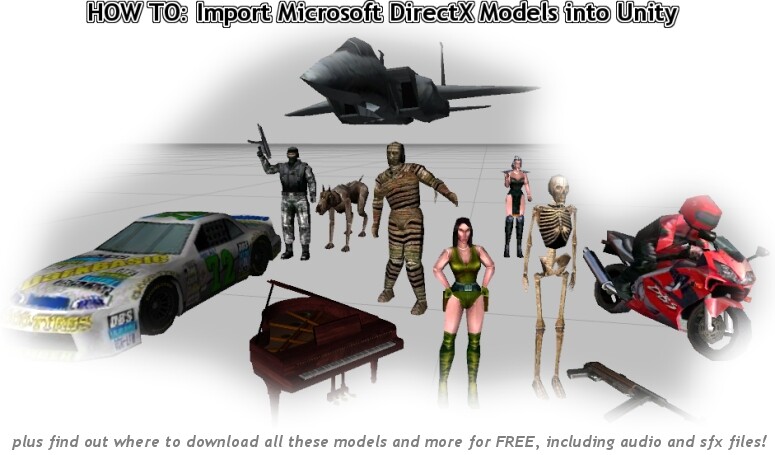
I have created a FREE easy to use 32-page step by step guide detailing how to import Microsoft DirectX format 3D models into Unity, including animated objects!
This guide includes details of how convert 3DS and OBJ files to FBX for use in Unity!
I share the secrets of the tools required and where to get them to enable you to make use of the many freely available DirectX format models from the web.
As well as showing you how to import this models into Unity, the guide also provides information on where you can obtain a large collection of game ready models, textures and audio files for FREE!
These include:
25+ People and Monsters
20+ Vehicles
10+ Weapons
35 MIDI music files
120+ Audio Files
200+ WAV sound effect files
4 MP3 game soundtracks
To download my pdf guide please visit Welcome to A-Lab Software! Your web 3D Content & Online Product Marketing Solution Providers... and scroll down to the bottom of the page.
I hope you all like the guide and it is of use to you!
And if you make use of DirectX models in your projects as a result of the information in my guide, please feel free to make a donation were possible, by donating you help me to continue to produce more top quality Unity 3D resources, plus I am saving up to upgrade my Indie license to Pro!
BTW, you can read more about me and what I do in the latest issue of 3D World Mag, page 20 Reel Lives interview.
All the best!
Just downloaded and I recieved a corrupt zip file. 
Hi Sam,
The zip file is password protected using Winzip, I believe this causes a problem for some Mac users?
I have emailed you a version of the zip file that is not password protected, which should work fine on a Mac.
Let me know if all ok?
All the best!
The one you emailed me worked.
I am on a PC.
I went back and checked the password that was sent in the email and I spelled the pass wrong.
The word had a 1 in it and I thought it was an i. :roll:
Thanks for you reply. 
Same issue here, decompression failed on the protected archive. As the community is like 90% mac users, you might want to rethink password protecting a simple PDF. 
Are you sure you typed the password correctly? note the 1 for an i.
What this tutorial is about:
- Using free TrueSpace to convert from X to 3DS
- Using free FBX Converter from Autodesk to convert from 3DS to FBX
- If you want to convert animations, you have to use a commercial 3d-software(Deep Exploration). I guess this won’t work for bones.
- Installing free models from DarkGDK
If you need a step-by-step description with screenshots for this, you might want to share your email address to get this tutorial. All others can skip this one.
It is indeed, and getting models, plus animations into Unity has been my biggest struggle so far, as I do not have the budget for 3D Studio Max or Maya.
So my guide is ideal for others who do not want to repeat my problems, and instead want to maximise their use of Unity.