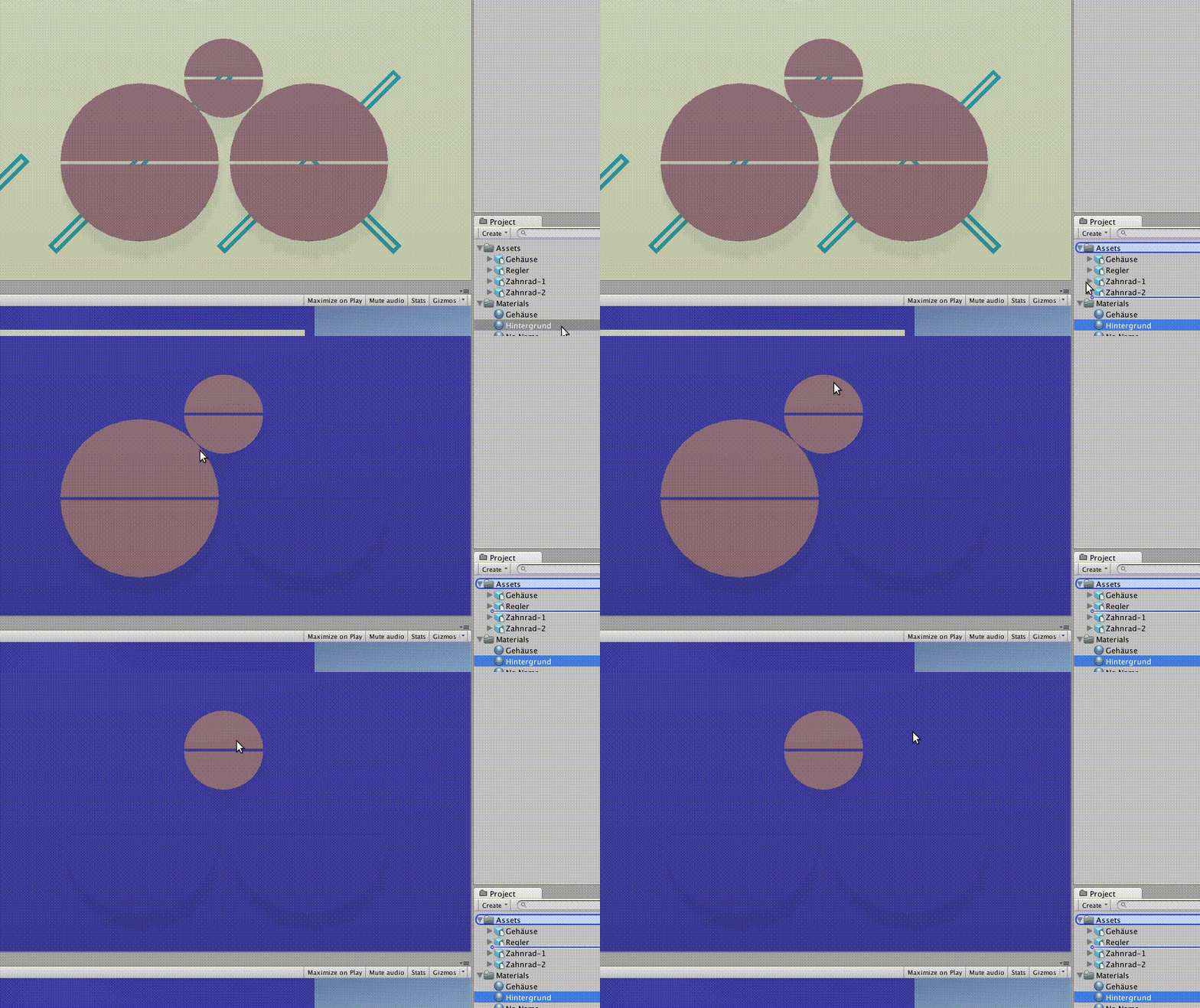
When trying to drag & drop a Material from the Projects window on top of an object in the viewport, the material is applied to many/all objects under the mouse pointer, even though the material has not been dropped yet. Additionally, sometimes an object does not apply the material at all (see the GIF).
The material has not been dropped during the recording.
The drag & drop indications in the tree view of the Project window (I am talking about the blue background of the “Assets” folder and the blue line between the two Objects inside it) actually do not disappear after dropping the material. You have to drag & drop another object only inside the Project folder (without dragging it into the viewport) or restart the editor to make them go away.
Drag and drop materials doesn’t work at all for me in Ubuntu 15.10, nothing happens when I try to apply a material. But just if I not using the default views layot, as soon as I go back to the default option it works fine
I’m experiencing this too on XFCE (Linux Mint 17.3) with the latest build. I checked among XFWM, Metacity and Compiz (with and without Compositing), so window manager doesn’t seem to be the issue.
I’ve had the same happen since the very first Unity release for Linux. Running Gentoo Linux on AMD64, KDE4.
When dragging a material, anything under the cursor gets painted, dragging it over the hierarchy or inspector panes will often permanently highlight elements in the pane until I select something else.
My workaround so far was to click pick meshes in the inspector pane and assign material slots in the MeshRenderer’s Materials list (using the small circle button to open the material picker).