# Error with bloom
**URL:** https://discussions.unity.com/t/error-with-bloom/590143
**Category:** Post-Processing
**Created:** [July 20, 2015, 12:29pm UTC](https://discussions.unity.com/t/error-with-bloom/590143 "2015-07-20T12:29:44Z")
**Posts on this page:** 4
**Page:** 1
### Author:  [@Donsky](https://discussions.unity.com/u/Donsky)
#### Post date: [July 20, 2015, 12:29pm UTC](https://discussions.unity.com/t/error-with-bloom/590143/1 "2015-07-20T12:29:44Z")
I’ve been playing around some image effects and encountered a strange error with bloom:
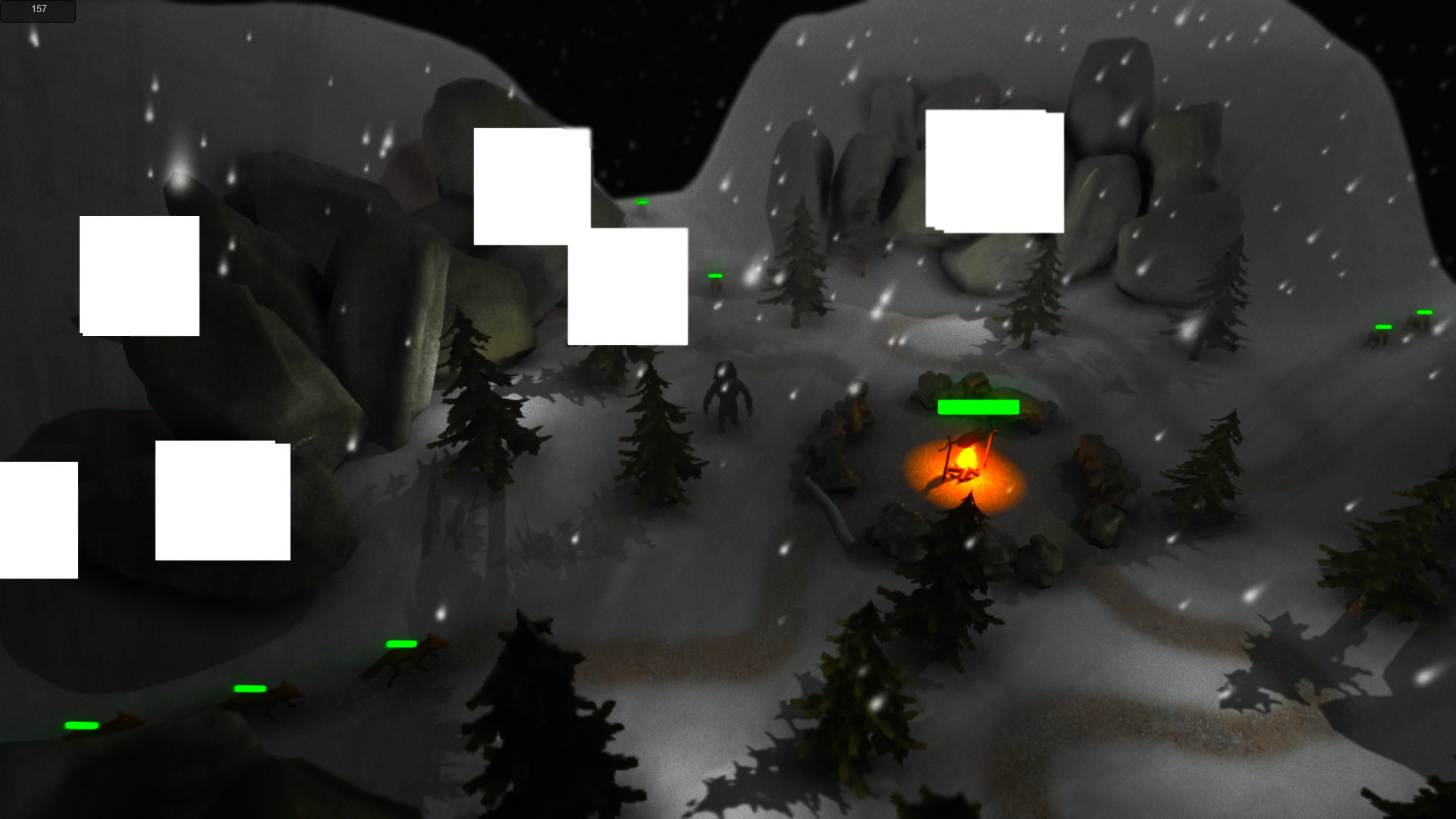
From my deduction, this happens along the seams on the meshes and only in the standalone(PC). Also, there I see some white flickering if the effect is turned off. What might be the reason?(If this is not my fault, I’d like to know, if this is a known bug or not and when it’ll be fixed).
I’m using latest version of the personal addition(the scene is somewhat older and the error was present previously as well(was 5.01 or something like that)).
---
### Author:  [@Donsky](https://discussions.unity.com/u/Donsky)
#### Post date: [July 21, 2015, 8:06am UTC](https://discussions.unity.com/t/error-with-bloom/590143/2 "2015-07-21T08:06:34Z")
By the way, there are 16 kinds of rocks and each of them uses the same texture that is divided into 16 pieces(all are unique). Can this theoretically be the reason?
---
### Author:  [@Sickwitit](https://discussions.unity.com/u/Sickwitit)
#### Post date: [July 21, 2015, 6:17pm UTC](https://discussions.unity.com/t/error-with-bloom/590143/3 "2015-07-21T18:17:02Z")
The flickering is most likely because your Bloom Intensity is turned up too high. You need to find a happy medium. Just turn the intensity down until the flickering stops. I’ve found that around 2 works good. I had the same issue a while back. Bright lights also cause Bloom to be intensified, which can in turn, cause more flickering.
---
### Author:  [@Donsky](https://discussions.unity.com/u/Donsky)
#### Post date: [July 21, 2015, 7:25pm UTC](https://discussions.unity.com/t/error-with-bloom/590143/4 "2015-07-21T19:25:55Z")
Intensity is 0.5 and I don’t get flickering with the bloom is on. I’m getting just those white rectangles. Flickering, or to be more precise, white dots along seams occur even when all the effects are turned off. And all these errors are exclusively present in the PC standalone. The editor play mode seems perfect. Anyway, thanks for information, I’ll consider that in the future.