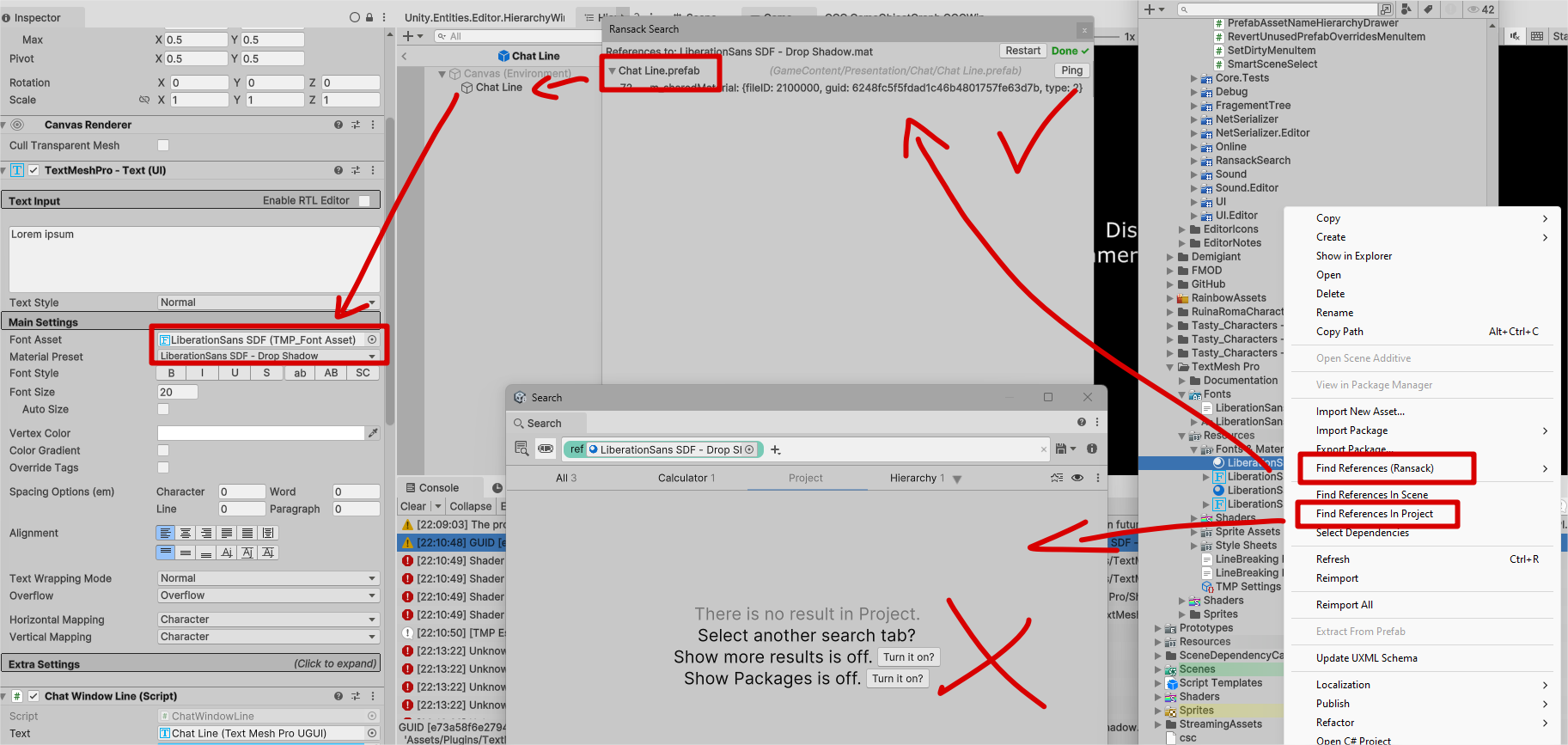
I’m in the process of upgrading our project to Unity 6 and I noticed the new “Find References” options in the asset context menu.
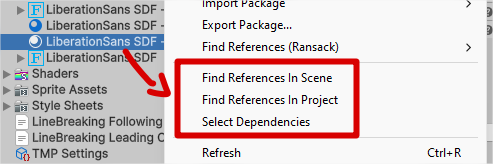
However, I’m not sure it works. When I use our in-house search tool (looks uses AgentRansack software to text search GUIDs), it correctly finds references to font materials. But when I use the Find References In Project, it doesn’t find anything.
Am I missing something, or is this a bug?
Hi @msfredb7 ,
Can you verify that the Dependencies for assets are properly indexed in your project? They should be indexed by default, but if you had disable it, this might explain why Project references are missing.
Window → Search → Index Manager
Thanks,
Sebastien
It was indeed turned off! However, we never turned if off explicitly. All of our devs have it off.
Could it be that projects that predate a certain version have this value set to false by default? If I create a new project, it is correctly turned on.
You are correct : if you already had an index setup, we do not update it.
Important precision: indexing properties takes initially some time (depending on your project size). When the indexation is done, we do partial indexation each time assets are changing. If you like the search by property workflow, this is worth the wait IMHO. But if you feel it is too long or if you feel the index on disk take too much space, feel free to remove Property indexation.