Doing some speed tests recently I found that mono is generally rubbish in comparison to il2cpp for simple maths!
But if compiling for mono I also found floats seem to cause all kinds of problems (just very slow) for mono where doubles do not and have since read some snippets that suggest .NET may be more optimal with doubles.
Is there any truth to this or have I just messed up a test somewhere?!
Like what? You need to be specific and back it up with measurements or sources, otherwise you‘re just spreading myths, half-wisdom, plain misunderstandings, and such.
If you want to measure math performance and want to have the fastest math in general, do use the Unity Mathematics and Burst packages.
I can run any line of maths like:
double div = 1.9999;
double tot = .01;
for (int i = 0; i < 200000; i++)
{
    tot *= 2.0001;
    tot /= div;
}

float fdiv = 1.9999f;
float ftot = .01f;
for (int i = 0; i < 200000; i++)
{
    ftot *= 2.0001f;
    ftot /= fdiv;
}
The float version takes nearly twice as long to run in a mono build (similar speed with il2cpp, though double slightly slower)
64bit windows
Measured how? To what accuracy? And the actual time with units please.
Does the measurement still give the same result if you switch the float and double blocks around? Perhaps the initial cache misses cause the float part to be slower.
Are you using Stopwatch? If so, the first return of ticks/milliseconds is always a false number, best to switch the order when comparing 2 methods.
yes stopwatch - you can repeat multiple times, switch order, and later are much the same as first runs, ticks/milliseconds all give the same result
But please do try yourself:
using System.Collections;
using UnityEngine;
using System.Diagnostics;

public class MinTest : MonoBehaviour
{
    IEnumerator Start()
    {
        yield return new WaitForSeconds( 1f );

        DoubleTest();
        FloatTest();

        yield return new WaitForSeconds( .1f );

        FloatTest();
        DoubleTest();
    }

    void DoubleTest()
    {
        var timer = new Stopwatch();
        timer.Start();
        double div = 1.9999;
        double tot = .01;
        for (int i = 0; i < 200000; i++)
        {
            tot *= 2.0001;
            tot /= div;
        }
        timer.Stop();
        UnityEngine.Debug.Log( "double: " + timer.Elapsed.TotalMilliseconds + "ms" );
    }

    void FloatTest()
    {
        var timer = new Stopwatch();
        timer.Start();
        float fdiv = 1.9999f;
        float ftot = .01f;
        for (int i = 0; i < 200000; i++)
        {
            ftot *= 2.0001f;
            ftot /= fdiv;
        }
        timer.Stop();
        UnityEngine.Debug.Log( "float: " + timer.Elapsed.TotalMilliseconds + "ms" );
    }
}
That’s what I mean, the Start() is always false, best to use Restart(). And test them swapped in order, you’ll see what I mean. The first Start() always gathers up Unity’s Editor handles, the first read out would be 234876 ticks, and every avg tick after that would be 34… it’s crazy
So I ran the test myself:
public class Test01 : MonoBehaviour
{
    Stopwatch stopwatch = new Stopwatch();
    public int iterations = 999999999; // highest I could go, without using long
    void Start()
    {
        stopwatch.Start();
        DoubleTest();
        stopwatch.Stop();
        print($"double 1 : {stopwatch.ElapsedTicks}");
        stopwatch.Restart();
        FloatTest();
        stopwatch.Stop();
        print($"float 1 : {stopwatch.ElapsedTicks}");
        stopwatch.Restart();
        DoubleTest();
        stopwatch.Stop();
        print($"double 2 : {stopwatch.ElapsedTicks}");
        stopwatch.Restart();
        FloatTest();
        stopwatch.Stop();
        print($"float 2 : {stopwatch.ElapsedTicks}");
    }

    void DoubleTest()
    {
        double div = 1.9999;
        double tot = .01;
        for (int i = 0; i < iterations; i++)
        {
            tot *= 2.0001;
            tot /= div;
        }
    }

    void FloatTest()
    {
        float fdiv = 1.9999f;
        float ftot = .01f;
        for (int i = 0; i < iterations; i++)
        {
            ftot *= 2.0001f;
            ftot /= fdiv;
        }
    }
}
EDIT: Typo, results further down

I have run it standalone it is not 0. I have done it without start (restart).
Change your reset to restart
oof! good catch, I typed quickly and thought it said restart, accurate readout:

Okay then, yeah that’s crazy ^ ^ ^
I remember reading the Mono version used in Unity does float math operations using doubles. There’s a thread about that somewhere here on the forums.
This means Mono will cast the floats to doubles, perform the operations, then cast the results back to float. When doing the math directly with doubles no conversions are done and thus it runs faster.
– EDIT –
Found the thread:
This is supposed to have been fixed in Unity 2021.2, what version are you testing on?
Ah yes I think that is 1 of 2 things I found (the other about .NET), but seems wildly unreported.
I mean il2cpp does not seem to suffer such issues…
But I tested in 2022 LTS and still no fix I guess
There is official package for performance testing that more suitable than stopwatch for any kind of benchmarking.
https://docs.unity3d.com/Packages/com.unity.test-framework.performance@3.0/manual/index.html
Is it? In that thread there is a dev saying it will land in 2021.2 or later, so I guess it was “later”.
In that video (thanks to @s_schoener ) explains what exactly happens under the hood of different compilers.
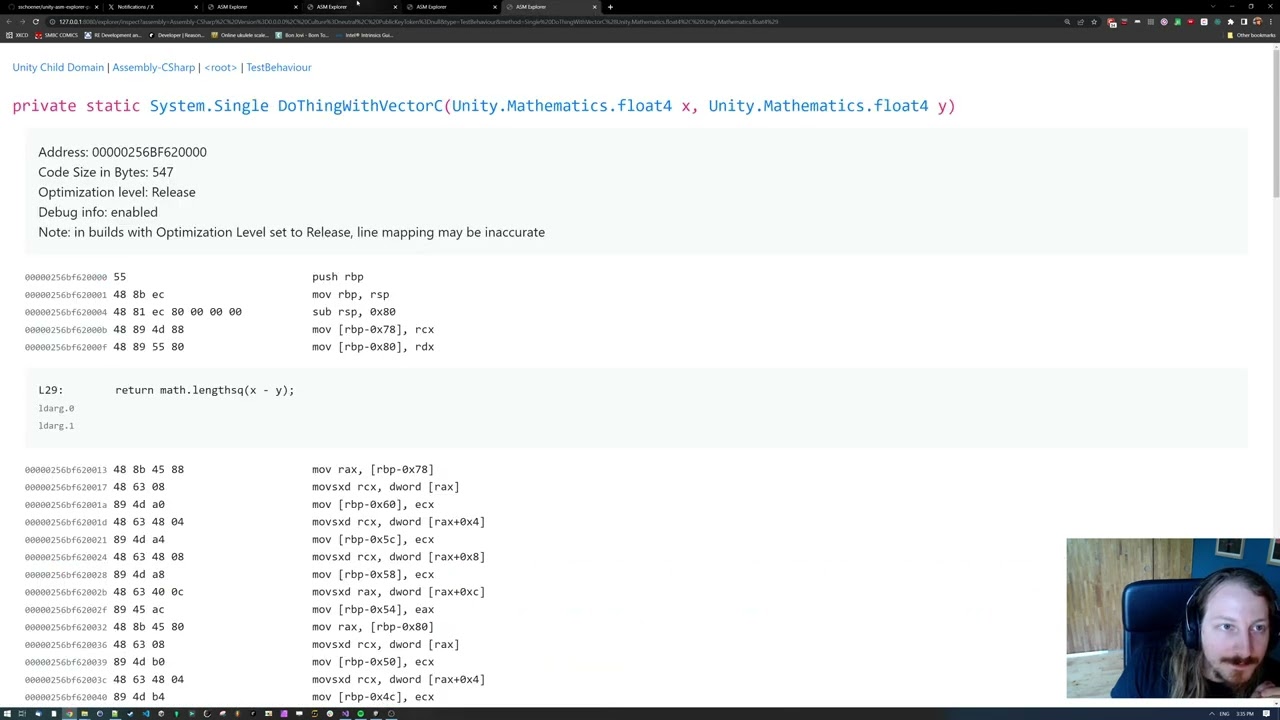
I’m still on 2021.1.10f1… I’m always afraid to update in case things change(for the worst), lol 
Reading this thread gave me the urge to check on the Burst compiler. I know the first results have the compile time included, but I don’t know why either of them are as low as they are. I didn’t think there was that much difference between Burst and Mono.
Code
using System.Diagnostics;
using UnityEngine;
using Unity.Burst;
using Unity.Jobs;

public class PerfTest : MonoBehaviour
{
    private void Start()
    {
        var stopwatch = new Stopwatch();

        stopwatch.Start();
        DoubleTest();
        stopwatch.Stop();
        print($"<color=#FFAAAA>Double 1: {stopwatch.ElapsedTicks}</color>");

        stopwatch.Restart();
        FloatTest();
        stopwatch.Stop();
        print($"<color=#FFAAAA>Float 1: {stopwatch.ElapsedTicks}</color>");

        stopwatch.Restart();
        new DoubleJob().Schedule().Complete();
        stopwatch.Stop();
        print($"<color=#FFAAAA>DoubleJob 1: {stopwatch.ElapsedTicks}</color>");

        stopwatch.Restart();
        new FloatJob().Schedule().Complete();
        stopwatch.Stop();
        print($"<color=#FFAAAA>FloatJob 1: {stopwatch.ElapsedTicks}</color>");

        stopwatch.Restart();
        DoubleTest();
        stopwatch.Stop();
        print($"<color=#AAAAFF>Double 2: {stopwatch.ElapsedTicks}</color>");

        stopwatch.Restart();
        FloatTest();
        stopwatch.Stop();
        print($"<color=#AAAAFF>Float 2: {stopwatch.ElapsedTicks}</color>");

        stopwatch.Restart();
        new DoubleJob().Schedule().Complete();
        stopwatch.Stop();
        print($"<color=#AAAAFF>DoubleJob 2: {stopwatch.ElapsedTicks}</color>");

        stopwatch.Restart();
        new FloatJob().Schedule().Complete();
        stopwatch.Stop();
        print($"<color=#AAAAFF>FloatJob 2: {stopwatch.ElapsedTicks}</color>");
    }

    private void FloatTest()
    {
        float divide = 1.9999f;
        float total = 0.01f;

        for (int i = 0; i < 999999999; i++)
        {
            total *= 2.0001f;
            total /= divide;
        }
    }

    private void DoubleTest()
    {
        double divide = 1.9999;
        double total = 0.01;

        for (int i = 0; i < 999999999; i++)
        {
            total *= 2.0001;
            total /= divide;
        }
    }
}

[BurstCompile]
public struct FloatJob : IJob
{
    public void Execute()
    {
        float divide = 1.9999f;
        float total = 0.01f;

        for (int i = 0; i < 999999999; i++)
        {
            total *= 2.0001f;
            total /= divide;
        }
    }
}

[BurstCompile]
public struct DoubleJob : IJob
{
    public void Execute()
    {
        double divide = 1.9999;
        double total = 0.01;

        for (int i = 0; i < 999999999; i++)
        {
            total *= 2.0001;
            total /= divide;
        }
    }
}
Result

True, was gonna say, floats are 4 bytes, and doubles 8 bytes… So logic should point to the obvious.
However whether Unity uses floats as doubles in calculations, it’s doing twice the work. Or even if it’s using a form of Mathf.Round() in order to keep accurate within it’s limits, it will cause it to do more work.
I had always had it in the back of my mind that doubles were usually as fast and sometimes even faster than floats but those numbers are quite surprising. That being said, using floats can be useful for the sake of memory bandwidth. Perhaps a more ‘real world’ scenario where cache thrashing comes into play would have different results?
Either way a 50% difference is kinda shocking to me lol