I’m currently writing a custom build pipeline and I’d like it to contain all the options Unity’s build settings offers. It’s going quite well but I’m having trouble get/setting the iOS variable “iOSBuildType”, better known as “Run in Xcode As”:
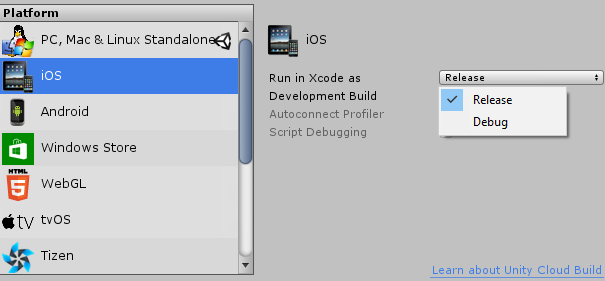
When I initially looked at EditorUserBuildSettings class, I didn’t find any value resembling this option. After looking in other locations and failing, I did some more research.
Eventually, I found out that EditorUserBuildSettings DOES have a property called “iOSBuildConfigType”. I even managed to find “documentation” on it: Unity - Scripting API: iOSBuildType
Sadly, this property isn’t actually public! Is there a reason for this, such as it now being available elsewhere?
It seems weird because it’s pretty much the only value in EditorUserBuildSettings that isn’t public. (aside from one other property called “symlinkTrampoline”).
Update:
I also found that this value is actually in the unity docs set as “public”:
It looks like this value will be exposed in 5.5! Can someone confirm that?  (it’s not in the beta release notes)