How do I make an object invisible to one other object?

Is there a way to make an object appear invisible only to specific objects in a scene? I don’t think I can do this with camera culling masks because the camera needs to see both objects in the scene. The problem is, at certain points during gameplay, one of the two objects moves behind the other and gets clipped. I am attaching 2 screen shots to better explain what’s happening and what I’m trying to do.

Shot 1: You can see the water stream and particle system disappear behind the street and then reappear above the sidewalk.
Shot 2: From a higher vantage point inside the scene, you can clearly see the water stream and particle system appearing above the street.

My question: Is there any way to tell the shader on the street plane to appear as invisible ONLY to the water stream and particle system?
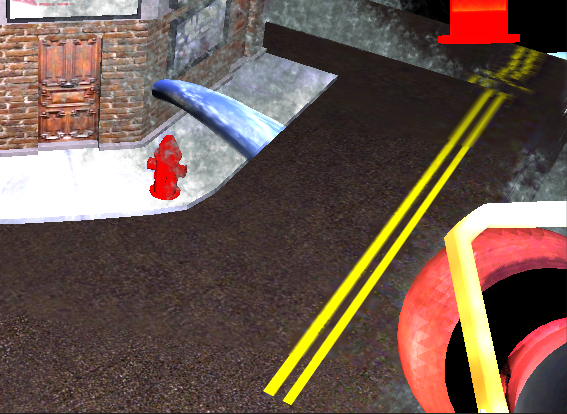
8905-shot1.png

8906-shot2.png

Whats your setup? Normally the street shouldn't render above anything thats infront!

–

1 Answer

1

Ok. I figured it out, although still not entirely understanding the anomaly. I paused my game while the stream was extended and did some playing around with the shaders. Apparently, the shader on the water stream (a panning shader I created in Strumpy) as well as the mobile shader on the particle system behave additively when their objects are displayed against the shader used on the road plane (Transparent Diffuse) When Transparent Cutout Diffuse is used on the road instead, the problem goes away.

It would make sense to me if the additive shader was the one on top but it’s more like the additive shader is on the bottom but canceling the top object out. ?? No worry. Problem solved.

cutout shaders do an extra pass to determine the clipping, probably why it updates correctly in that case, since it's doing a final pass :)

–