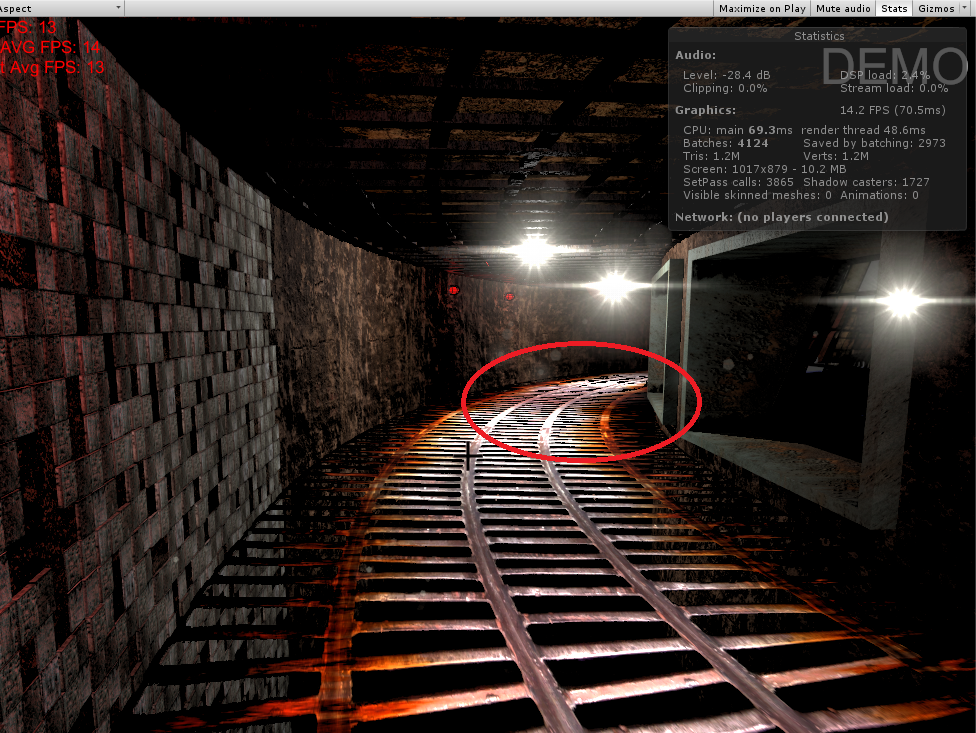
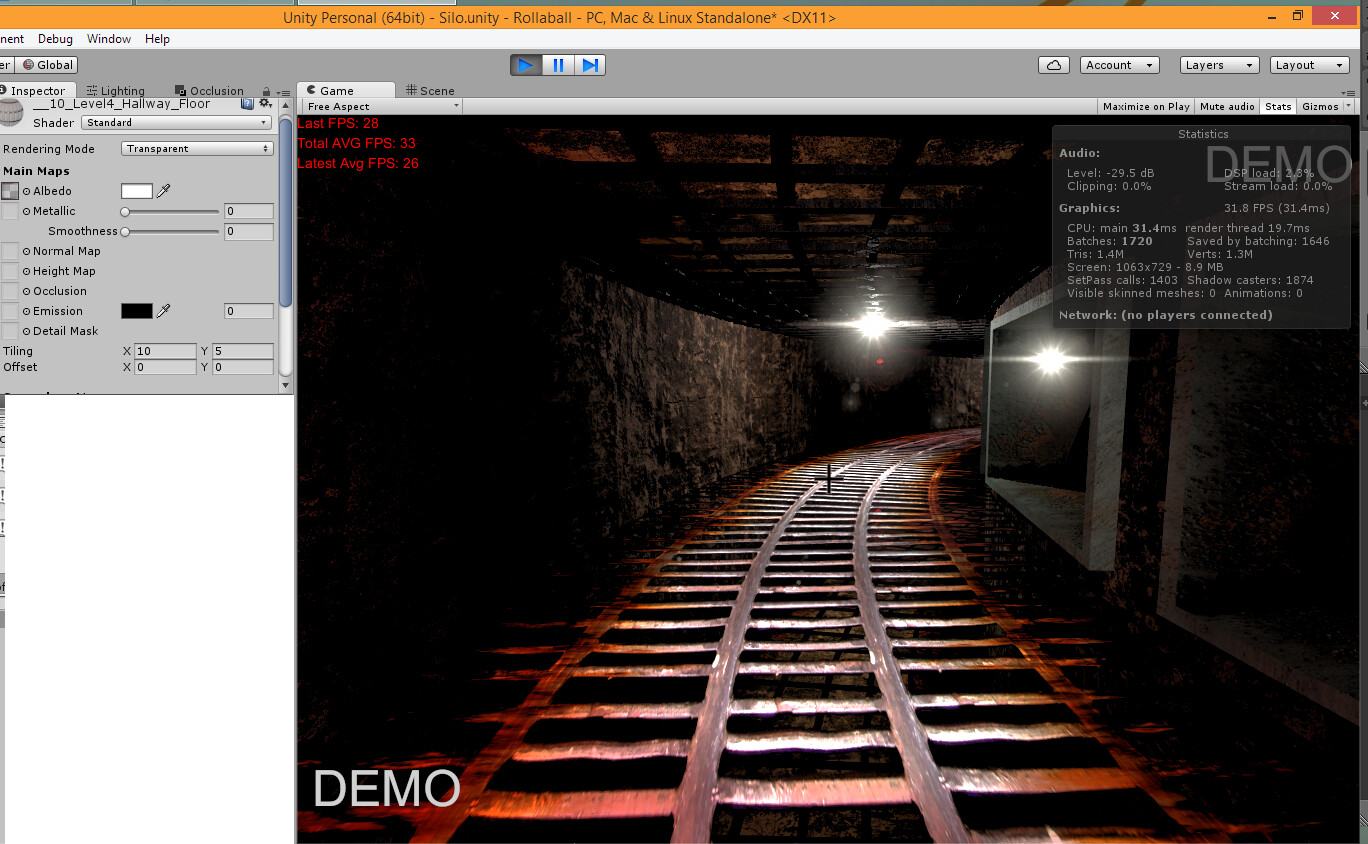
I’ve been trying to experiment with using transparent images to simulate fencing and metal grates. However, the Moiré effect is very obvious and distracting, especially when the camera is moving:
What tricks/hacks can be used to prevent / hide this?
Enabling Mip maps helps a bit. I have 8x AA enabled.
Because it is so bad I reverted back to a 3d model of the floor.
Is there camera effects that can be used to hide this?
It might help to make your mesh Transparent instead of AlphaTest if it’s texture based. Otherwise, except for Supersampling, there is not a lot you can do. MSAA won’t help with texture aliasing, it only act on geometry edges.
By setting the material of the mesh to a transparent shader instead of a cutout shader, combined with mipmapping this should make the edge softer (by the look of your image it looks like a cutout shader, but I may be wrong).
I changed it to Transparent shader instead of cutout like you suggested, the results are much better now. Now it is usable. It’s still not perfect but the Moire is not overly distracting anymore.