I am working with the new Shuriken Particle-System and I like a lot of the advanced features it has, but one thing I am having trouble doing is orienting particles in the direction they are moving.
For example: I would like to have a fountain that shoots up particles of water droplets that have a larger front and small tail end. These particles should always have the larger front end pointed in the direction they are moving.
I’ve had this problem too. You can get around it by setting the Render Mode in Renderer to Stretched Billboard and then putting your Length Scale to 1.
You’ll probably need to re-import your texture rotated 90 degrees though.
Sorry for the late reply, I just stumbled upon this. Hope this helps someone !
This problem has no solution in 2022-3-LTS version. Do I have to manually re-calculate particle rotation to solve this?
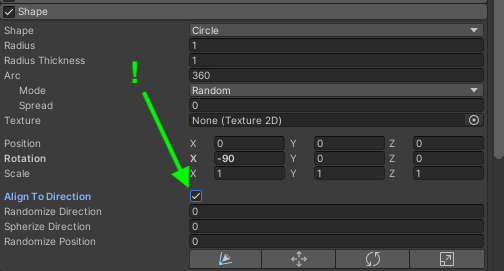
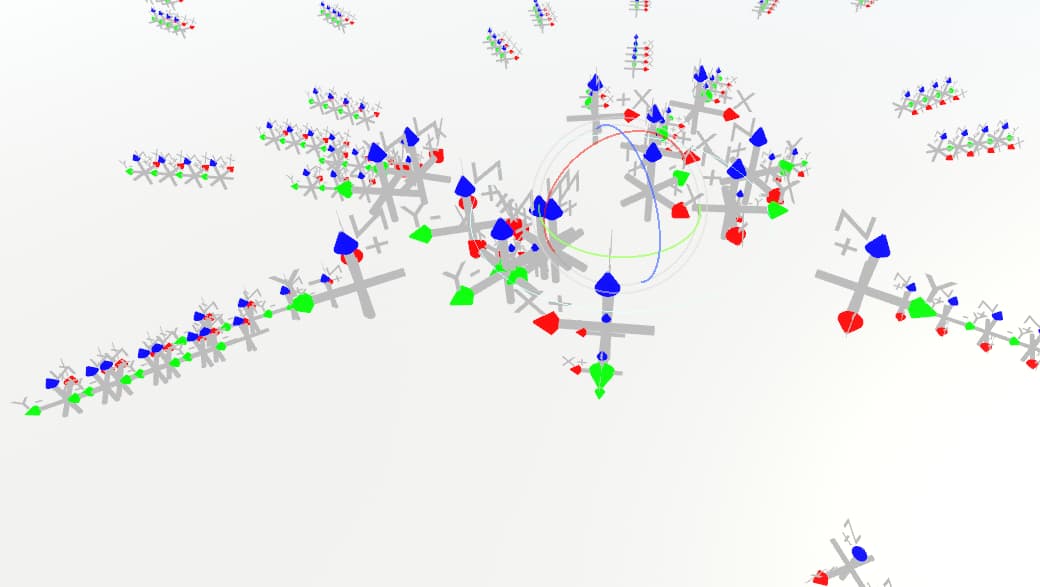
If I use the tick Align to direction it aligns, but the particle angle is sideways. Compensating from the main module does not solve it, as the angles keep being messed up. Plus the XYZ axes does not match the XYZ axes colors shown on transform.
(note that these are Blender arrows, so I guess you should swap Y and Z in your head)
It looks like the underlying problem is that, when you’re using World rendering alignment, the particle’s rotation only reliably gets its forward vector pointing the right way.
The “up” direction wobbles all over as your rotate the particle system.
Ideally, some shapes (e.g. Edge, Circle) would be able to provide this second direction.
The goal here is to spawn child particles that inherit the parent’s rotation. I’m going to be moving and rotating the parent system around to paint the child particles onto flat surfaces.
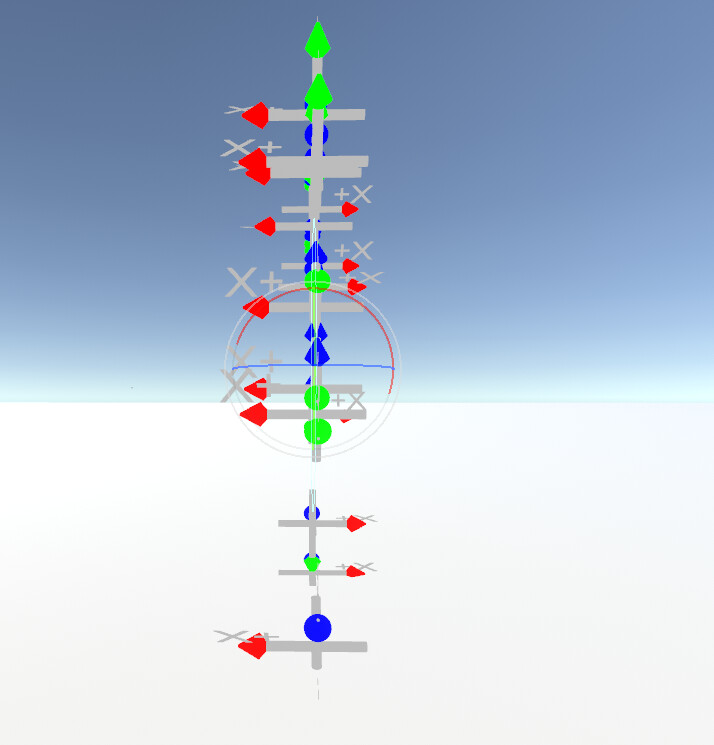
This works fantastically when the system isn’t rotated – although I did have to enable “Flip Rotation” on the child particles, for some reason.
Notice how half of the red arrows are pointing left and half are pointing right. Kinda’ smells like we’re doing something like LookRotation(direction, Vector3.up).