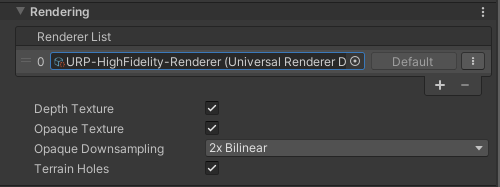
I ended up using the script from the other thread you linked and combining it with URP Volumes.
Here’s all the code:
Script for adjusting SSAO values at runtime.
/// <summary>
/// From: https://discussions.unity.com/t/turn-urp-ssao-on-and-off-at-runtime/830866/13
/// </summary>
public static class RenderFeatureAccess {

    [RuntimeInitializeOnLoadMethod(RuntimeInitializeLoadType.AfterAssembliesLoaded)]
    static void RuntimeInitializeOnLoadMethod() {
        s_FieldLUT = new Dictionary<System.Type, Dictionary<string, FieldInfo>>();
        s_TypeNameLUT = new Dictionary<System.Type, string>();
    }

    static Dictionary<System.Type, Dictionary<string, FieldInfo>> s_FieldLUT = new Dictionary<System.Type, Dictionary<string, FieldInfo>>();
    static Dictionary<System.Type, string> s_TypeNameLUT = new Dictionary<System.Type, string>();

    #region Properties

    public static ScriptableRendererFeature ssao {
        get {
            const string kTypeName = "ScreenSpaceAmbientOcclusion";
            return GetRendererFeature(kTypeName);
        }
    }

    public static bool ssaoEnabled {
        get {
            var v = ssao;
            if (v != null) {
                return v.isActive;
            }
            return false;
        }
        set {
            var v = ssao;
            if (v != null) {
                v.SetActive(value);
            }
        }
    }

    public static float ssaoDirectLightingStrength {
        get => GetSettingsFloat(ssao, "m_Settings", "DirectLightingStrength");
        set => SetSettingsFloat(ssao, "m_Settings", "DirectLightingStrength", value);
    }

    public static float ssaoRadius {
        get => GetSettingsFloat(ssao, "m_Settings", "Radius");
        set => SetSettingsFloat(ssao, "m_Settings", "Radius", value);
    }

    public static float ssaoIntensity {
        get => GetSettingsFloat(ssao, "m_Settings", "Intensity");
        set => SetSettingsFloat(ssao, "m_Settings", "Intensity", value);
    }

    #endregion

    #region Helpers

    private static float GetSettingsFloat(ScriptableRendererFeature feature, string settingsName, string memberName) {
        if (feature == null)
            return 0;

        var settingsMember = GetField(feature.GetType(), settingsName);
        var settings = settingsMember.GetValue(feature);

        var directLightingStrengthMember = GetField(settings.GetType(), memberName);
        return (float)directLightingStrengthMember.GetValue(settings);
    }

    private static void SetSettingsFloat(ScriptableRendererFeature feature, string settingsName, string memberName, float value) {
        if (feature == null)
            return;

        var settingsMember = GetField(feature.GetType(), settingsName);
        var settings = settingsMember.GetValue(feature);

        var directLightingStrengthMember = GetField(settings.GetType(), memberName);
        directLightingStrengthMember.SetValue(settings, value);
    }

    private static FieldInfo GetField(System.Type type, string fieldName) {
        if (!s_FieldLUT.TryGetValue(type, out var fields))
            s_FieldLUT[type] = fields = new Dictionary<string, FieldInfo>();

        if (!fields.TryGetValue(fieldName, out var field))
            fields[fieldName] = field = type.GetField(fieldName, BindingFlags.NonPublic | BindingFlags.Instance);

        return field;
    }

    public static ScriptableRendererFeature GetRendererFeature(string typeName) {
        var asset = UniversalRenderPipeline.asset;
        var type = asset.GetType();
        var fieldInfo = GetField(type, "m_RendererDataList");
        var renderDatas = (ScriptableRendererData[])fieldInfo.GetValue(asset);
        if (renderDatas == null) {
            return null;
        }

        foreach (var renderData in renderDatas) {
            foreach (var rendererFeature in renderData.rendererFeatures) {
                if (rendererFeature == null) {
                    continue;
                }

                var featureType = rendererFeature.GetType();
                if (!s_TypeNameLUT.TryGetValue(featureType, out var name)) {
                    s_TypeNameLUT[featureType] = name = featureType.Name;
                }

                if (name == typeName) {
                    return rendererFeature;
                }
            }
        }

        return null;
    }

    #endregion
}
Script to create a volume component for the volume stack.
public class SSAOVolumeComponent : VolumeComponent {
    public ClampedFloatParameter intensity = new ClampedFloatParameter(3f, 0f, 30f);
    public ClampedFloatParameter radius = new ClampedFloatParameter(0.2f, 0f, 1f);
}
Script to push the volume stack values to the render feature. I put this on the Camera game object.
[ExecuteInEditMode]
public class UpdateSSAOVolume : MonoBehaviour {

    private float prevIntensity;
    private float prevRadius;
    private bool prevEnabled;

    private void Update() {
        SSAOVolumeComponent ssaoVolume = VolumeManager.instance.stack.GetComponent<SSAOVolumeComponent>();
        if (ssaoVolume != null) {
            float intensity = ssaoVolume.intensity.value;
            bool enabled = intensity > 0;
            if (enabled != prevEnabled) {
                prevEnabled = enabled;
                RenderFeatureAccess.ssaoEnabled = enabled;
            }

            if (intensity != prevIntensity) {
                prevIntensity = intensity;
                RenderFeatureAccess.ssaoIntensity = intensity;
            }

            float radius = ssaoVolume.radius.value;
            if (radius != prevRadius) {
                prevRadius = radius;
                RenderFeatureAccess.ssaoRadius = radius;
            }
        }
    }
}