I am trying to integrate a new framework to the iOS project that Unity generates, but the moment I add a Swift file to the framework I get the runtime exception below:
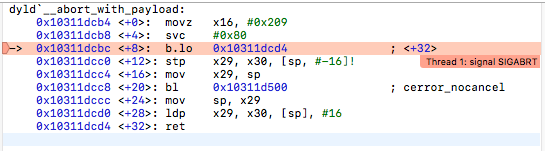
dyld`__abort_with_payload:
0x10311dcb4 <+0>: movz x16, #0x209
0x10311dcb8 <+4>: svc #0x80
→ 0x10311dcbc <+8>: b.lo 0x10311dcd4 ; <+32>
0x10311dcc0 <+12>: stp x29, x30, [sp, #-16]!
0x10311dcc4 <+16>: mov x29, sp
0x10311dcc8 <+20>: bl 0x10311d500 ; cerror_nocancel
0x10311dccc <+24>: mov sp, x29
0x10311dcd0 <+28>: ldp x29, x30, [sp], #16
0x10311dcd4 <+32>: ret
Does the generated Unity project support Swift?
Things I have tried:
- Build new iOS project from Unity, WORKS
- Create new Framework (blank) and use it in the project, WORKS
- Add unused Obj-C file to the Framework, WORKS
- Add unused Swift file to the Framework, RUNTIME ERROR