MicControl 3


Buy
Non-Commercial download
Tech demo
Website
Tutorials

MicControl 3 C# is finaly here!
(MicControl 2 users get this upgrade for free).

After long waiting and lots of requests. MicControl is finally available in C#. Written from the ground up with several new approaches.
With this overhaul update, users will have easier and better acces to their controller. Most of the variables are now exposed and performance has improved a lot.

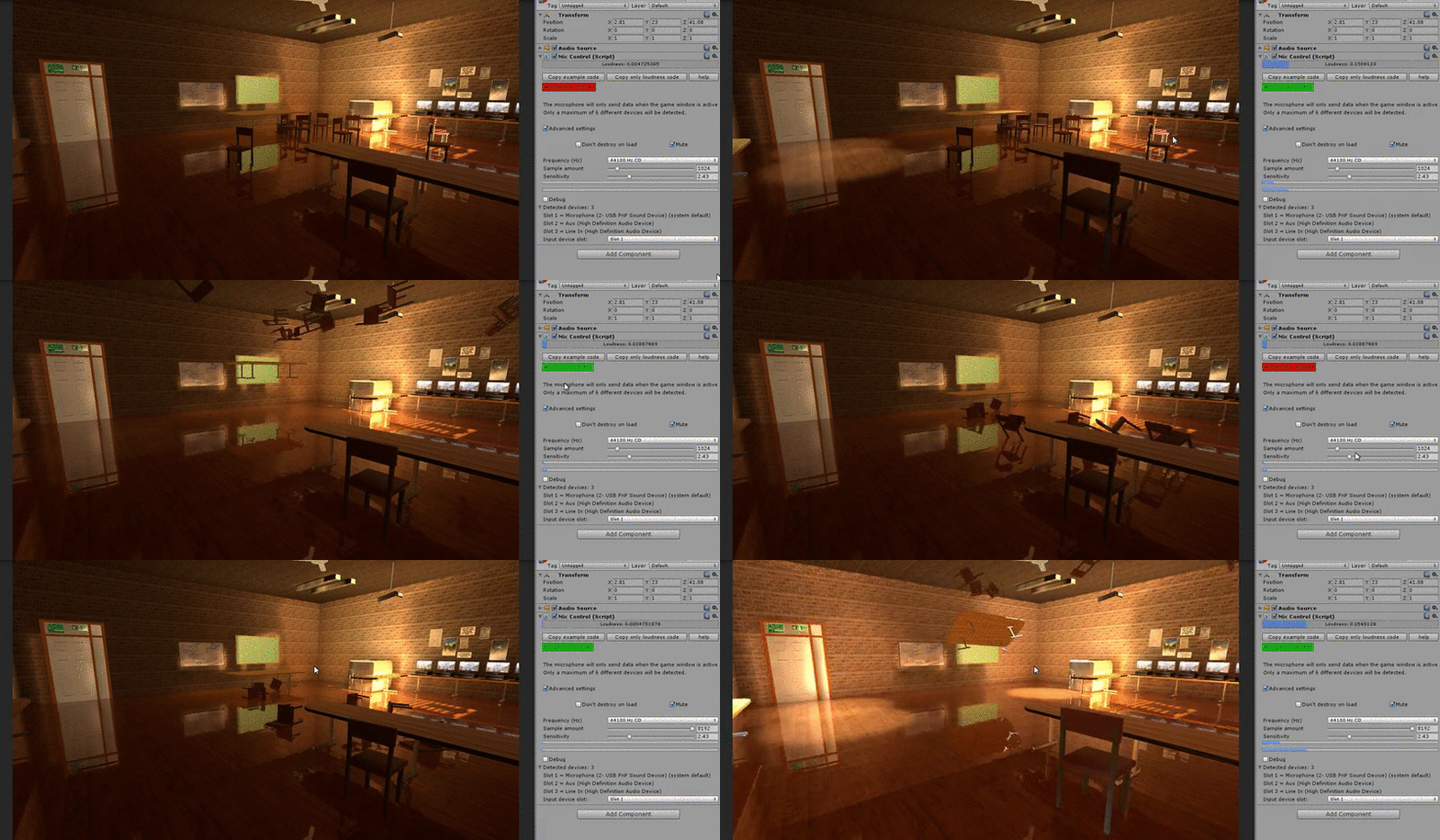
MicControl 3 has all the good old features MicControl 2 offered. Such as the well known loudness value and its bigger brother spectrumData[ ]! Dropping UnityScript and written in C# from the ground up.

FAQ:

How does it work?
– MicControl 3 gathers data from your microphone and converts it into different types of usable values on a per frame basis. This makes it easy for users to utilize this value inside their own scripts.

How does it perform?
– Highly accurate and (near) real-time with little to no memory footprint.

My devices are detected but not shown, what causes this?
– This can happen because of your system’s language settings. When your system uses non “Latin alphabetical” characters (Mandarin, etc…) Unity might not be able to recognize your devices.
Using the “Use default microphone device” option in your MicController, will still work though for using a single device. This will auto refer to your system default device. However unless you change your system’s language settings, you will not be albe to use multiple devices.

Can I get detailed “spectrum data” with MicControl2?
– Yes, support for gathering spectrum data was added in version 3.0.

Are there any downsides to this asset?
– It costs money.
– You might not own a microphone.
-Because of a massive upgrade, the system no longer supports Unity version below 5.0.

Are mobile platforms supported?
-Yes with the exception of the Unity Web and WebGL players.
-Supported platforms: Android (Might have issues with GearVR), iOS, Windows phone.
-You do not have to do anything extra for mobile development. MicControl3 auto detects the platform and automatically asks the right permissions when launching your project from said platforms. So there is no need to write custom microphone permission request scripts.

How do I access the loudness variable from C#?
– As of MicControl 3 the system is written natively in C#!
For legacy MicControl 2 users, simply drag the complete MicControl 2 asset folder inside the Plugins or Standard Assets folder. More info on this can be found in Unity’s scripting manual.

I’ve read the manual provided with MicControl 3, but still cannot figure out how to call the microphone’s data. How do I do this?
-First you must declare where the MicControl script is located (which GameObject contains this component), then use “GetComponent” to call the loudness variable.

Create a variable in your script. Inside the editor, drag the desired MicController in here.
public class Call_Loudness : MonoBehaviour {

//create a slot to place our controller in which we want to call from. Instead of GameObject, one could also use MicControlC as a type.
public GameObject controller;
//next we need a float for easy acces to our loudness value. (Alternativly, you can also call the loudness value directly).
float getLoudness=0.0f;

void Update () {
//update our float every frame with the new input value. Use this value in your code.
getLoudness = controller.GetComponent ().loudness;

}
}

More examples can be found in the Code reference folder.

I have multiple scenes that each have a controller inside them, but only the first scene works. Am I doing something wrong?
In order to have a controller across multiple scenes, you must have a persistent controller, instead of giving each scene its own controller. You can do this by selecting “Don’t destroy on load” under advanced settings. Because this controller does not exist in other scenes, you cannot drag it into the inventory slot as you would with a single scene. Everything stays the same except one extra step, and that is to create a start function in each of your other scene scripts in order to search for your controller.

Now you can create a script in any scene, without having a controller present.
Tip: With a persistent controller it is best to create an empty scene with the controller in it. This is so that the controller can initialize properly and always be present in the upcoming scenes.

Hello, I recently purchased this plugin. The demo works fine but I can’t get the plugin to work. It recognizes the input devices but I don’t get loudness above 0. Any ideas?

Hi, you are most likely an user with a Unity 5 version lower than 5.3 ?

Unity 5.3 has this issue resolved (Unity 5 disables the complete audioSource when muting, this is the reason MicControl cannot get data).

I have pushed an update out yesterday to fix this issue with all other unity versions (Unity 5.0 - 5.2.x). So the fix for those versions will be live in a few days.

However if you send me your invoice (through the developer email), I will send you the package manually so that you can get started right away!
http://markduisters.com/contact-2/

greetings
Mark Duisters
Alzheimer Studio

Will this work on android?

Yes, the latest update supports mobile devices and does an automatic authentication for your device. You will need to select slot 1 (in the controller settings) as this will use the devices default build in microphone.

Multiple clients have already utilized this on their Android devices, including myself.

Does pick up background music of my game. This is something I don’t want.
Also does it gives me option to use mic as if its in loudspeaker mode? i want to use it from a distance as if I am using loudspeaker mode in phone

Hi,

1: I am not sure what you mean with background music. This asset has nothing to do with in-game audio recording. It gathers input from external (or internal) microphone and does not get in contact with any in-game AudioSources. So I guess the answer would be no, it does not pick up background music from your game.

2: It does not give you the option to use your mic as if it is in loudspeaker mode as that mode is meant for audio output devices and not input devices such as a microphone. However I suppose you mean if it would be possible to change the microphones sensitivity and in that case yes you can change the sensitivity in order to pick up more subtle or distance audio. So you could say that it is possible to “mimic” loudspeaker mode on a microphone. Although loudspeaker mode would be for Audio output, not input.

Several people have used this on game jams, where players had to yell from a distant into the microphone.

I hope this answered your questions,
have a nice day
Mark Duisters

If we have multiple scenes, and we add a mic control to each one, only the mic control in the first loaded scene works. “The microphone will only send data when game window is active”, but what does being active mean? I am changing the scene using " SceneManager.LoadScene(“SCENE_NAME”, LoadSceneMode.Single);". Please help me add Mic Control in multiple scenes. Thank you :slight_smile:

Hi,

If the controller is used for the same purpose, you can enable “Don’t destroy on load” to keep the same controller across scenes.

Are there any scripts calling on the Awake or Start function when switching to the new scene? If so, let them wait a second to give the new controller time to initialize after switching scenes.

“While game window is active” means that as soon as the focus is no longer on the game window (clicking in the editor inspector for instance or on mobile, switching apps), the controller will stop listening to the device’s microphone.
If you are in the unity editor, the inspector will tell you if the mic is active or not. Make adjustments during runtime will pause the controller, clicking in the game window wel enable the controller.

I hope this makes sense.

thank you, Mark :slight_smile:

Can you give an example for “Are there any scripts calling on the Awake or Start function when switching to the new scene?”. I am just calling " SceneManager.LoadScene(“SCENE_NAME”, LoadSceneMode.Single);" on a button click I’m googling this, but I’d really appreciate your help since I’m new to Unity.

There appeared a bug in the past days that stops MicControl when switching scenes. I am working on a fix.

In the meantime you can use a Controller with Don’t destroy on load enabled. This way the same controller can be used throughout every scene.

You can then use a gameObject search in the script that needs to call to MicControll.

example:

//Place here the 'controller' you want to call loudness from in the inspector (in this case we search for it with the start function, instead of placing one in the inspector).
var micController:GameObject;

function Start(){
micController =  GameObject.Find("Your controller's name");
}
function Update(){
//Use this in your script to call loudnes data from selected controller
var ldness: float = micController.GetComponent(MicControl).loudness;
}

Here’s the error that I’m getting, btw:

06-18 08:47:01.908 16704 16726 I Unity : NullReferenceException: Object reference not set to an instance of an object

06-18 08:47:01.908 16704 16726 I Unity : at MicControl.StopMicrophone () [0x00000] in :0

06-18 08:47:01.908 16704 16726 I Unity : at MicControl.Update () [0x00000] in :0

06-18 08:47:01.908 16704 16726 I Unity :

06-18 08:47:01.908 16704 16726 I Unity : (Filename: Line: -1)

so I have 2 game object. One MicController, which has “MicControl” attached to it and the other one “Cube”, which has the script to access MicControl’s data. Here’s what the script looks like. I added a 5 sec delay in on start, is that what you meant by “let them wait a second to give the new controller time to initialize after switching scenes”?

    GameObject micController;
    bool micInitialized = false;

    // Use this for initialization
    void Start () {
        Invoke("InitializeMic", 5);
    }

    void InitializeMic() {
        micController = GameObject.Find ("MicController");
        micInitialized = true;
    }

    // Update is called once per frame
    void Update () {
        if (micInitialized) {
            var loudness = micController.GetComponent<MicControl> ().loudness;
            Debug.Log ("loudness: " + loudness);
        }
    }

Hi, Mark :slight_smile: It worked. I used a MicController object in my first scene and then, used Find to get it in other scenes, and it works :slight_smile:

Yes. I am working on a new setup tutorial for multiple scenes that uses a similar setup. It is indeed best to keep the controller persistent and use a find fiction to attach your scripts.

Hi, does Mic Control support multiple channels from a single Audio Source? In accessing Microphone.Start etc. I’m able to access only 2 channels per “microphone.” Does MicControl 2 allow access to all inputs from an interface / Soundflower link?

No, MicControl’s core is build upon the microphone class of unity. It simply takes away the pain of setting everything up and puts it in an interface.

Then all data gets converted in a simple single float value for people to interact with. Users can call this value to write “if statements” or to use it as “input” to drive physics or all other kind of things.

MicControl 2 handles the audio part and lets users work with this single float value so that users to not have to handle these audio conversions themselves.

The AudioSource that is used to catch this data is a mono channel audioSource. If it would be two channel, MicControl would merge them anyway.

TL;DR: No MicControl does not support multiple AudioSource channels and only outputs 1 single float value.

edit: As of version 3.0 MicControl gives acces to the complete Spectrum data. Users can now choose whether to use a single float, or do their own analysis.

I hope this information is of any help.

greetings
Mark Duisters
Alzheimer Studio

Hello,

My team is about to start working on a Karaoke type of game and I’d like to know if your plugin can be used to somehow detect accuracy between singer/music playing. Doesnt need to be ultra precise or anything, but the closest to the expected, the better. From what I’ve read I don’t think your solution would be the right match honestly but I am hoping that Im wrong! =P

Anyway, thanks for the attention, and btw, if you don’t think your plugin would be the right fit for a game like this, would you recommend another that could help in this regard?

Thank you very much,
Best regards,
Allan

Wel, since the input is converted to a float value, you have an accurate realtime numerical value (based on the microphone input) that you can use in your scripts. You can increase the sensitivity and tweak the frequency (for more precision).

But however, for karaoke there will be limitations to keep in mind as you are not interacting with the audio stream directly. This causes a slight micro delay, which you might not want in the case of precise voice tracking.

There is also now way to differentiate between pitch, volume or speed in this float value. You can calculate averages to get close to this, but again this causes extra frames and thus deviates from your music line. This also means that people with an average voice will have better results with karaoke as they will most likely come closest to your set defaults.

This all said, it is possible, as clients have used it for “karaoke” on mobiles. But they used MicControl as a base input and to detect voice strength and build a detection system around it.
An example would be if you have 3 karaoke tabs passing by on screen (which is a system you have to write yourself). You can have an if statement listening to the controller:

//if the microphone strenght is between these limits score a point if(micController.loudness >= karaokeValue && micController.loudness <= karaokeValue2){
//score points here?
}

The script is also written in UnityScript, so if you are using C# you will have to move it into a Plugins folder (compilation reasons).

For more questions or detailed support feel free to contact me at duistersmark@hotmail.com
As you will receive answers much faster.

ps. The system supports multiple microphone setup, by simply placing two controllers in the scene.

Hi there, I wanted to let you know that version 3.0 will be live soon, which provides acces to a microphone’s spectrum data, this is detailed information of the audio that the microphone is receiving and not just a single float like before.

greetings.