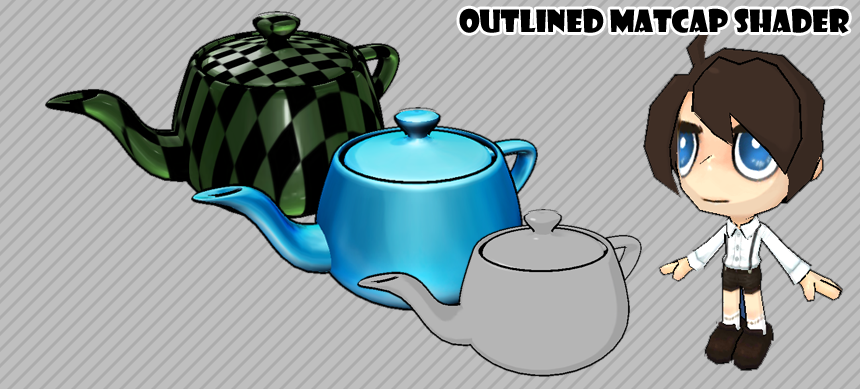
It is a PC / Mobile(OpenGL ES 2) / Flash compatible MatCap shader.
Full shader source code included, so you can easily modify this shader!
Thanks.
Asset store link:
http://u3d.as/content/midworld-kim/outlined-mat-cap-shader-toon-shader-
https://www.assetstore.unity3d.com/#/content/7449
Demo:
Web Player Demo
Flash Demo
Android APK
Has anyone else been able to download this?
I purchased it last week, and keep getting a stall at connecting to server. I have been working with support but haven’t solved it yet. I am curious if anyone else has been able to purchase and download successfully. That will narrow down if the problem is on my side or the server.
elbows
March 13, 2013, 12:50am
4
zombiegorilla:
Has anyone else been able to download this?
I purchased it last week, and keep getting a stall at connecting to server. I have been working with support but haven’t solved it yet. I am curious if anyone else has been able to purchase and download successfully. That will narrow down if the problem is on my side or the server.
I have the same problem. It just sticks on ‘waiting for server’.
I asked this problem in Unity bugs.
Anyway I’m sorry for that.
zombiegorilla and elbows: I leave a message in Unity forum memo. Please check it.
elbows
March 14, 2013, 11:13am
6
Unity fixed the problem with this asset on the store and it now downloads for me fine
Boji
March 19, 2013, 6:32pm
7
Just got it and is pretty awesome.
Basicaly is this shader: http://forum.unity3d.com/threads/132446-Toon-Shader-Released-IOS-compatible-fast-and-beautiful but with full source code and cheaper
Hi again Boji,http://wiki.unity3d.com/index.php?title=MatCap http://forum.unity3d.com/threads/39500-I-found-out-how-to-do-Zbrush-matcap-shading-in-Unity
It has this cost for the basic version
// Vertex combos: 1
//   opengl - ALU: 15 to 15
//   d3d9 - ALU: 16 to 16
versus the cost of the basic version of the toon shader you mentioned ( less than half ALU means faster ).
// Vertex combos: 1
//   opengl - ALU: 7 to 7
//   d3d9 - ALU: 7 to 7
Contains 8 shaders vs 23 shaders.
Other than that is a very nice pack in a very reasonable price.
Boji
March 22, 2013, 12:19pm
9
Yeah, I optimized this shader to 8 also. Moved all the Matcap UV calculations from frag to vert and use a simpler way to grow the outline mesh
Hi guys,
Yeah, there was unnecessary codes that support the normal map.
Now I fixed it.
old:
// Vertex combos: 1
//   opengl - ALU: 15 to 15
//   d3d9 - ALU: 16 to 16

// Fragment combos: 1
//   opengl - ALU: 6 to 6, TEX: 1 to 1
//   d3d9 - ALU: 6 to 6, TEX: 1 to 1
and now:
// Vertex combos: 1
//   opengl - ALU: 7 to 7
//   d3d9 - ALU: 7 to 7

// Fragment combos: 1
//   opengl - ALU: 3 to 3, TEX: 1 to 1
//   d3d9 - ALU: 3 to 3, TEX: 1 to 1
This update has been submitted for review.
Thanks.
The update has been accepted. (v1.1)
Please update!
Thanks.
JohnR
May 26, 2013, 5:55am
13
I purchased your shader however I can’t seem to make the outlines appear on cubes when looking at them orthographically. Is this possible? Thanks in advance.
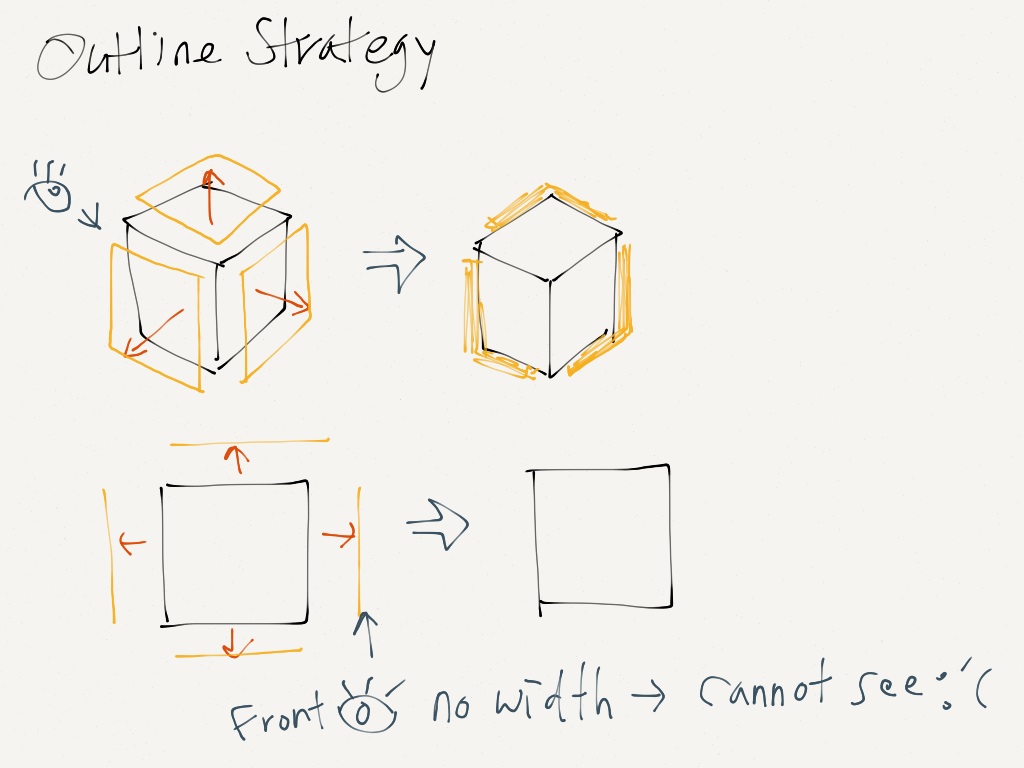
The camera cannot see the outlines in front of a cube model in my strategy.
Post-processing outline shader can show the outlines of cubes but it is so heavy for mobile devices.
Please see this document: http://docs.unity3d.com/Documentation/Components/script-EdgeDetectEffect.html
sanmn19
February 9, 2014, 12:53pm
15
I purchased this shader. It is better than unity toon shader in terms of performance. However, it does not respond to any lights in scene. Is the shader supposed work like that?
This shader doesn’t use any lights. But you can use “tint color” to emulate the light intensity. Adjust this color to white for high intensity and to black for low intensity. If you want to change the light directions then modify the MatCap texture.
avigra
July 4, 2014, 1:19pm
17
Hi, just purchased. A weird thing is happening when I import a sphere from Maya, I get the texture OK but the MatCap shows as tiles… Any ideas?
MatCap shader takes two textures: diffuse tex and lighting one. I think you use a checker tex for the diffuse one.
Let me know more information.
avigra
July 4, 2014, 1:51pm
19
Thanks for the fast respond. I see 2 material slots: Base (RGB) and MatCap (RGB), even when not putting anything in the Base tex, and choosing Toon 2 for example for the MatCap option, the matcaps are tiled all over the object…
avigra:
Thanks for the fast respond. I see 2 material slots: Base (RGB) and MatCap (RGB), even when not putting anything in the Base tex, and choosing Toon 2 for example for the MatCap option, the matcaps are tiled all over the object…
Hmm… if there is no base tex then the shader use a whole white tex. Can i get a sample unitypackage to test? My mail address is powring gmail com.

 Thanx.