Hi,
i’m trying to create a retro look for my game using a pixelation shader.
Everything works fine in the game view, but when i built the standalone game, the whole screen is black.
Heres the shader:
Shader Code
Shader "Custom\Pixelate"
{
    Properties
    {
        _CellSize ("Cell Size", Vector) = (0.00768, 0.00768, 0, 0)
    }
    SubShader {
        Tags { "RenderType"="Opaque" "Queue" = "Transparent" }
        LOD 200

        GrabPass { "_PixelationGrabTexture"}

        Pass {
            CGPROGRAM
                #pragma vertex vert
                #pragma fragment frag
                #include "UnityCG.cginc"

                struct v2f {
                    float4 pos : SV_POSITION;
                    float4 grabUV : TEXCOORD0;
                };

                float4 _CellSize;

                v2f vert(appdata_base v) {
                    v2f o;
                    o.pos = mul(UNITY_MATRIX_MVP, v.vertex);
                    o.grabUV = ComputeGrabScreenPos(o.pos);
                    return o;
                }

                sampler2D _PixelationGrabTexture;

                float4 frag(v2f IN) : COLOR
                {
                    float2 steppedUV = IN.grabUV.xy/IN.grabUV.w;
                    steppedUV /= _CellSize.xy;
                    steppedUV = round(steppedUV);
                    steppedUV *= _CellSize.xy;
                    return tex2D(_PixelationGrabTexture, steppedUV);
                }
            ENDCG
        }
    }
}
Shader Script
using System;
using UnityEngine;

namespace UnityStandardAssets.ImageEffects
{
    [ExecuteInEditMode]
    [AddComponentMenu("Image Effects/Pixel/Pixelate")]
    public class SepiaTone : ImageEffectBase
    {
        // Called by camera to apply image effect
        void OnRenderImage (RenderTexture source, RenderTexture destination)
        {
            Graphics.Blit (source, destination, material);
        }
    }
}
What it looks like in game view (How it should look like in standalone)
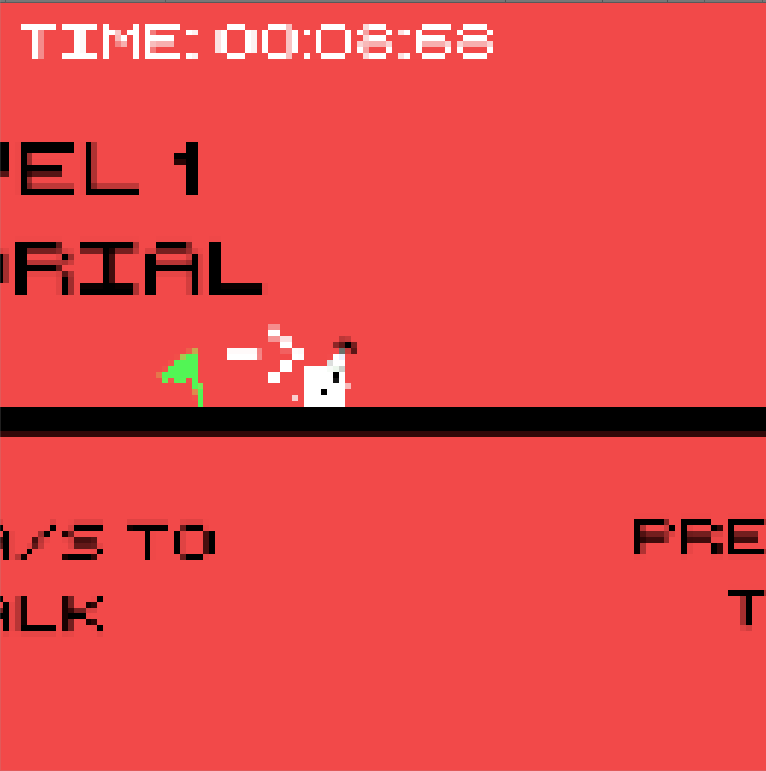
Whats wrong here?.. 