What is this?
Multiplayer RTS Starter Kit is a Add-Ons for RTS Starter Kit to implementing your own games with the Photon Unity Networking. This add-ons allow you to get started to make Multiplayer RTS Games with Photon Cloud.
Framework Feature:
Sync all needed variable ( health, state, position, rotation, animation, and many more )
Send Animation ( Mecanim, and Legacy animation ) once if given command, this will save the bandwidth.
Support Mostly Feature in the RTS Starter Kit
Authoritative Master Client
3 Example Scene ( Lobby, Room, and Map ) to help you getting started
Hi I bought both your assets, multiplayer and the RTS Starter Kit v0.7 however I am getting compiling errors when I import the multiplayer package. The errors show up as
-Material does not have texture property _EmissionMap
-Material does not have texture property _SpecGlossMap
-Material does not have texture property _ParallaxMap
-Material does not have texture property _DetailAlbedoMap
-Material does not have texture property _DetailNormalMap
Unhandled Exception: System.Reflection.ReflectionTypeLoadException: The classes in the module cannot be loaded.
Please can you tell me how to fix these compiling errors for the multiplayer package.
Ok I managed to solve that problem by replacing my Library and Project Settings folders from a new project. However I have now run into another compiling error from the Multiplayer add on: Assets/Multiplayer RTS Starter Kit/Script/Game/MP_SceneManager.cs(39,25): error CS0246: The type or namespace name `LOSManager’ could not be found. Are you missing a using directive or an assembly reference?
The update fixed the problem however I have run into another issue with the Unit prefabs in your project.
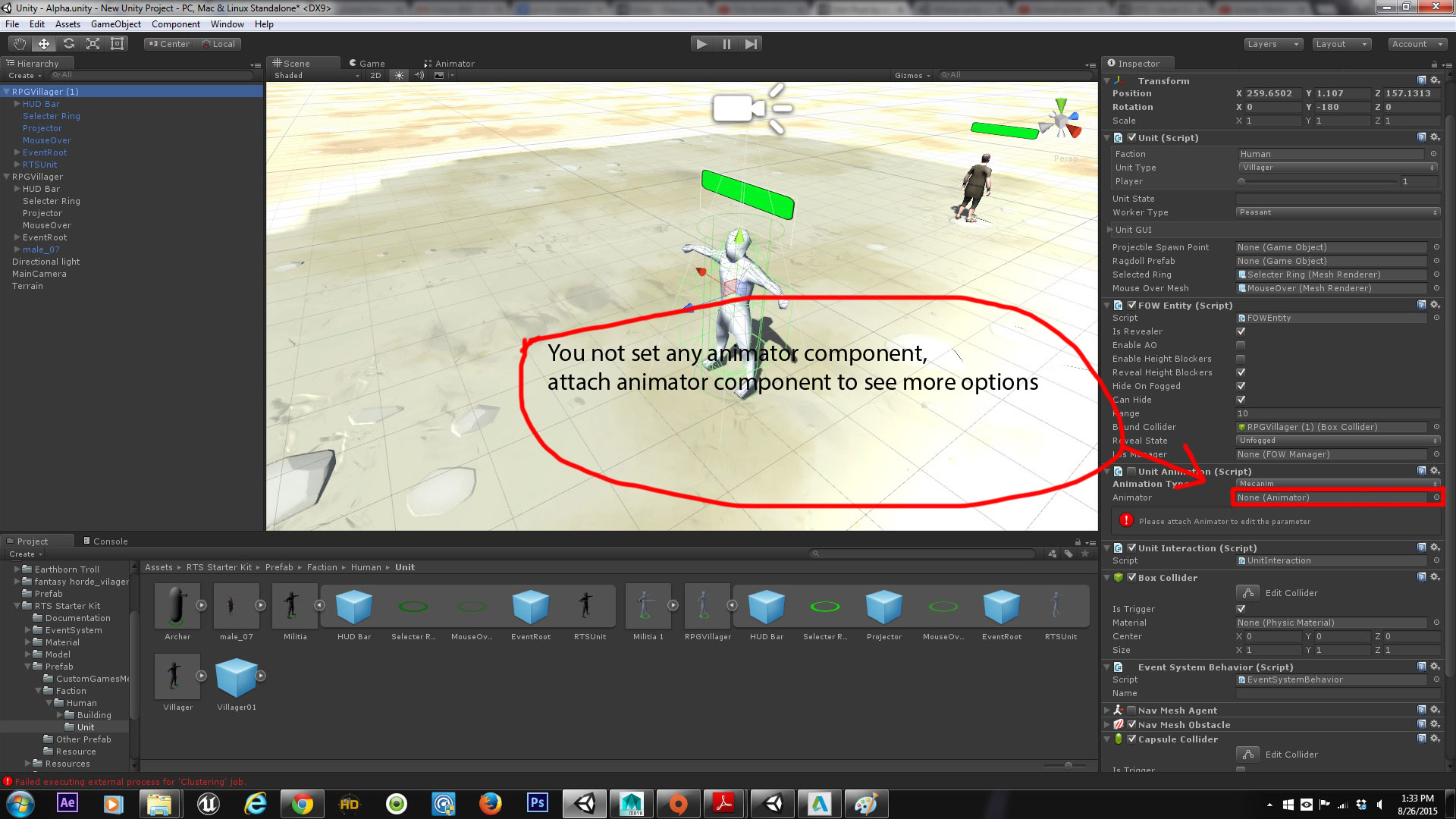
I have read the manual on how to setup my own 3D model with your existing prefabs. However when I attach the Animator to my prefab, it will not allow me to attach the 3D model to the Unit Animation script. If I use your existing prefab and remove the Animator from the Unit Animation script, it will NOT allow me to attach the Animator back to the Unit Animation Script. Under the Unit Animation script it just says no matter what I do:
“Please attach Animator to edit the parameter.”
I have attached the Animator and it will not allow me to attach any 3d model to the Unit Animation script.
Please look at the screenshot to see what I am referring to.
Please note: “Please attach Animator to edit the parameter.” in the Unit Animation is not to attach animator to the 3d model, it mean you must attach the animator component to the Unit Animator. Look at the attached image.
Yes that’s what I mean, it will not allow me to attach the animator component to the Unit Animation script. I have tried attaching the animator component from your prefab to the Unit Animation script and it doesn’t recognize the animator component.
Please can you explain in detail about how you attach the Animator component to the Unit Animation script…I have tried everything but the animator component will not attach to your Unit Animation script.
Hey metro can you please show me how you connect the animator component to the Unit animation script. I have tried and tried again to connect the RTSUnit with the Animator component attached to it and I have tried dragging it into the Unit Animation script and it doesn’t recognize it and keeps saying “Please attach Animator to edit the parameter.”
Sorry for that, i’ve fixed the that bug and release new version. Update to latest version to fix the bug.
This is a bug in v0.7.2. i’ve tested it today and you right i can’t attach Animator too, and this bug has been fixed with latest version of RTS Starter Kit you can update it and try to attach your Animator.
I am still having trouble with getting my 3D Model to move. I have replaced the RTSunit with my Builder prefab and set up the animator controller with the Unit Animation script ok, that works now. I have also setup the Builder prefab in the Faction Editor window but when I press play my 3D Model will not move when I click on him. I checked the interaction data in the Faction window but that seems to be in order I think…What steps do I need to take in order to get this 3D model of mine interacting and moving in the game? I have read the documentation and still can’t find what I am missing?


 It works now.

