This is a very basic question. I’m using the GIMP. I make a selection using the lasso tool. I copy it and paste it.
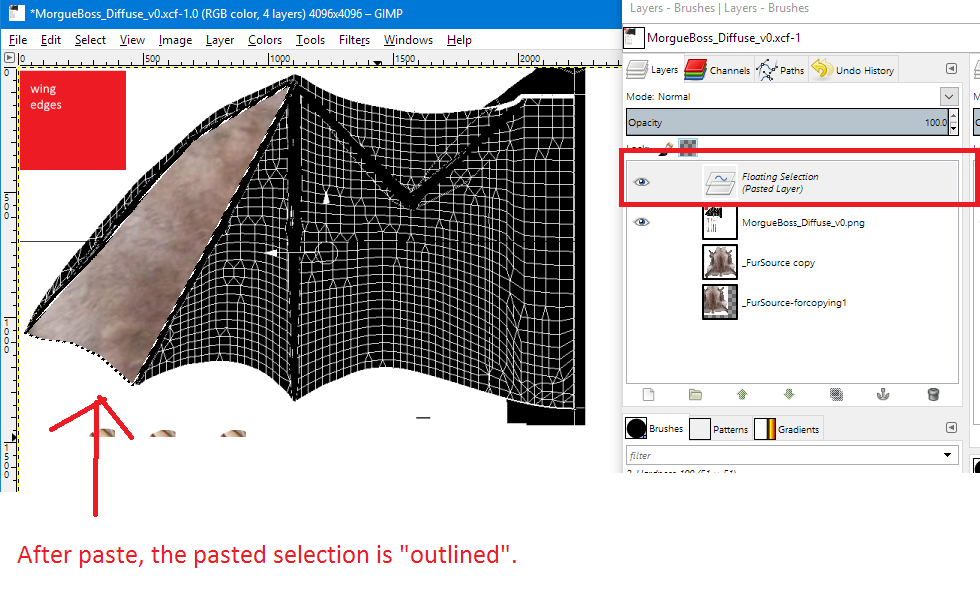
But how do I “finalize” this action.? After I paste it, the section is pasted but remains outlined. I want to complete this for good. I tried hitting the enter key but it does nothing. In the layers section it shows “Pasted Layer”. Thanks.
I’m not using Gimp for years and could be wrong … but maybe you should click “new layer” button in layers window ?
Thanks for the suggestion. I don’t want to create a new layer.
Just open up any photo in Gimp. Select a region and copy and paste it. The pasted region remains outlined with those “marching ants”. I just want to get rid of the outline around the pasted region, because I’m done with the paste operation. It’s very annoying.
You can right click on the pasted layer and convert it to a normal layer. That should do the trick.
1 Like
Thanks Karl. That does the trick.
I guess the term is “anchor”. I anchor the pasted (floating) layer, which completes the paste.
https://docs.gimp.org/en/gimp-layer-anchor.html
Somehow I missed this info when following some tutorials.
1 Like