- I want to merge 2 branches in “Unity Version Control” v11.0.16.8336.
- In the Merge window I’m presented with over 100 directory conflicts.
- I choose all of them and message appears confirming the selection: “Apply this action for the next 100 conflicts.”
- I click the “Resolve directory conflict” button.
- Only the first conflict is resolved.
- Therefore I have to click the resolve button as many times as conflicts are detected. Wow.
Hi, I’ve been running a test and I can’t reproduce the issue when having multiple directory conflicts to resolve all of them in one single step. Please the following screenshots:
A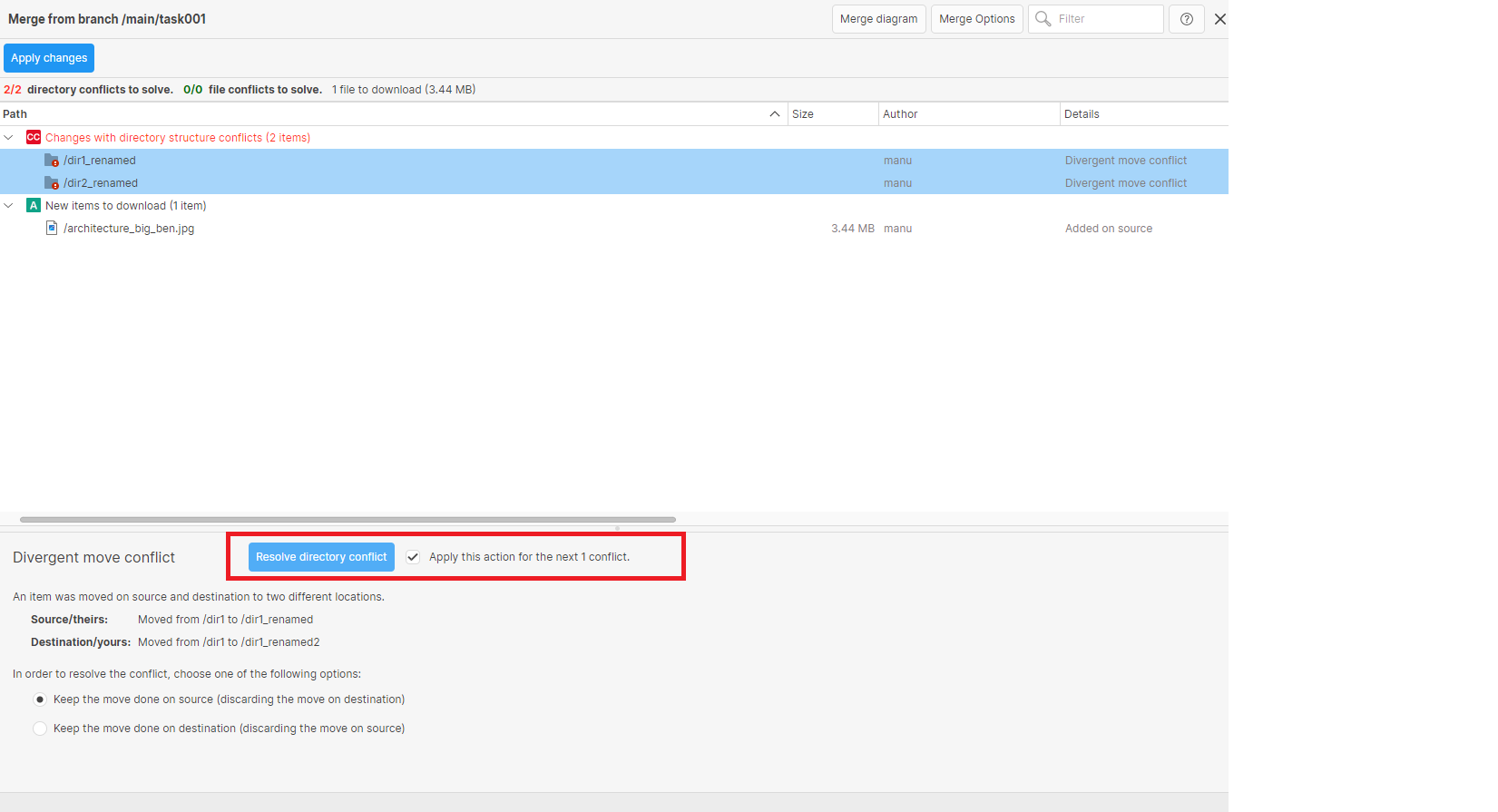
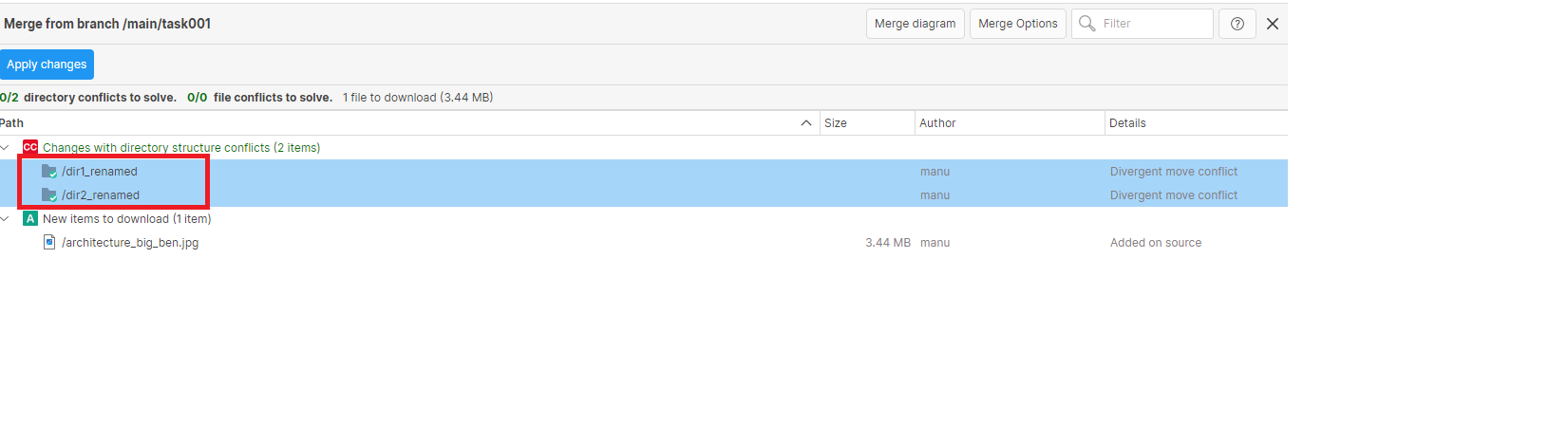
Are you following the same steps?
Sometimes when you resolve a directory conflict, it generates some other new conflicts to be resolved. I’m guessing if this could be your scenario.
Regards,
Carlos.
Thank you for your response, that’s exactly what I’m doing, it solves the first conflict only.
I noticed that the conflict in your screenshots is “Divergent move conflict”, but the one I get is “Evil twin conflict”. Maybe there’s a bug with “Evil twin conflicts”?
[Edit]
I just got a couple “Change/Delete conflict” but it didn’t work either, it resolved only the first conflict.
[Edit 2]
I made sure I’m using the latest version of Plastic too.
Are you using Windows, right?