Hello,
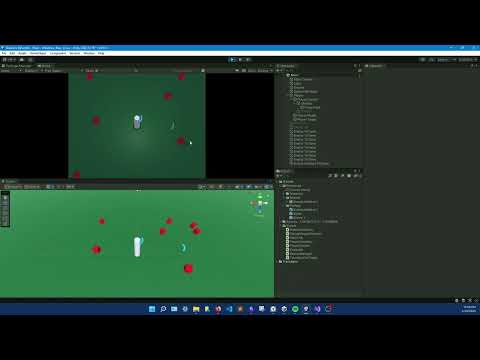
I am developing a simple top-down 3D game where the player is stationary and uses the mouse to aim around and shoot enemies moving toward the player. Here is a video with the main functions I am seeking help with:
The player model is a bit taller than the enemy models. It seems that because of this, I am having a difficult time getting the mouse-aiming to work properly. It appears that it works best when the shooter is located closer to the ground, though as it gets to the height shown in the video the direction of the shooter becomes less accurate in relation to the position of the mouse.
Additionally, the height of the player is also making the projectiles less accurately collide with enemies. Making the collider box for the projectile bigger does not solve this.
Here is the code for the mouse-aiming
void HandleRotationInput()
{

    RaycastHit _hit;
    Ray _ray = Camera.main.ScreenPointToRay(Input.mousePosition);

    if (Physics.Raycast(_ray, out _hit))
    {
        transform.LookAt(new Vector3(_hit.point.x, transform.position.y, _hit.point.z));
    }
}
Here is the code to shoot projectiles
 public void Shoot()
 {
     if(lastTimeShot + firingSpeed <= Time.time)
     {
         lastTimeShot = Time.time;
         Instantiate(projectilePrefab, firingPoint.position, firingPoint.rotation);
     }
 }
Here is the code for how the projectile prefab moves
void MoveProjectile()
{
    if (Vector3.Distance(firingPoint, transform.position) > maxProjectileDistance)
    {
        Destroy(this.gameObject);
    } else
    {
        transform.Translate(Vector3.forward * projectileSpeed * Time.deltaTime);
    }

}
Collision method
private void OnTriggerEnter(Collider other)
{
    Destroy(gameObject);
    Destroy(other.gameObject);
}
3 Answers
3
Hello @adrian-j-roix,
To make your character rotate you throw a Ray from the camera in the direction of the mouse, so the hit point is the spot where the mouse is aiming, but since your character is tall, how about adding a Vector3.up with a ratio to the hit point?
public float ratio = 1.1f;

void HandleRotationInput()
{

    RaycastHit _hit;
    Ray _ray = Camera.main.ScreenPointToRay(Input.mousePosition);

    if (Physics.Raycast(_ray, out _hit))
    {
        transform.LookAt(new Vector3(_hit.point.x, transform.position.y + Vector3.up * this.ratio, _hit.point.z));
    }
}
For the projectile you should try to change the Rigidbody settings to interpolate
You could keep track of a lookDirection when you move the mouse, which goes from the firing position to the point on the ground where the mouse hits.
public Quaternion lookDirection;

	void HandleRotationInput ()
	{
		RaycastHit _hit;
		Ray _ray = this.cam.ScreenPointToRay (Input.mousePosition);
		if (Physics.Raycast (_ray, out _hit)) {
			lookDirection = Quaternion.LookRotation (_hit.point - firingPoint.position);
			transform.LookAt (new Vector3 (_hit.point.x, transform.position.y, _hit.point.z));
		}
	}
Then when you instantiate the the projectile, assign the lookDirection to the projectile:
var obj = Instantiate (projectilePrefab, firingPoint.position, lookDirection);
This will cause the projectile to start at the starting position and move towards the ground.
Hi Adrian.
In your case. you should use raycast.
of course it can be possible to working with moving a collider but will have lots of problems.
Especially in your case(third- persion shooter) it will difficult to get the aiming point from the user and also difficult to move projectile to the target position.
Here’s solution.
- When mouse click. camera’s center vector => raycast => aimed ground posion (V).
- send projectile from player to the aimed ground position + Vector.up * player height
- please make enermy collider’s height with the same as users.
if you follow this the game will be perfect. I think
Happy coding