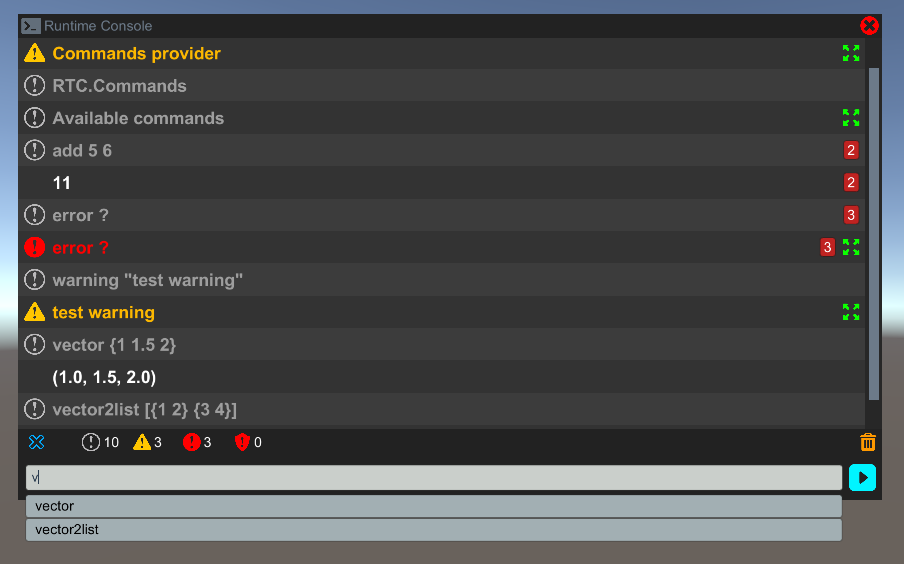
Runtime Console is an easy to use and setup in-game console that lets you view logs outside of the editor, define commands which can then be called from the console’s user interface, catch exceptions and much more.
The commands you see below, are just test commands with different types of parameters.
Designed for unity 5.4.2f2, tested with unity 5.4.2.f2, 5.0.0.f4 and Unity Collaborate 2017.1.0b5 submitted with 5.0.0.f4.
Main features:
Full source code included !
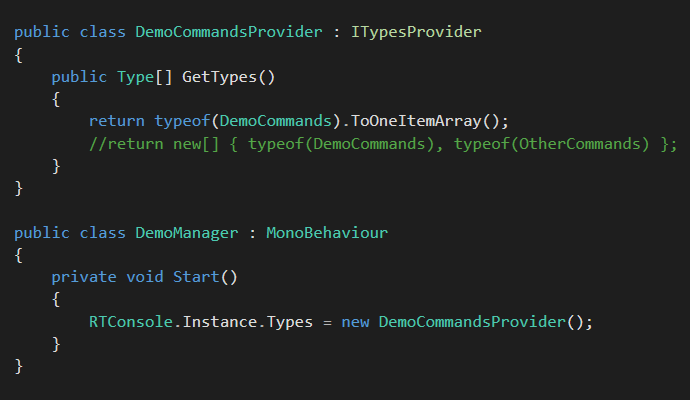
Allows you to specify the classes that contain commands improving performance in big projects
Commands are defined with the [Command] attribute
Works with any parameter type as long as there is a converter for it
Syntax can be customized by replacing any existent converter or adding a new one
Accepts user-defined log types
Can be set to catch exceptions generated by commands
Logs can be filtered by log type
Similar logs can be stacked
Logs that contain additional information can be expanded in a new window
Autocomplete suggestions based on text entered
Keeps a history of executed commands which can be navigated with arrow keys
Built-in commands
Flexible user interface built on top of uGUI
New**:**
Included the full source code
Refactored UI code
Added two more skins with different functionality
The main parts that assembles the console are the Logger, the Syntax Analyzer, the Parser and the Type Converters which can be customized, thing that i will show in the upcoming documentation.
That’s all for now, thank you, and i’ll wait for your constructive feedback bellow.
FAQ:
Q: How do i hide the console when the game starts ?
A: Find the object with the Console Window script attached and check Start Hidden.
The things marked as “Done” are indeed done, but not yet released, i will update the console as soon as possible.
Also, I did test it on mobile and webGL and it works fine, the only problem encountered was with webGL where some code had to be removed in order to work, i’ll explain everything in the video tutorials which i hope they’ll be ready this week or in the next one.
A web player demo is now live at https://emytofast.github.io/ .
In the last update i messed up something and the UI was not displaying correctly in some versions of unity editor. But with this update everything should be fixed.
Also check out the Done section to see the new features.
I had a hard time finding a software to record / edit the video with.
I did a version of the tutorial using voice, but it was ~20 minutes long.
So I decided to just write on screen and now it’s 2:39 minutes long.
Hi @ , thanks for the great plugin, wish that I see more from you in the future Very nice work with attention to detail, great stuff there.
Thanks a lot for helping me hide my console window by default. Had a bit of trouble with that, but it’s actually pretty straightforward.
One thing i noticed is that if i drag the Window to the consoleManager, the Start() method of my manager does not seem to be executed. I had a method to list the commands every time the console starts (
RTConsole.Instance.Execute(“RTC.Commands”);), which does not seem to execute when the console window starts hidden. Would be nice if you can point to a solution for this
Thank you for your prompt replies and I will definitely let you know if I have more questions so that you can possibly use them in your FAQ.