safe frame for game view

hey everyone. is there a way to put a “safe fame” on the game view when your previewing it in the software?

for example if i know my final project will be 800x600, is there a way to make it so i only view that while in the editor?
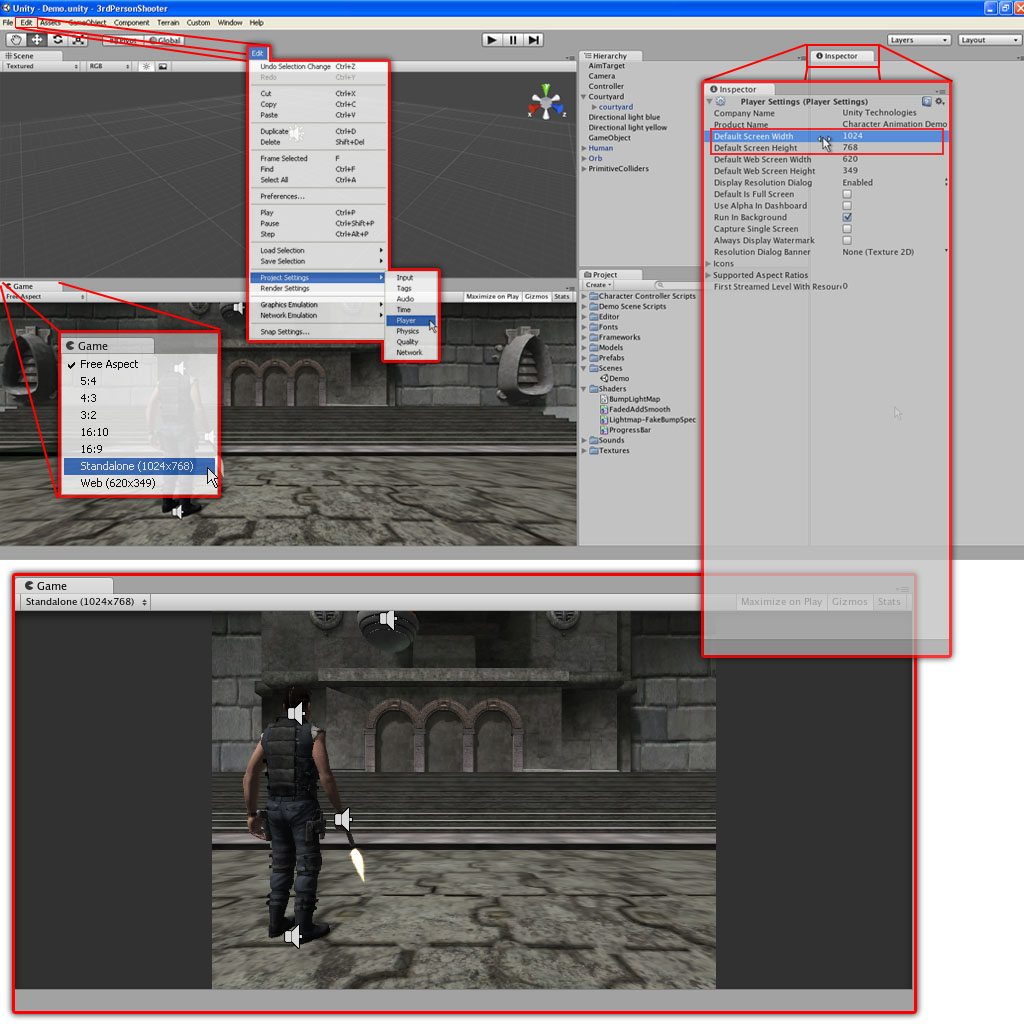
hi, select “Standalone” from the drop down menu on the upper left corner of game view. by default it is “Free Aspect”. To change the size of Standalone go to “Edit-> Project Settings-> Player”. In the Inspector view change the value of “Default Screen Width” and “Default Screen Height”.