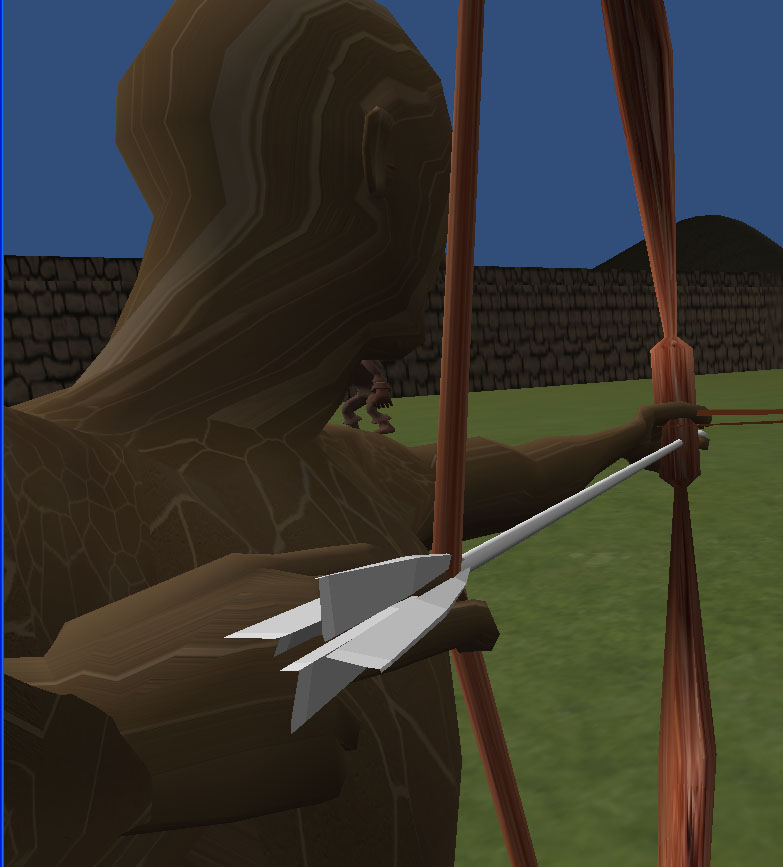
Okay, I’ve done my homework, searched and searched, and I can’t figure this one out.
I’ve got a guy with a bow, and he shoots an arrow that is instantiated with this script snippet:
var arrowShooting :  Rigidbody;

if((Input.GetMouseButton(1)  aiming)){
	aiming = false;
	shooting = true;
	var newArrow : Rigidbody = Instantiate(arrowShooting, transform.position, transform.rotation);
   newArrow.velocity = transform.forward * shootSpeed;
	}
That works. Gets an arrow flying. But the arrow doesn’t hit anything, doesn’t collide with terrain or colliders. Here is the script for the arrow that is shot, with a screenshot of how it is set up.
The instantiated arrow is called “ArrowRigidBody” and its script is called “ArrowInstanceShootScript” and looks like this:
var moving:boolean = true;
var hit:boolean = false;
function Update () {
	if(moving){
		transform.LookAt(transform.position + rigidbody.velocity);
	}
	if(hit){
		print("The Arrow Has Collided with Something");
		moving = false;
		rigidbody.isKinematic = true;
	}
};
The child of that arrow is an empty game object called “ArrowCollider” with a sphere collider attached, and a script called “ArrowColliderScript” here:
function OnCollisionEnter() {
	var arrow = GameObject.Find("ArrowRigidBody");
	var arrowScript = arrow.GetComponent("ArrowInstanceShootScript");
	arrowScript.hit = true;
}
The arrow doesn’t hit. It goes through objects and through the terrain. OnCollisionEnter is never triggered.
Please Help!

Here’s a screenshot of the Inspector window for the ArrowRigidBody’s child object: “ArrowCollider” which has the collider and a script that should be sensing when the dang thang hits somethang.

Update:
Changing the line from
function OnCollisionEnter() {
to
function OnTriggerEnter(other : Collider) {
makes the trigger work, sorta. The thing is that it starts triggering immediately, which leads to a couple of problems. First of all, the original arrow that I built for instancing is still in the scene. I can’t ‘apply changes to prefab’ and I can’t delete it obviously, so it’s there, and it immediately falls and gets triggered. If anyone knows how to make an object with scripts, colliders, rigidbodys, and child game objects, etc, and can make a prefab out of the whole assembly PLEASE LET ME KNOW!
So, I think I need to be able to make an array of maybe 10 arrows, and have each one only communicate with itself. I will look up how to create an array of instanced objects.
I did the FPS tutorial from Unity.
with this script you turn an object (attached to camera) into the launcher
var projectile : Rigidbody;
var speed = 20;

function Update()
{
if( Input.GetButtonDown( "Fire1" ) )
{
var instantiatedProjectile : Rigidbody = Instantiate(
projectile, transform.position, transform.rotation );
instantiatedProjectile.velocity =
transform.TransformDirection( Vector3( 0, 0, speed ) );
Physics.IgnoreCollision( instantiatedProjectile. collider,
transform.root.collider );
}
}
and this is for th projectile (which is a rigid body)
it deletes the projectile on hit and spawns an instance
var explosion : GameObject;

function OnCollisionEnter( collision : Collision )
{
var contact : ContactPoint = collision.contacts[0];
var rotation = Quaternion.FromToRotation( Vector3.up, contact.normal );
var instantiatedExplosion : GameObject = Instantiate(
explosion, contact.point, rotation );
Destroy( gameObject );
}
in my case a particle system. I think i should be possible to spawn a copy of the Arrow. But one which is not a riggid body so stays at the hitpoint.
You can drag a prefab directly from the Project panel to a script variable without first creating an instance in the scene, so you don’t need to have a stray arrow object hanging around.
If you’ve got an object consisting of a parent with a rigidbody and a child with a collider, then the script with the OnCollisionEnter should be on the parent, not the child.