Hi,
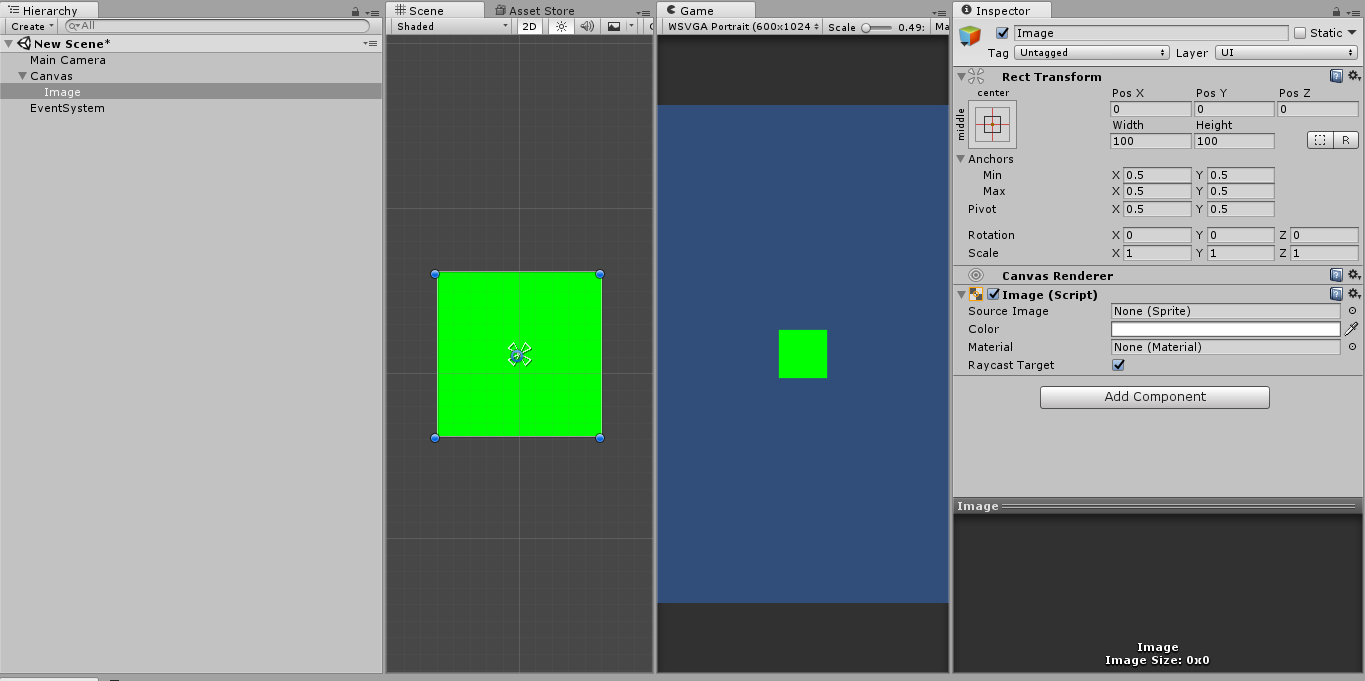
I have an issue with my project where new UI images are rendered green when their material is set to None. Even in a new scene, an empty image is rendered green.
However, in a new project everything is fine:
This old thread sounds similar [Unity 5.0] Material bug - Green glow - Unity Engine - Unity Discussions
I’m using Unity 5.5.1f1. Do you have any idea how to fix this?
Thanks,
Alex
After playing with the tint, it seems that Unity is only rendering the green channel in my broken project for new images. Changing the color to red or blue turns the image black.
1 Like
I had some similar problems, my only workaround for now was to assign a blank white image to the source image slot. 
Setting the source image slot doesn’t help in my case. Only the green channel is rendered for those images. Also, I have the same issue with text objects.
One ‘solution’ I found is to create an “ImageMaterial” with a UI/Default shader. That material doesn’t alter the source texture and it renders it correctly. It works for text as well.
Hi,
This maybe not be your case, but I had a problem that resembles what you are seeing:
In one of my tests when building SmartEdge, I got the material that its assigned by default to the UI elements, and modified it (replaced the shader and texture). That got saved.
From that time on, everytime I created a UI element and didn’t specified the source image, the one I set in the default material was used instead (which in my case was a font atlas). Similarly everything was been rendered using my shader.
Could it be that you assigned a shader to the default material and that’s been used instead?
What I had to do, its to take one of my VertexModifiers, and in the ModifyMaterial call, I switched the shader and texture of the default material to the correct ones. Then saved, and that fixed it for me.
There maybe an easier solution, but I hope that gives you and idea where to look.
Thanks @Inter-Illusion , that’s putting me on the right track. I didn’t think it would be possible to get and change(!) the default material. But it is.
GameObject imageGameObject = GameObject.Find("Image");
imageGameObject.GetComponent<Image>().material.color = new Color(Random.value, Random.value, Random.value);
I think this is quite dangerous. It can be convenient in some cases but the UI should say that it’s using a specific default material instead of saying None. For example, it should say “Default UI Material” for UI objects by default. I’ll submit a ticket to Unity to discuss this.
Now I have to find out what’s changing this in my code/plugins.
Alex
1 Like
I’ve found the plugin that was causing all this mess. I’ve changed the code so it doesn’t change the color anymore.
A bit annoying though was that I had to manually reset the default material values; I don’t know where it’s stored. There’s clearly room for improvement here on the Unity side.
1 Like
how did you fix it i have a similar issue where every gameobject is glowing green and they are not even set to be green is this a graphical issue
1 Like
I had the same issue when I opened two projects simultaneously but It automatically got resolved when I closed both projects and reopen them. I think this problem was created in my system because of URP or maybe shared resources of URP. Both of my projects have URP enabled.
There was Bloom (Post-Processing) was enabled in my project, so I was seeing the bloom effect in default material as well, even on UI elements. That’s why I think URP still have some bugs that need to be fixed.
Before this problem is solved I tried to change the colour of default material but It had no effects.
i just create a new material with the same name and properties, like DefaultUIShader(UI>Default) and copy the properties and paste them inside my UI Element shader.