Hi all! I have a similar request as in this article:
(guide to transferring a project to another organization)
but I have a problem. When I select the organization to which I want to transfer the project, I get an error with the following text and the transfer button is not active :
“The target organization does not have access to all required products. Please ensure these products are available to the target organization (Unity Gaming Services)”
The organization where I want to make a transfer is a new one, freshly created with a paid pro subscription.
The old one also has default settings (I did not touch anything in the project settings after creation) and with a completed pro subscription.
Sorry for the long delay in responding to this. Transferring a project from an organisation that has an active Cloud subscription, in this case Unity Gaming Services, will require the target organisation to have the same subscription. Make sure you sign up to Unity Gaming Services in your new organisation and you should be able to transfer the project.
Thank you very much alexivanov00 for your answer! There is a difference in global tariff plans. The new organization has a label - Free Plan, and the old one - Pay As You Go Plan. But then one more question, the Free Plan account has an Upgrade option, there is such a special blue button “Upgrade Plan”. And an account with Pay As You Go Plan does not have any buttons and options, I can change it back to Free Plan and make the subscriptions the same, or it’s impossible and I have only one way - to transfer a new account from Free to Pay As You Go Plan ?
And I understand correctly if in both projects cloud services will have the same tariff, for example Pay As You Go Plan - will I then be able to transfer the project from one organization to another?
I did some research and it looks like there are two ways to achieve what you are aiming for:
Upgrade your new organization to the Pay As You Go Plan so that both organizations have subscription parity, and the transition is allowed.
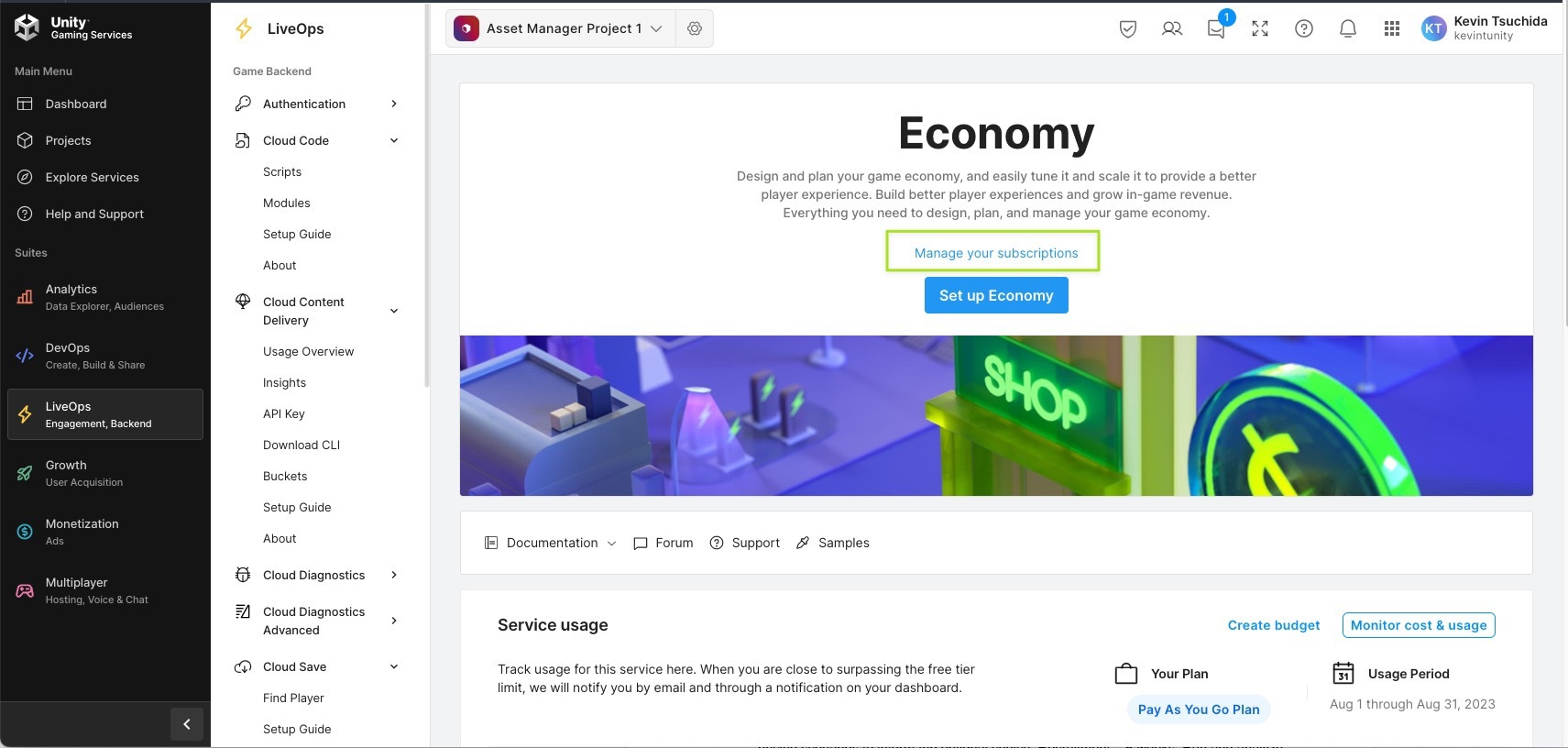
Cancel the subscription for the old organization by opening any service About page, clicking on Manage your Subscription, and then clicking on the Remove Subscription button on the Subscription Management page. See the attached screenshots for more details.
Hi,
I am able to transfer the project to another organization but not the repository of the project from UVCS section .
How I can transfer the whole project including the repository as well. Both organization accounts are on Unity CLoud - FreePlan.