OHHH KKKKKK… finally getting somewhere!! So to add the metallic texture you’d need to plug it in after the overlay is created (because am I not right that the UMA tool/MATERIAL BUILDER CREATE OVERLAY needs to be updated? Or has it been upgraded recently?)
You don’t need to use the Material Builder to make overlays unless you’re using the legacy shader, you can just use the menu item Assets | Create | Overlay Data Asset and fill in the data by hand. Or start with one using the right material and duplicate it. IMO the Material Builder window should probably be split between overlays and slots, but it didn’t happen in 2.0.
1 Like
Hi Eli,
Thanks for creating an example script, that’s definately something we could use to work from lol, but I am getting these errors.

Is this for UMA 2.0?
Yes. I assume everyone starting a new project would want to use UMA 2, there’s no reason to use the old stuff unless you have something in progress you’re worried about breaking.
In UMA 1 the slotName is in the SlotData rather than inside the SlotData.asset, and you’ll have to directly add the slot into the array rather than using UMARecipe.MergeSlot().
1 Like
Oh great, sorry I do have UMA 2.0 but wasn’t sure on how to fix the errors. I assume I need to add the “asset” member into the SlotData.cs script?
Edit:
This particular problem solved thanks to Eli I was using UMA 1.2.2!
Anyone able to please point me in the right direction in creating slot data in UMA 2.0? Is it still with MaterialBuilder? Because the steps:
Step 5 - Set up UMA SlotData (Meshes)[edit]
Using the Material Builder is essential for meshes! There is no easier way to say it, without this window you have no chance in hell of creating a valid SlotData short of being a UMA guru!
- Set the “Element Name” field to whatever you want your SlotData to be called.
- Set the “Race Prefab SkinnedMesh” to “Assets/UMA/UMA_Project/Models/Male/MaleUnified/UMA_Human_Male” or “Assets/UMA/UMA_Project/Models/Female/FemaleUnified/UMA_Human_Female”
- Set the “Slot Mesh SkinnedMeshRender” to ýour mesh.
- Set the “Material Sample”, if you want the mesh to use UMA shaders you set it to “Assets/UMA/UMA_Assets/MaterialSamples/UMABaseShaderSample” otherwise you set it to a material of your choice using the shaders and settings of your choice!
Don’t seem valid anymore
1 Like
Well the text needs some editing, but it’s even more valid… there is no way in hell I could create a SlotDataAsset without the Material Builder.
2 Likes
Thanks Joen! I got your message also, I updated the Wiki site to reflect your response.
1 Like
I still can’t create an Overlay using materialbuilder in UMA 2.0.
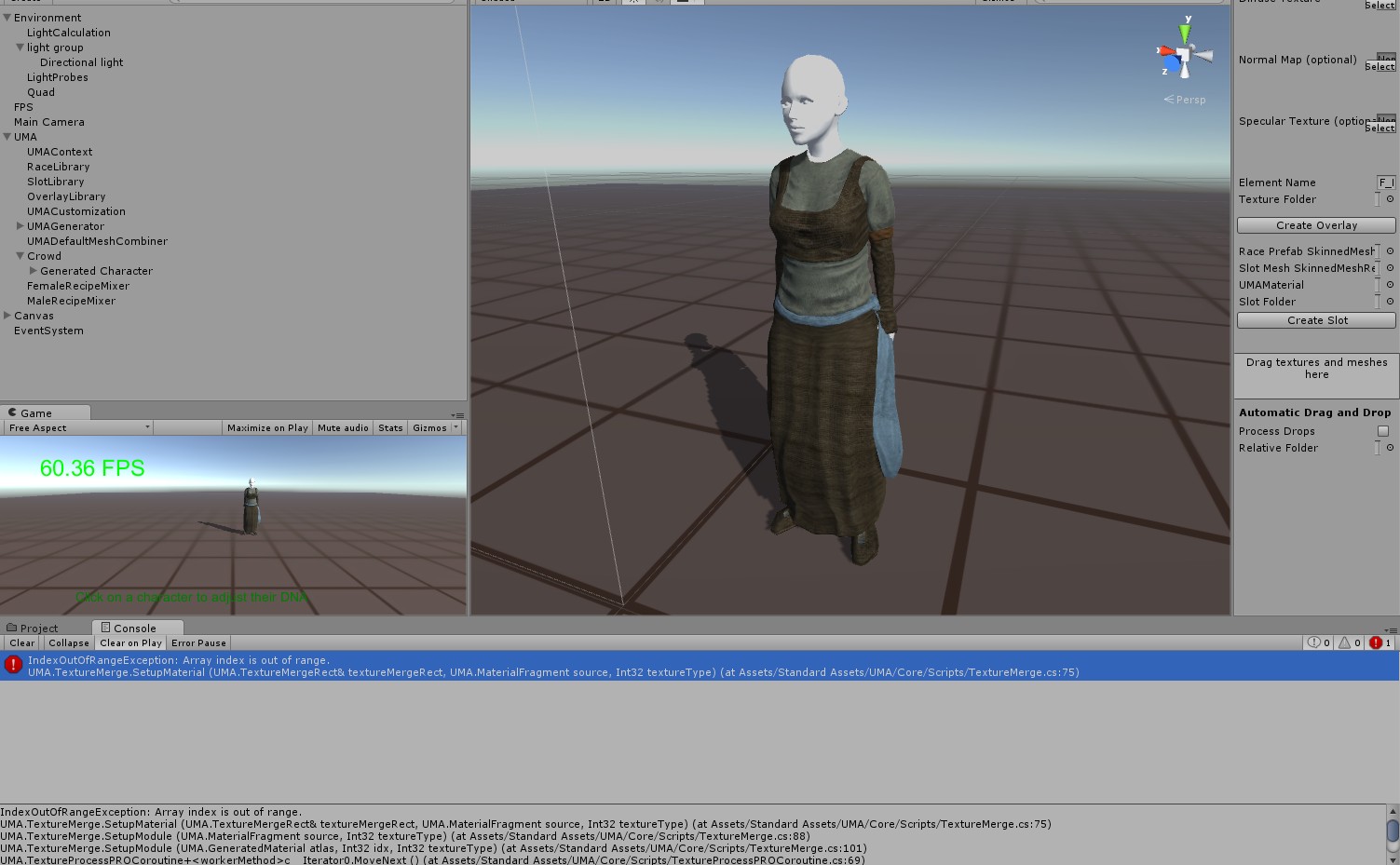
I have three textures, diffuse, normal, specular. I drag into the box in MaterialBuilder and they all go into their allocated spots. I click on “Create Overlay” and I get the error listed below:
NullReferenceException: Object reference not set to an instance of an object
UMAEditor.UMATextureImporterUtil.ConvertDefaultAssets_DiffuseAlpha_Normal_Specular (System.String diffuseAlpha, System.String normal, System.String specular, System.String assetFolder, System.String assetName, System.String textureFolder, UnityEngine.Shader shader) (at Assets/Standard Assets/Editor/UMA/Core/UMATextureImporterUtil.cs:47)
UMAEditor.UmaTexturePrepareWindow.CreateTexture () (at Assets/Standard Assets/Editor/UMA/Core/UmaTexturePrepareWindow.cs:264)
UMAEditor.UmaTexturePrepareWindow.OnGUI () (at Assets/Standard Assets/Editor/UMA/Core/UmaTexturePrepareWindow.cs:108)
System.Reflection.MonoMethod.Invoke (System.Object obj, BindingFlags invokeAttr, System.Reflection.Binder binder, System.Object[ ] parameters, System.Globalization.CultureInfo culture) (at /Users/builduser/buildslave/mono-runtime-and-classlibs/build/mcs/class/corlib/System.Reflection/MonoMethod.cs:222)
Also a copy of all three of my textures are created into my chosen overlay folder, except they are of an unknown type and when I select any one of them I get this following error:
ArgumentException: May only be called in OnPostProcessTexture
UnityEditor.TextureImporterInspector+PlatformSetting.Sync () (at C:/buildslave/unity/build/Editor/Mono/ImportSettings/TextureImporterInspector.cs:702)
UnityEditor.TextureImporterInspector+PlatformSetting…ctor (System.String name, BuildTarget target, UnityEditor.TextureImporterInspector inspector) (at C:/buildslave/unity/build/Editor/Mono/ImportSettings/TextureImporterInspector.cs:614)
UnityEditor.TextureImporterInspector.BuildTargetList () (at C:/buildslave/unity/build/Editor/Mono/ImportSettings/TextureImporterInspector.cs:2100)
UnityEditor.TextureImporterInspector.ResetValues () (at C:/buildslave/unity/build/Editor/Mono/ImportSettings/TextureImporterInspector.cs:2135)
UnityEditor.AssetImporterInspector.Awake () (at C:/buildslave/unity/build/Editor/Mono/ImportSettings/AssetImporterInspector.cs:100)
Yep I’m receiving the same errors as Richardm1985. All textures are the same size, compression etc. Overlays show up as blank unrecognized icons.
I’m also receiving another error on play. Fem head and body textures don’t show. I’m using scene 06 recipe. All the slots and overlays are in the recipe. The Outfit is using a Standard shader material not UMA Legacy/UMAbase shader sample.( The head, body, etc, is still using the default Legacy material.)

Pushed a fix for the overlay generation thing. It was the previously mentioned modified version of WriteAllBytes required for the WebPlayer build. Changed it to only use System.IO.File.WriteAllBytes() in editor code where it’s available regardless of deployment target.
All of the overlays on those slots are using the same material and have the same number of textures defined?
New try. Different scene.
Using Scene 01 Crowd:
Using a random set.
New slot was created with UMA 2.0.
Slot material is UMALegacy. It’s Using the default FemaleBody01 overlay (to test).
I receive the following error:

For Scene 06
The Slots for the outfit were using the same material (F_Poor 1 Legacy) . The Slots for Head, body etc, are using the UMALegacy Material.
images:
Legacy Material (correct texture order)

Overlay

Material:

Line 209 in the FemaleDNAConverter was for the forearm twist bone, which I assume your new torso slot isn’t using. The latest github code has been changed to ignore missing bones rather than error on them, so this will be fixed in 2.0.1 or if you grab the latest code.
If you define 9 texture channels in your UMAMaterial it’s going to expect your overlay to have 9 textures defined as well. You should only define the channels in the material your overlays will actually be setting, the rest will use the default values from the Unity material sample. Also if you’re using the standard shader the _BumpMap channel type should be set to indicate it’s a normal map. I posted a screenshot of the UMAMaterial the demos use for the standard shader on the previous page, it only uses three of the possible textures.


@ecurtz Thanks for the replies.
I’ve tried only 4 textures in the UMA Material and it made the model show up black. Might have been the normal map setting. Will try that out and let you know.
I want to thank everyone who is posting their issues with UMA 2. I haven’t been able to dig in yet and have been watching this thread to see how everyone is fairing. Glad there are some people willing to get a few arrows in their butts. I want to especially thank Richard for getting some of this priceless information into the wiki, super useful!
I am looking forward to digging in and doing the same myself in short order.
I imagine the way to keep abreast of the updates is to just grab the UMA 2 git repo, right?
Also, how to official releases happen? I would preferably work with released version in my production project at least.
1 Like
Actually I have another potential cause. The Unity Material reference used by the UMAMaterial seems to require that the textures you’ll be using be defined on the sample. They’ll all get replaced, so it doesn’t matter which samples you use, but there can be issues if they are empty.