Hi,
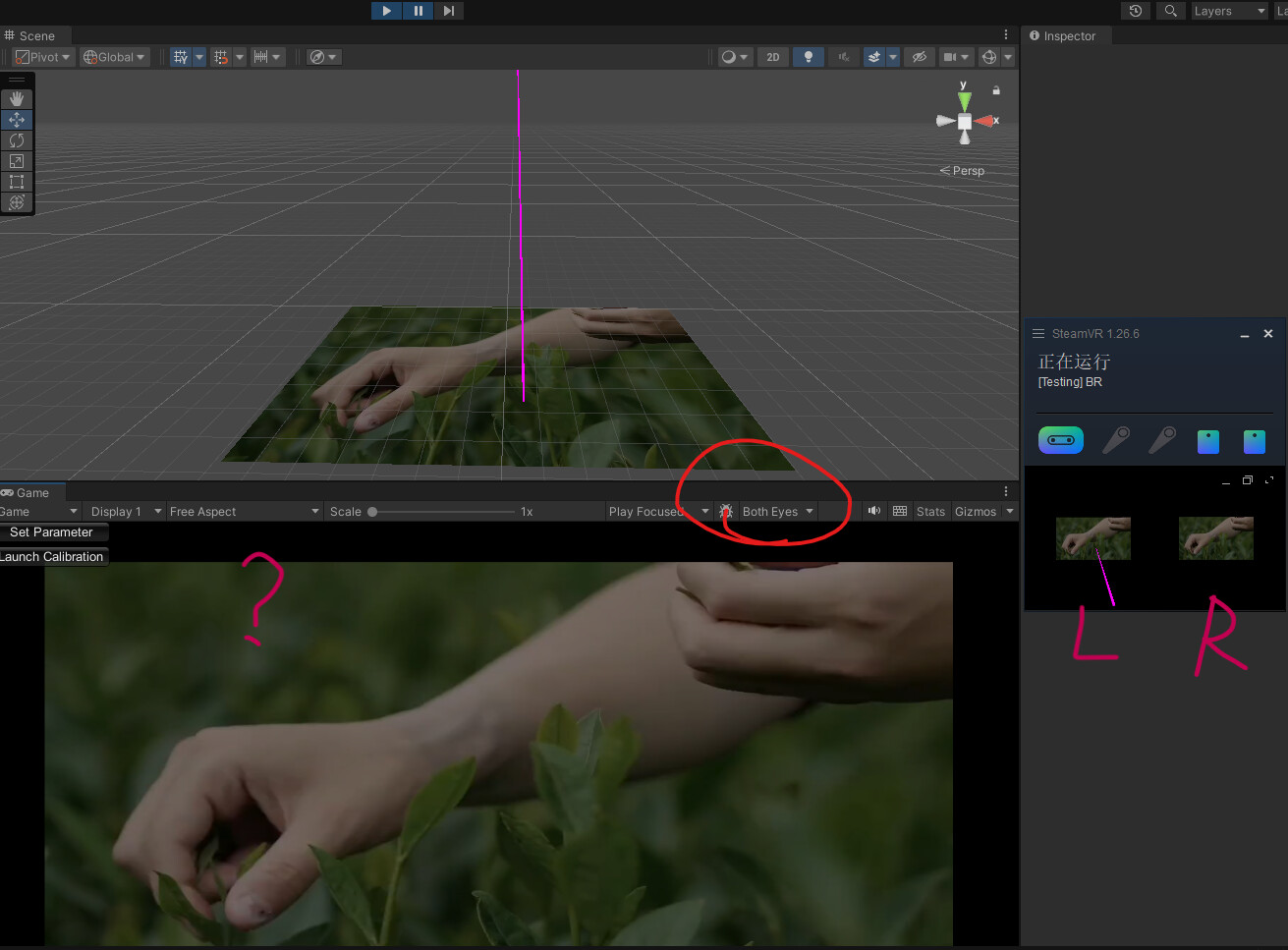
I encountered a problem when developing a stereoscopic project with HTC Vive Pro Eye and SteamVR on Unity v2022.3. After start running in the Unity Editor, even if I switched the Game view to “Both Eyes”, the view still kept a monocular view, although the display actually seen in the HMD was already stereoscopic as expected. I have tried adding XRSettings.gameViewRenderMode = GameViewRenderMode.BothEyes; in my script but it didn’t help. (See Fig 1 below, where the difference between eyes is the purple, eye-tracking gaze ray.)
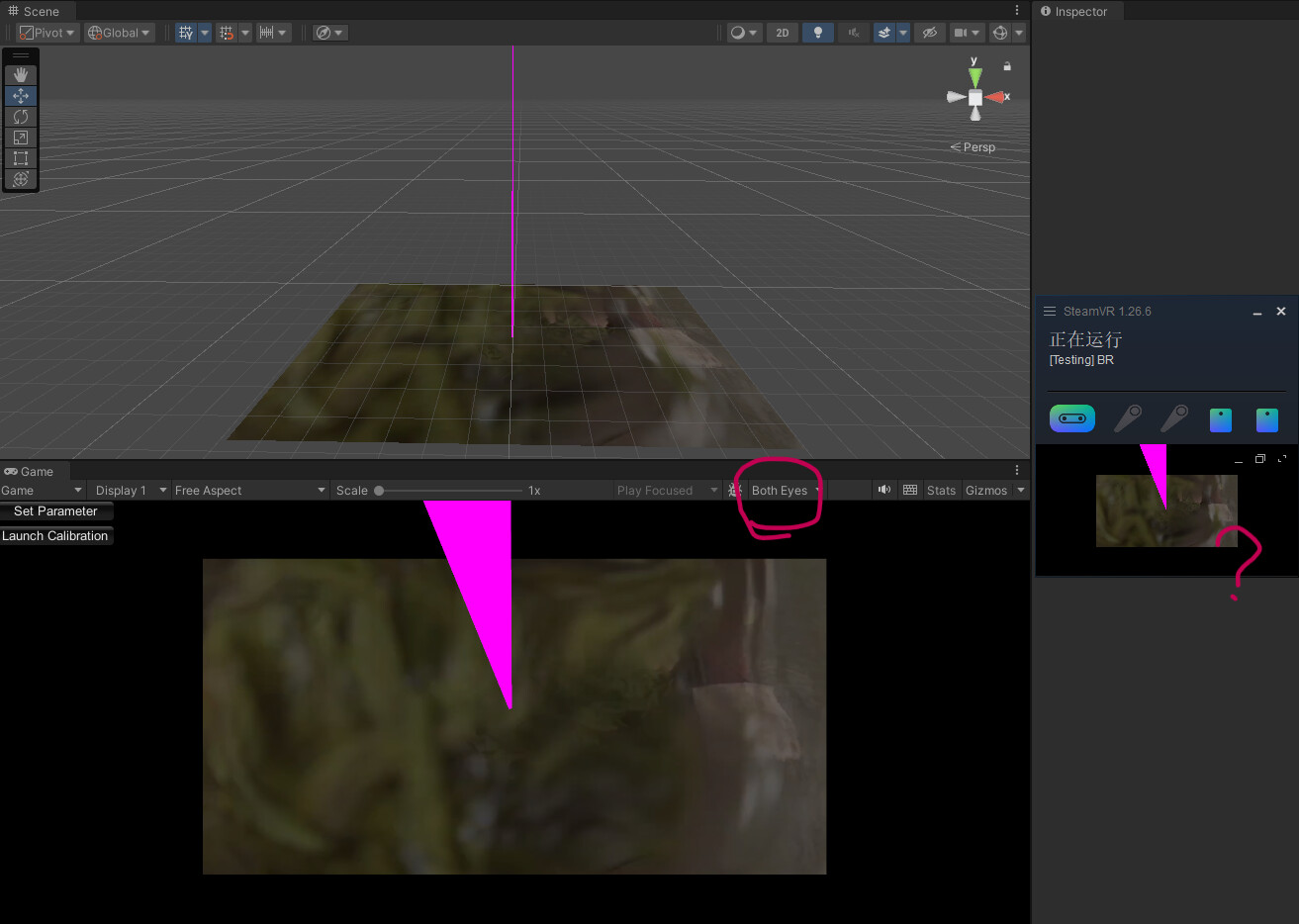
Then I found the “Project Settings - XR Plug-in Management - OpenVR - Mirror View Mode” options which seems to relate, but it didn’t provide a “Both Eyes” option (see Fig 2). The “Left” or “Right” option only determined whether the Game view keeps at left-eye or right-eye display. The “None” option would totally shut off the Game view, while the “Open VR” option seemed to turn the Game view to a mix of both eyes and also impacted the SteamVR preview (see Fig 3).

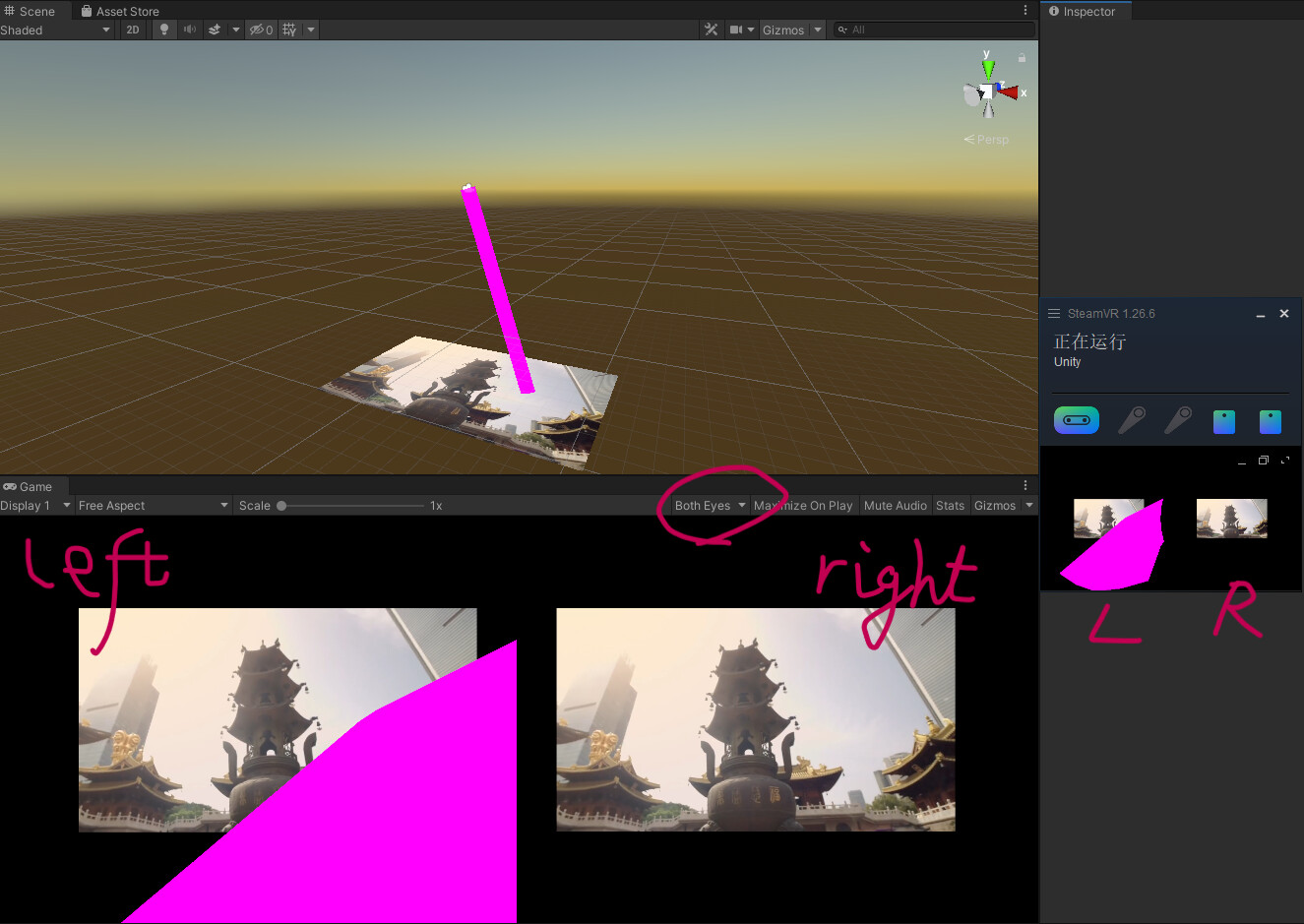
Interestingly, this project was updated and reconstructed from a lower version of Unity (v2019.4). In that older version, the Game view could display the Both Eyes mode normally (see Fig 4), and it even did not have a XR Plugin management package (see Fig 5)!

In all the cases above, the display inside the HMD was always normal and stereoscopic as intended. The problem was only regarding the Game view. Now what can I do to recover the Both Eyes mode in the Game view? Thanks a lot!