This is driving me nuts.
I have a string that will not display in a label.
Here’s the full story…
In order to create tooltips that work with floating windows I’ve turn the tooltip into a window itself. This all works great except when I set the text on the label via a string that is stored in a class.
This is how I create the tooltip window
var myTooltip = ""; //This is a global variable outside OnGUI

function OnGUI() {
.
.
//various gui elements with tooltips
.
.
.
.
if (GUI.tooltip != "") myTooltip = GUI.tooltip;
else myTooltip = myClassFunction.getTooltip();

if (myTooltip != "") {
	Debug.Log(myTooltip); //this always echos correctly
	tooltipSize = mySkin.label.CalcSize(GUIContent(myTooltip) ); //this always calculates the correct size
	tooltipRect = Rect( mpos.x-20, mpos.y+10, tooltipSize.x+10, tooltipSize.y);
	GUI.Window(globals.tooltipID, tooltipRect, tooltipWindow, "", "BlankStyle");
}
}
This is the window code
function tooltipWindow (windowID : int) {
	Debug.Log(myTooltip); //this echos blank if I don't manually return a string from myClassFunction

	GUI.BringWindowToFront(windowID);

	GUI.Label( Rect( 0, 0, tooltipSize.x+10, tooltipSize.y), myTooltip, "Rollover");

}
As I say generally this works.
myTooltip is either set by the GUI.tooltip coming from the normal UI elements or it is set by the myClassFunction.getTooltip() funtion.
If I just return a string from that function like this
 function getTooltip() : String {
	return "Hello world";
}
Then everything works as expected and the “Hello world” tooltip appears over my floating GUI window and everything else.
However here’s where it starts getting weird.
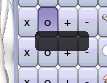
If in that function I return a string that is itself created by another GUI.tooltip then the tooltip window displays a blank label. See attached images.
And the truly weird thing is I can do Debug.Log(myTooltip) and that will echo what I expect from the class tooltip always!
If however I do one Debug.Log in the first bit of code that creates the window and one in the actual tooltip window of the same thing, the first one is right and the second one is blank… how the heck does it reset myTooltip between the two? But that only happens when I don’t return “Hello world”… nuts.
Not only that but the line
tooltipSize = mySkin.label.CalcSize(GUIContent(myTooltip) );
always calculates correctly and so when the tooltip appears blank it is still the right size for the word coming from myTooltip. How is it CalcSize can see myTooltip but the actual label can’t.