I have a mesh that renders fine in Blender. It renders fine in an iOS app I wrote (using Xcode note Unity). I have looked for issues using mesh clean up tools in Blender and everything looks fine. I am at my wits end here. I really want to use this model for my project. Can someone please suggest what is going on here?
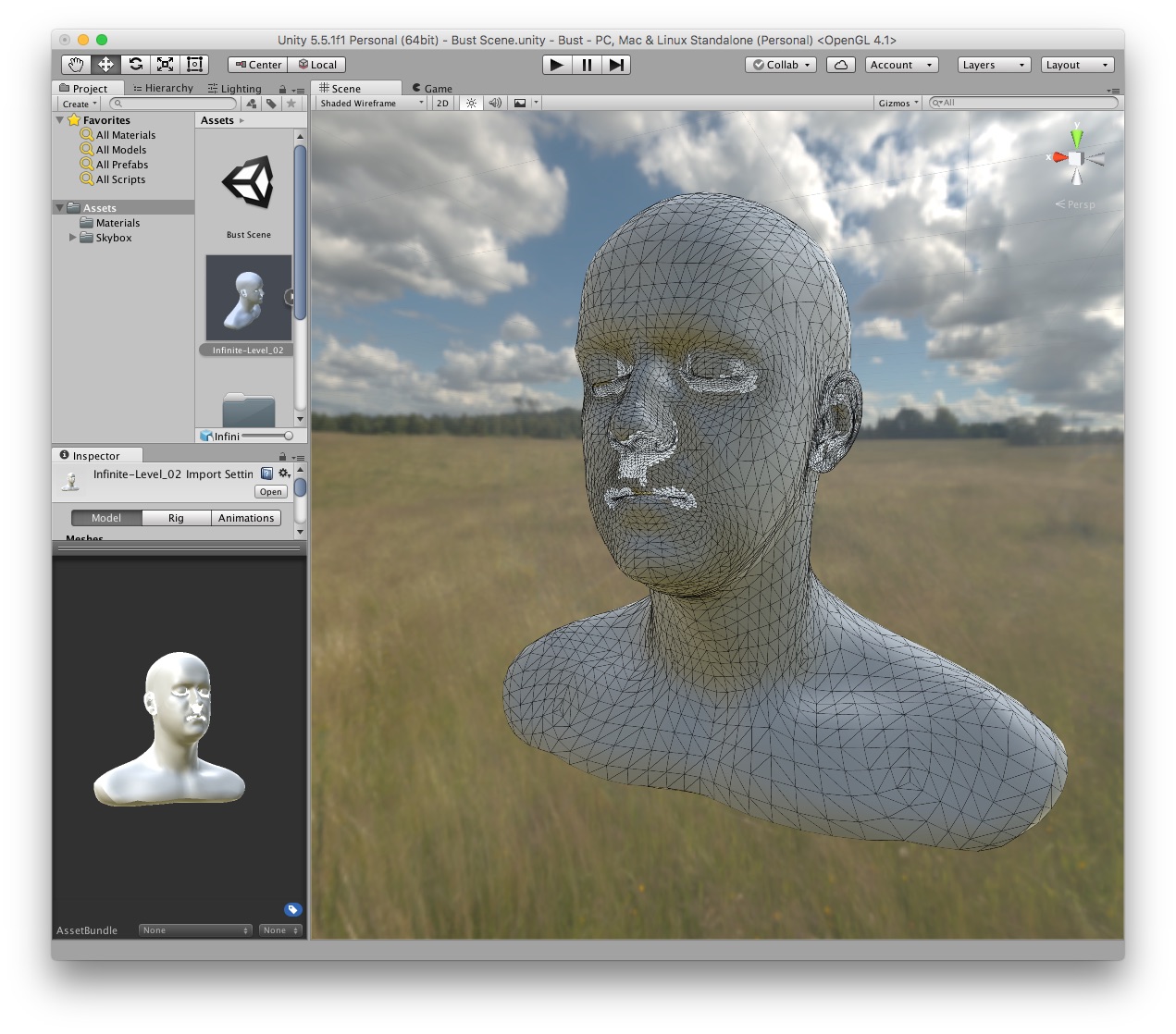
Missing UVs?
Can you show the model without wireframe?
Is there a shader applied to the model in Unity? If so what shader and what are the settings of the shader?
Odd reflection probe artifacts?
I am using a plain ole material here with the original skin texture for albedo. Nothing fancy. just slapped the texture on.
I think you are on to something regarding the UVs. What tool can I use to create a new uv set? Blender?

Yeah - blender is the free alternative. I don’t use it so I can’t help. I’m sure there is a video to assist.
Hope you figure it out.
May check for some free UV layout tools also. I used a pretty nice one about 10 years ago called roadkill. Very good for organic models, although it’s outdated now. Might be some other ones floating around.
What is your import settings?