I remember the red, green and blue correspond to x, y, z axis.
Why is this not the same as can be?
rgb==xyz
It’s in “iPhone Standard Assets/Prefabs/Blob Shadow”
Why? 
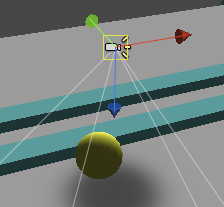
I remember the red, green and blue correspond to x, y, z axis.
Why is this not the same as can be?
rgb==xyz
It’s in “iPhone Standard Assets/Prefabs/Blob Shadow”
Why?
it is x y z, but in object coordinates, not world coordinates
dreamora is right, your camera is looking down, so its “forward” (or Z) vector is pointing down (the blue arrow). The gizmo is being drawn according to the camera’s local space - not world space. I believe you can change the gizmo to operate in world space, but I don’t have Unity in front of me at the moment, or else I’d tell you which button it is, but it’s somewhere near the scene view pane.
Thanks,I know the button. :lol:
…but…problem is still
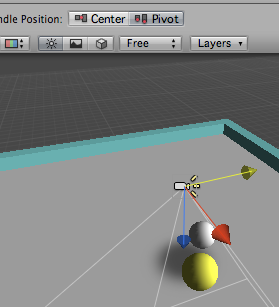
thats the handle positions up there, those have no impact on the orientation.
they will only ensure that on larger objects, the objects 0,0,0 position is beeing used, not the “weighted center”.
This problem has been fixed, but not in Unity iPhone. Tell UT that you want the Unity Global/Local button included in Unity iPhone, until they can combine the two forks.
:lol: Oh,Thanks.