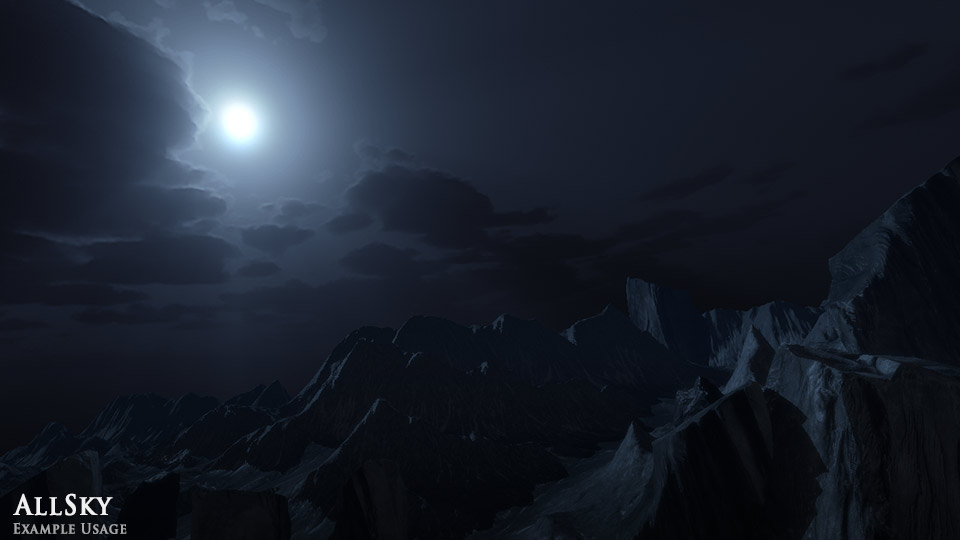
A full palette of 200+ skies for Unity! Provided as 6-sided cubemaps sized from x1024 to x2048 per-side along with an equirectangular cubemap texture from 4k to 16k in size. Each has an example lighting setup scene!
Various styles: Day, Night, Cartoon, Fantasy, Hazy, Epic, Space, Sunless and Moonless!
For lighting artists, environment artists and indie developers looking for a wide suite of skies to light their environments.
Lighting from day to night: Twilight, sunset, multiple times of day, multiple times of night, skyglow.
Many weather and cloud types: Clear, overcast, summery, stormy, autumnal, hazy, epic, foggy, cumulus.
New in Version 4!
AllSky now contains over 200 skies.
Each sky includes both its equirectangular and 6-sided versions.
Lighting Examples
All 200 skies now have a low poly demo environment with example lighting and fog pass. Great if you want a reference for colour and luminance values.
AllSky is a resource I always wanted in my time as a lighting artist at a large studio.
Good idea Ronan. It might be more useful for me to make ‘lighting preset’ scenes, which has a lighting and fog preset for each skybox.
I’m also quite tempted to do an exterior lighting tutorial of some kind…
Any chance you could post higher resolution (full screen 1080P at least ideally) of the lit terrain samples above?
Also does the above answer mean that you’ll include the scene at some point and not just a substitute? If so i’m going to purchase like now
I just grabbed those images from unity3d viewport so they aren’t very high res. Here’s the files. Hopefully they come through at slightly higher res than above. Try opening them in a new tab, as the forum seems to shrink them.
Making the demo scenes nice enough to include in the project could take a while. I am very busy with multiple large game projects at the moment http://blog.richardwhitelock.com to see what I am up to.
Is the following an issue for unity 4 as well?
Red Dot games comment in the asset store :
Great package but need fix.
In Unity 3.5 after importing from Asset Store all skyes (besides one in demo scene) are 32x32 pix resolution so you need manually change all of them in some normal resolution like 1024x1024.
Yes same in unity 4, however i’m not sure it’s such a bad thing i guess it makes the initial import much faster it’s not that hard / long to batch set them all to 1024.
Hi, I’m having a problem with these skyboxes making my build size huge.
I made a build of a scene with only a skybox in it - (skybox set to 1024 size) - Windows build is 42.5mb. Unity editor log says that the uncompressed size of the .png is 24mb - even though the actual file size in Explorer is ~3.6mb.
If you select the texture in the Project tab, does the Inspector tab say that the format is Truecolor? That could well be it as Truecolor is an uncompressed format. Try setting the format to compressed instead.
You shouldn’t be putting this online, you’re putting this as a unity project (not a compiled game) which is against the asset store license basically makes the image you included downloadable by anyone, if i were you i’d pull this link immediately