Bézier Path Creator (free)

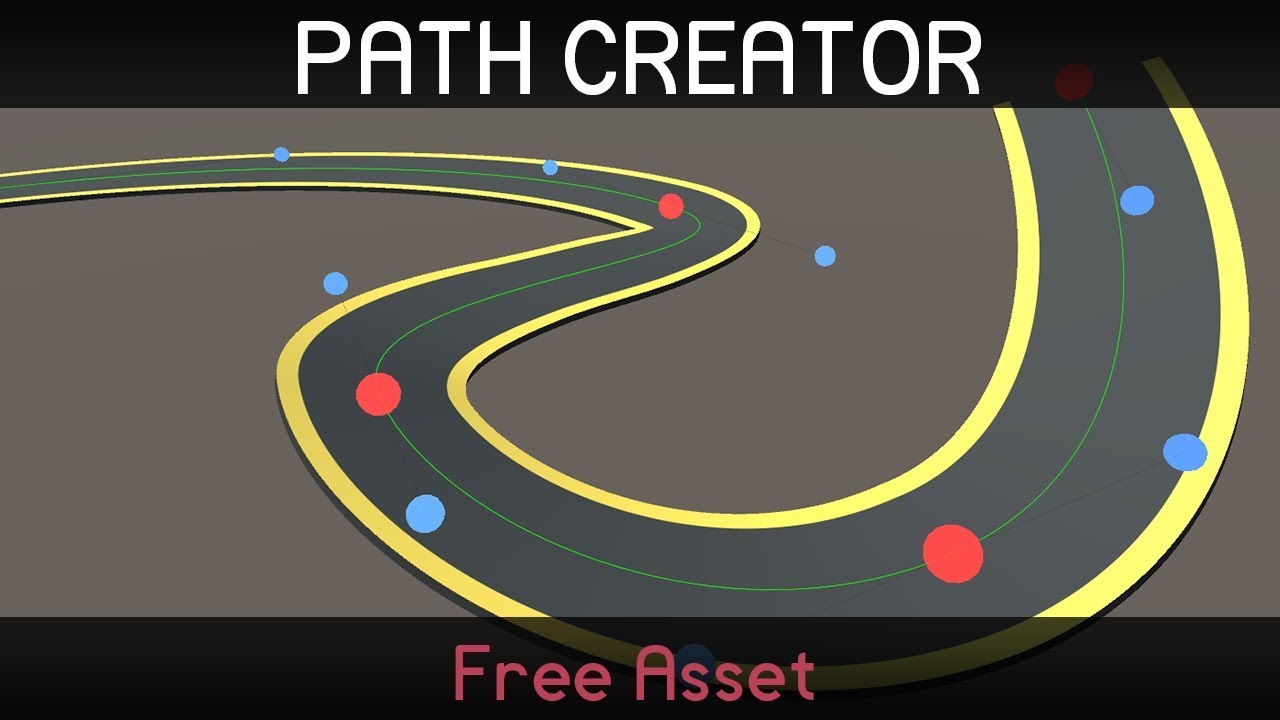
Hello, I’ve created a tool to quickly and easily creating paths for your game. You can make objects move along these paths, or use them as a guide for spawning objects and generating meshes.

You can download it for free from the asset store.
See the user guide for a full run-down of the features, or have a look at the video below for a quick overview.
I hope this will prove useful to some of you!

11 Likes

Super excellent tool! Thank you for sharing.

I am trying to understand how I can modify the tool to be able to see the path in the editor when I don’t have the path selected. any clues as to how I could make this happen?

1 Like

Hi, if you get the latest version from my github you can enable this as an option in the path settings. https://github.com/SebLague/Path-Creator

1 Like

Hi @SebastianLague ! Thanks for your speed reply before.

I’ve another question for you. I’ve created a follow path script very much like your example. I’d like to be able to send Unity Events based on where an object is on the path. For instances, if the end of path instructions is set to stop, I’d like to be able to send an event when the object reaches the end of the path. Thoughts on how I can go about doing this?

1 Like

Hi, you’ve made a great tool! I’ve even signed up to your Youtube channel!
It seems the path is locked in place, is there a way to move it with the object the script is attached to?

Thank you so much for making this tool, it saved me a tremendous amount of time and frustration. :slight_smile:

It’s probably far outside the scope of what you had in mind, but do you have any suggestions for how we could go about merging meshes if we wanted to have multiple paths cross over each other or form intersections without z-fighting?

It seems like there are some mistakes in documentation. When I want to create path from script I use method GeneratedPath from doc. But if I convert bezier path to Vertex path, like in documentation, I get the error message, that Vertex path constructor get more than one parameter.

Hi, is there a way to change the color of a curve in the editor without changing the color for every curve?
Thanks!

This is excellent. I’m just wondering, is there a way to set a point’s transform as a GameObject’s transform? That way, the path constantly updates to follow a moving GameObject’s transform.

Is there a way to make the object to stop at a certain point and keep going after a key is pressed?

2 Likes

Very nice and useful asset! Thank you so much!
Can I create a Bezier Curve and Vertex Curve once and only update the points position other time?

Hello, thank you very much, it is very nice and useful. I have a question with creating path by script, can I update the path? and how can i do that (with script)

Hello, it’s really awesome tool!
Can anyone share a script to align two bezier paths with each other and smooth angles?

hi,
thanks for this path SebastianLague,
but i want to know is there way to deactivate and activate this path when i need it or change the path to another path by script.
thank you.
Does anyone know how can I tell if my transform has reached the end of it’s movement along an open path?

I have tried all sorts of ways (that didn’t work) but I was sure there is probably a simple conditional or callback that can be used.

I am using (from the documentation) the following in my Update routine:

if (pathCreator != null){
            distanceTravelled += speed * Time.deltaTime;
            transform.position = pathCreator.path.GetPointAtDistance(distanceTravelled, endOfPathInstruction);
        }

This all works perfectly but I would like to know when my transform has reached the end of the path. Anyone have an idea what I should be doing?

1 Like

Just check if the distance traveled is greater than the total length of the path.

void Update()
        {
            if (pathCreator != null)
            {
                distanceTravelled += speed * Time.deltaTime;
                transform.position = pathCreator.path.GetPointAtDistance(distanceTravelled, endOfPathInstruction);
                if(distanceTravelled>=pathCreator.path.length)
                {
                    //reached end
                }
            }
        }
4 Likes

Thank you @Aseemy ! That works perfectly. Simple and elegant. :slight_smile:

Did you have a answer? Y have the same problem

Anyone know if there’s anyway to check what point an object thats following the path is at?

And to have one point branch off to two points?

Or set each point to have an action, say freeze the movement on the path.

1 Like

Is it possible to see the path in the game view so it looks similar to the editor?