Im a scripting noob so please go easy on me…
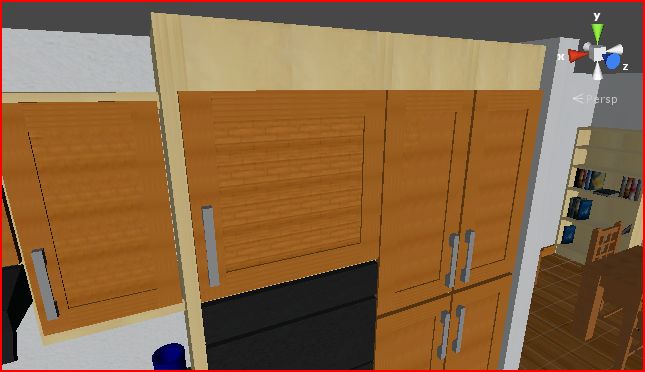
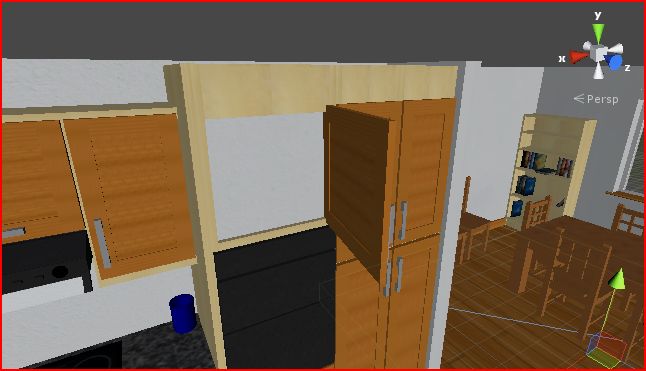
Ive spent a decent 10 minutes looking how to do this but all the other answers are for dragging the door open, i just want it that when clicked, the door will will open and close from its hinge at about 85 degrees. Like ive shown below. Can anyone guide me through what i need to do?
Before:
After:
2 Answers
2
Make an animation for it, it’s relatively simple. Here is some code:
var animationName : AnimationClip;
var isOpen : boolean;
var inTrigger : boolean;
var inSight : boolean;

function Update () {

    if(Input.GetMouseButtonDown(0) && inTrigger == true && inSight == true) {
       isOpen =! isOpen;
    }

    if(isOpen == true)
       animation[animationName.name].speed = 1;
       animation.Play(animationName.name);

    else if(isOpen == false)
       animation[animationName.name].speed = -1;
       animation.Play(animationName.name);
}

 function OnMouseEnter () {

inSight = true;
}

function OnMouseExit () {

inSight = false;
}

function OnTriggerEnter (col : Collider) {

   if(col.gameObject.tag == "Player") {
       inTrigger = true;
}
}
WARNING: Un-tested code
Edit: Made it so you have to be in the trigger and have the mouse over it. STILL UN-TESTED.
I think that good choise is rotating the object, if you have a pivot on the one side of that door, you simple could use this gameObject.transform.rotate(new Vector3(0, 0, 85));
Will using an animation work the same as otherwise? (As in, i wont be able to walk through it n' stuff?
– superdave1318As long as you attach a collider, it should be fine.
– SterlingStudiosPerfect, now all i got to do is learn how to animate. Which, i have no idea to do XD. 2 steps forward, 2 steps back, thnx for your help so far!
– superdave1318Don't worry it's really easy :D. Just make sure to add the curve before you start and then make it go to 85 degrees.
– SterlingStudiosWhats a curve?
– superdave1318