Now published: new thread is: http://forum.unity3d.com/threads/232712-RELEASED-Extensible-Input-Manager
We were looking a time ago for an easily Extensible Input Manager for our game, we know that there are some out there, but none of that were fulfilling all our requisites… so… we decided to make one on our own, so we are working in it! and it is almost finished! We thought that perhaps it could be interesting for you if we publish the spec list:
- The most important, it should be extensible: user can write it’s own device interfaces by implementing inherit the base device interface object. We needed that things like arduino pads or wheels, or xbox 360 full supported driver were fully and transparently integrated in the manager as native: it’s done.
- Integrate a override that replaces completely and transparently the Input object without needed to change the whole code of the already existent code: done, we made that only adding one header to the file replaces completely and transparently the Input object by our own manager.
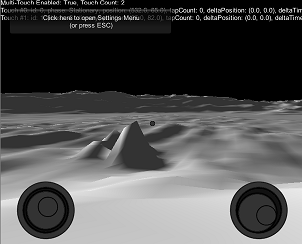
- Needed to support for complete single-touch/multi-touch and accelerometer virtual axes, fully embeded, working exactly like the native ones.
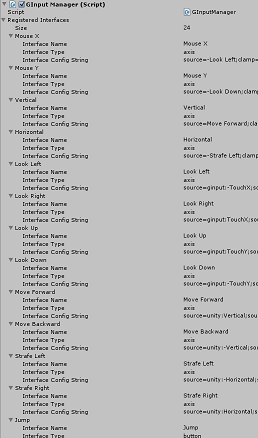
- Integrate a table like the native Input Manager for our game designers to change the settings without changing the source code of the project.
- Game Controls Menu allows changing settings while in runtime: methods for doing so were added, and for debugging and demo purporses a embedable customizable menu was added. It allows changing not only button assignements, also it can detect axes changes and assign them.
- Integrated also a multi-touch emulator. Tired of waiting while the game image is uploaded to your handheld device? Now you can make faster debugging from the unity editor. Automatic detects unity dev environment and sets-up replacing multitouch default implementation, adding some draggable items to simulate fingers.
- Finally we needed to support and integrate special inputs: absolute axes (not the limited [-1, 1] ones), 2D and 3D axes and selectors, screen pointers, 3D pointers. We added additional code for supporting them.
We have planned to release three flavours, if we can:
- free: the library + code that allows you to implement and test your own device interfaces (including two examples of overrided button and axis).
- computer bundle: the library + prebuilt device interfaces for computer (mouse virtual joystick, mouse look, axis mixer, button mixer) + transparent Input override + Input manager Table + Run-time Game menu.
- mobile bundle: includes computer bundle + additional Device Interfaces for handhelds (multi-touch and accelerometer virtual joysticks, code for reading device location, gps and orientation) + drag&drop prebuilt virtual joysticks.
Hope that you like it!