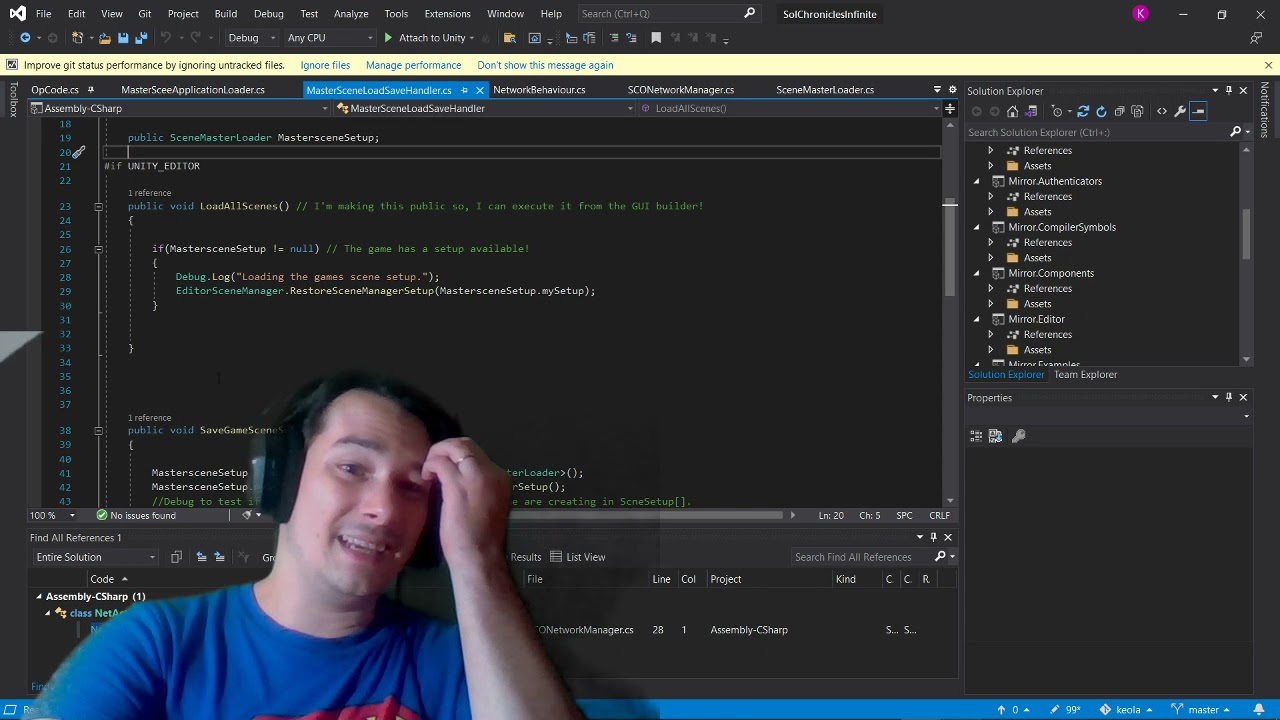
btw, this is what I’m trying to build on. My brain is a little less numb now. lol However, now I’m just super stressed unity cant handle something like preserving a scene hierarchy natively after 12 years. hhh
Still, you should make a youtube video about this, or I will I guess after I figure this out myself. Would save me a lot of time. lol
Sorry if this wasn’t very clear, the SceneReference class from the repo is in namespace UnityEngine.
The second line is a field in your ScriptableObject or MonoBehaviour class.
The last line is the usage for loading a scene at runtime. That’s all there is to it. (If you want more advanced info about usage, though, I suggest checking this issue in the repo).
SceneReference.cs is actually somewhat simple, so if you want, you can probably understand a lot just by looking at the code.
That said, I agree that it’s a good idea to include usage in the wiki, with screenshots and a simple example class that you can download (with example usage in ScriptableObject and MonoBehavior), so I’ll add that when I release the next version. Maybe I’ll even add a playable example scene for download too, someday, if I have the time.
I think a video would be an overkill though, but feel free to make one linking to the wiki if you want to.
i cant actually find your cs in my actual unity but, I was looking at documentation, and you can load all scenes in a for int = 1; using a basic string and int struct then select your “active” scene on the end by index/name. thats the route I’m gonna go. seems really simple.
P.S, yourScenereference shows up as null so, idk. maybe my unity just didnt build your tar correctly.
@keola117 Note that when you have the buildIndex of the SceneReference, that’s enough to get the other info at runtime using methods like:
SceneManager.GetSceneByBuildIndex(i) // Scene has properties name, path, etc at runtime
SceneUtility.GetScenePathByBuildIndex(i)
Note also that you can use the struct in arrays, for example:
[CreateAssetMenu]
class MyScenes : ScriptableObject {
  public SceneReference[] gameLevels;
  public List<SceneReference> mapWorlds;
  // then assign in inspector
}
Also, make sure you’re on latest 0.2.1 version, I recommend you use Package Manager method (see wiki) to install from upm-packages.dev so you get any eventual bugfix/feature updates. If you are and think you found a bug you may want to report it in the issues section of the repo (with screenshots).
//script 1

using System.Collections;
using System.Collections.Generic;
using UnityEngine;
using System;


[Serializable]
public struct AppSceneRef
{
   public string sceneGUID { get { return SceneGUID; } set { SceneGUID = value; } }
   public int sceneIndex { get { return SceneIndex; } set { SceneIndex = value; } }

[SerializeField]
private string SceneGUID;

[SerializeField]
private int SceneIndex;


    [SerializeField]
    public AppSceneRef(string mySceneGUID,int mySceneIndex)
    {
        SceneGUID = mySceneGUID;
        SceneIndex = mySceneIndex;
    }

}


//script 2


using System.Collections;
using System.Collections.Generic;
using UnityEngine;
using UnityEngine.SceneManagement;

public class MasterSceneApplicationLauncher : MonoBehaviour
{


    public List<AppSceneRef> myAppSceneRef = new List<AppSceneRef>();
    // Start is called before the first frame update


    private void Awake()
    {
        for( int i = 1; i < myAppSceneRef.Count; i++){
           // SceneManager.LoadScene.Add
        }
    }
    void Start()
    {

    }

    // Update is called once per frame
    void Update()
    {

    }
}
his is the route im going, im going to load the scenes as addative, and after the for loop finishes I’m gonng set scene active by name. login screen. that should make it all match so my server can listen across all scenes in a client version and in editor version before i go a script only build.
i think i messed up with my indexor so I’m amending it his way,
using System.Collections;
using System.Collections.Generic;
using UnityEngine;
using UnityEngine.SceneManagement;

public class MasterSceneApplicationLauncher : MonoBehaviour
{


    public List<AppSceneRef> myAppSceneRef = new List<AppSceneRef>();
    // Start is called before the first frame update


    private void Awake()
    {
        for( int i = 0; i < myAppSceneRef.Count; i++){
if(i == 0){
continue;
}
else{
            SceneManager.LoadScene(i, LoadSceneMode.Additive);
        }
}
        SceneManager.SetActiveScene(SceneManager.GetSceneByName("SCOLoginScreen"));
    }
    void Start()
    {

    }

    // Update is called once per frame
    void Update()
    {

    }
}
However, thats still just building the game via index, when the game get bigger i need to still build it via the struct and have the name declaration matter. know anyway I could fit that into the for loop or in awake? cause. this game will have 3 mps per planet, and will have region maps for the asteroid belts etc, + generated galaxy maps eventually. so, index is gonna be hard to keep track of eventually if i build this way.
Not to poke my head into someone else’s conversation I somewhat skimmed over, but doesn’t addressables somewhat already do what you’re trying to do with this ‘SceneReference’ fix being discussed here?
I tried using addressables and it wasnt building my scenes correctly. this is working what I’m doing. only issue is now, my login is getting stuck in an infinite loop i am debugging it and as far as i can tell, im logging in, I find the scene I’m in, and the scene I’m looking for returns true but, I never go to it. (remind you this work when i run in editor but, not in application)
 if (ClientLoginToken.TokenSuccess) {

            LoginNotificationTxt.text = "Login Success!" + "\n \n Loading you into world..";
            Scene myScene = SceneManager.GetActiveScene();
            LoginNotificationTxt.text = "Login Success!" + "\n \n Loading you into world.." + "\n Moving from "+ myScene.name;
            SCOLoadTicket mySCOticket = PlayerPanel.GetComponent<SCOLoadTicket>();
            mySCOticket.SetNewLoadTicket(PlayersEngine.transform, myScene, SceneManager.GetSceneByName("PlanetarySelection"));
            SceneManager.MoveGameObjectToScene(PlayersEngine, SceneManager.GetSceneByName("SCOLoadScreen"));
            SceneManager.SetActiveScene(SceneManager.GetSceneByName("SCOLoadScreen"));
        }
if your curious why, I’m doing so much runback it’s because eventually some of my sandbox levels will be generated at 400-500MB probably (wormhole function like in eve-online) and i need to migrate to a loadscreen always and eventually put a byte reader and loading bar UI. Also, the loadscreen is the index 1. and the developer build doesnt return an error so, i have no idea why the application is getting stuck in a loop. really wish editor build and application builds worked the same. save me a lot of freaking time.
Yes, it does. Not sure why OP is doing this, but if addressables are not building correctly the right course of action is to try and resolve that, rather than this weird hacky alternative.
Do addressables allow you to put SceneAssets (or an equivalent) directly into fields in scripts? If so, that would definitely be an alternative. I highly suspect it does not work that way though. Not sure what part of this solution is weird either.
That’s not exactly how addressables work. You put an asset into your addressables groups, and then you can select that addressable’s address in an ‘AssetReference’ or similar field.
For example, my current UI addressable scenes:
And I encapsulate my addressable scenes what I call a ‘scene data object’ scriptable object (not the best name), which has an AssetReference field, where I can select a scene, and the object handles the scene loading, unloading, and keeping track of whether its loaded or unloaded:
The ‘Scene Asset Reference’ is what’s referencing the scenes in my addressables. So I don’t have to fart ass around with build indexes or build orders. I just use these SO’s and reference them where I need to load and unload scenes.
I suggest reading up and doing some tutorials on addressables.
Addressables genuinely look like they would be useful in organizing references and keeping things tidy. However, for someone who just wants SceneAssets to behave like any other UnityObject that can be referenced in scenes at runtime, switching their setup to use addressables is going to be great deal more work than adding a few scripts to turn your scenes into regular objects.
Is that the right long-term solution? Perhaps not. Depends on the scale of the project, if it’s dependent on other asset management systems, etc.
My point is, especially to someone who isn’t too experienced with Unity, when you say “it’s basically like Addressables” they might think you’re saying it’s an equivalent level of work and also a small, self-contained solution when it isn’t.
Well the bottom line is Unity, by default, doesn’t support using scene assets in the inspector. Addressables aren’t that much of a change up to your workflow either, honestly. They’re just a wrapper on top of the already existing asset bundles system, but just a number of magnitudes easier to use.
I’m not exactly experienced, either. Only started writing my first lines of code/using Unity in February this year, and I knocked together that scene data object in an afternoon earlier this month. I could post the code if you like.
Nonetheless I was just putting it out there as a suggestion, and something I still recommend that you look at.
I was the maintainer of JohannesMP’s solution mentioned in this thread. That project is now archived. I have written a new library from scratch for this purpose:
Give it a go and don’t hesitate to open issues if you experience any problems.