Hi All,
I was wondering if anyone ever came across this issue before. We start off with a scene in a game that uses physics. Once the player wins the game and tries to load a new level the physics lags out. It only happens when we load a new level. If anyone has had any issues like this before please let me know. I have searched to code and can’t seem to find anything that would cause this issue to happen. Also when we load a new level we load it from scratch using the Application.LoadLevel method.
Thanks,
DannyK89
can you post a screenshot from the profiler?
Hi,
Sorry for taking so long for to respond. Let me know if that is what you are looking for.
Thanks,
DannyK89
oh, I should have mentioned that you should switch to the Timeline view so I can see what’s going on, like so:
Hi,
I hope this helps. Let me know if there is anything else I can get you.
Thanks,
DannyK89
Hi Dan,
Did you select the frame with physics spike and zoom all the way out to see the whole frame in the timeline view? (press ‘f’ on the view).
Hi,
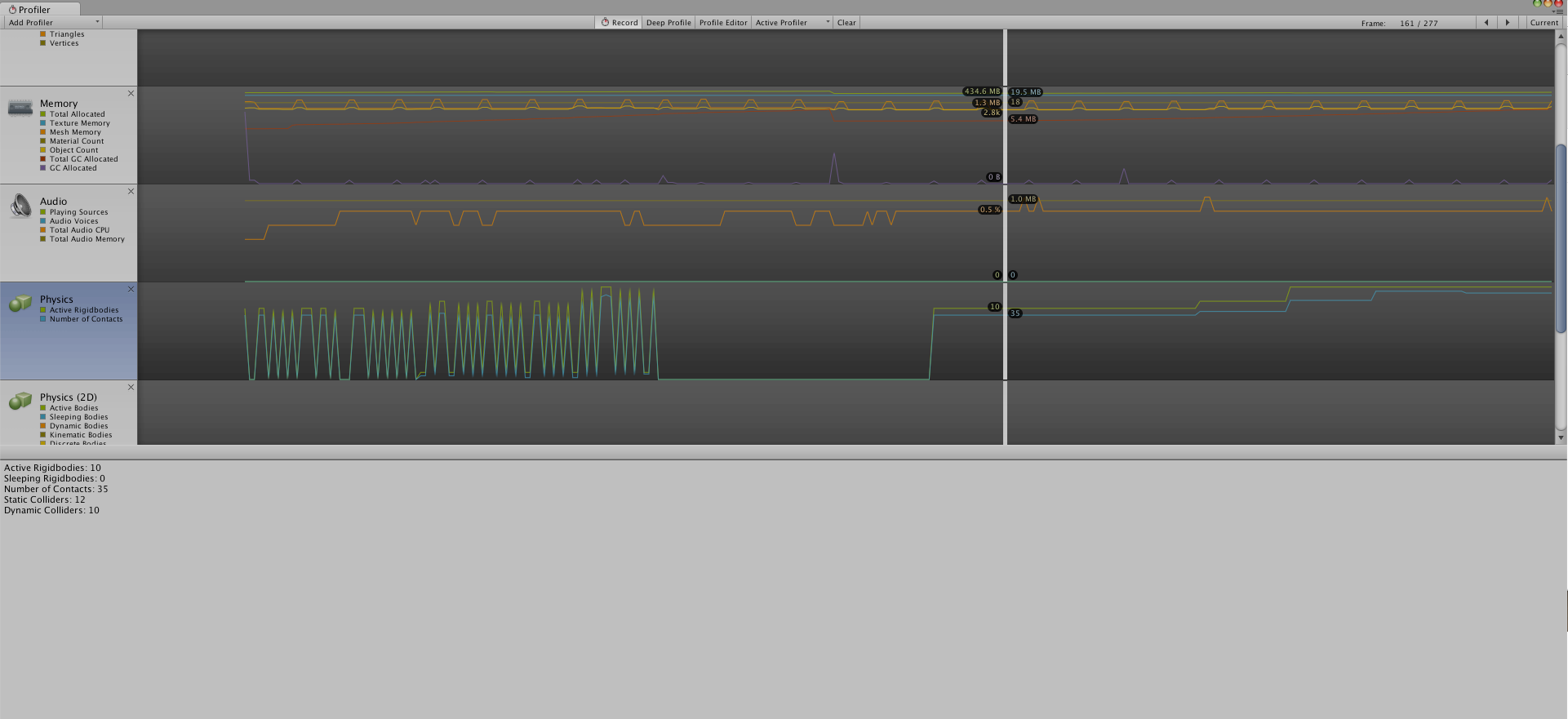
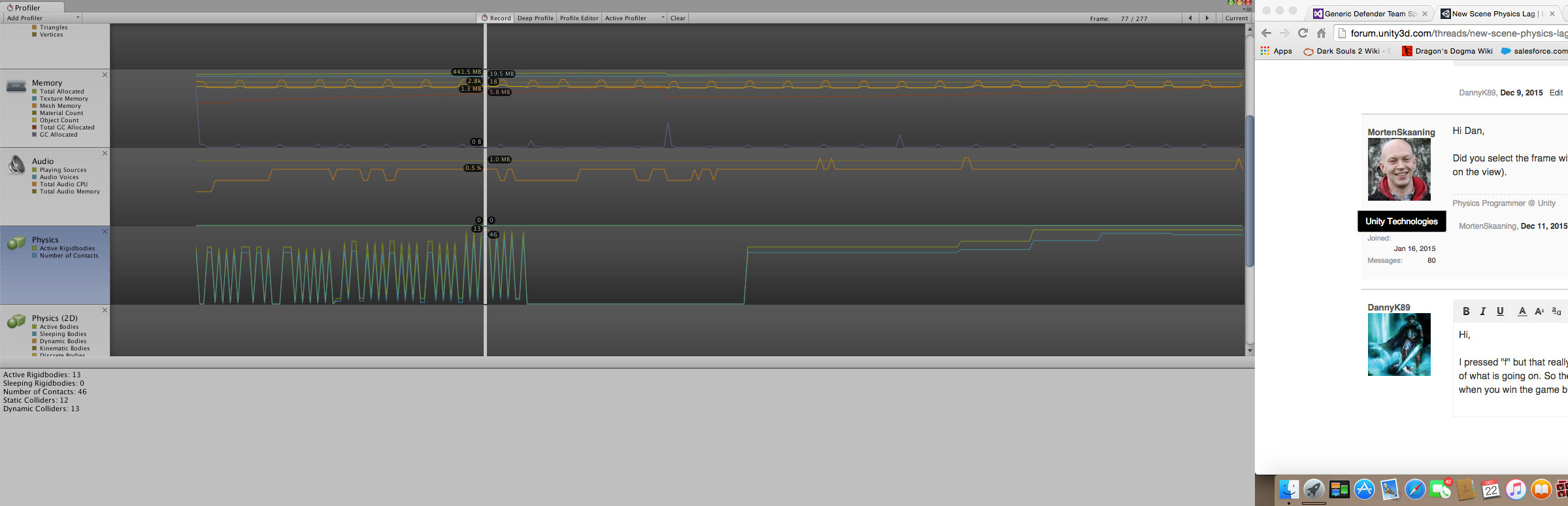
I pressed “f” but that really didn’t do anything. I was able to connect to a larger monitor so it gave me a little better view of what is going on. So the game runs smoothly when the Physics spikes up and down and then it goes down to zero when you win the game but when we load the level again it jumps and stays really high. I have attached two screen shots. One with the frame selected in the spikes and another with the frame selected when the physics lags. Let me know if this helps and if you need anything else.
Thanks,
DannyK89
Hi,
You have to be on the “Cpu Usage” profiler for my instructions to work 
Hi,
So I went to the Cpu Usage part of the profiler and I filtered it down by Physics. It looks like after the Game Frame resets the physics stays off or something. Like before the spike the physics is running smoothly but after the spike and the game reset the physics does not work right. Like to only works every so often.
I have attached a image so hopefully that will help.
Also sorry for the long pause in response.
Thanks,
DannyK89