Hello. I am trying to learn Unity but i am watching videos everyone and everyone have a smaller pixels. I am increasing “pixel error” but nothing is changing.
How can i split terrain in smaller pixels?
Nobody knows?
How does your terrain look like now, and what it should look like? (if you have some example link)
Sure, here it is. 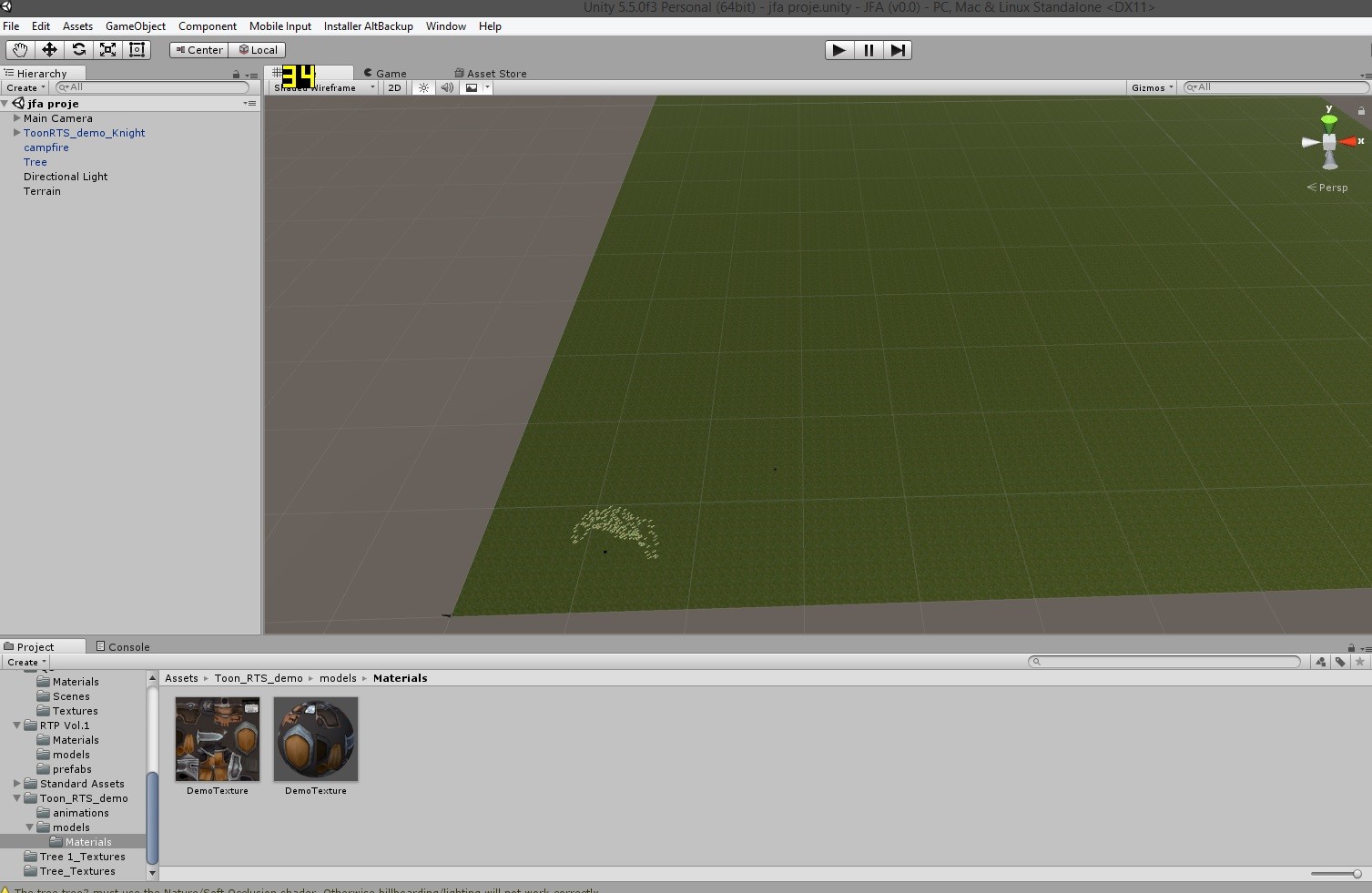
I am changing Pixel Error like the videos and tutorials but nothing happens.
Still i haven’t found solution. I am increasing and decreasing but nothing changes 
Not really sure what you are trying to get with pixel error parameter…
This is how it looks on my terrain,

Let me show you my problem. Actually it can be solve if i had a chance to adjust brush size like the 1.5 2.5 etc etc.
My objective is i have started to transfer my Warcraft III modification to unity. For the start, i need to copy exact size of my map. I have calculated it and it is 64x64 and i have calculated all the units sizes.

BUT my problem is i cannot paint the pixels EXACT size. Here is the sample.

It seems my problem has changed.
“How” can i fill the “exact wire” i need “any” solutions.
Adjust terrain width and height, to match height map resolution (at least that square fits the grid then)
Uhm is it possible? I will try it when return home.
No. Still i cannot adjust. Terrain is rotating but still i cannot do that…