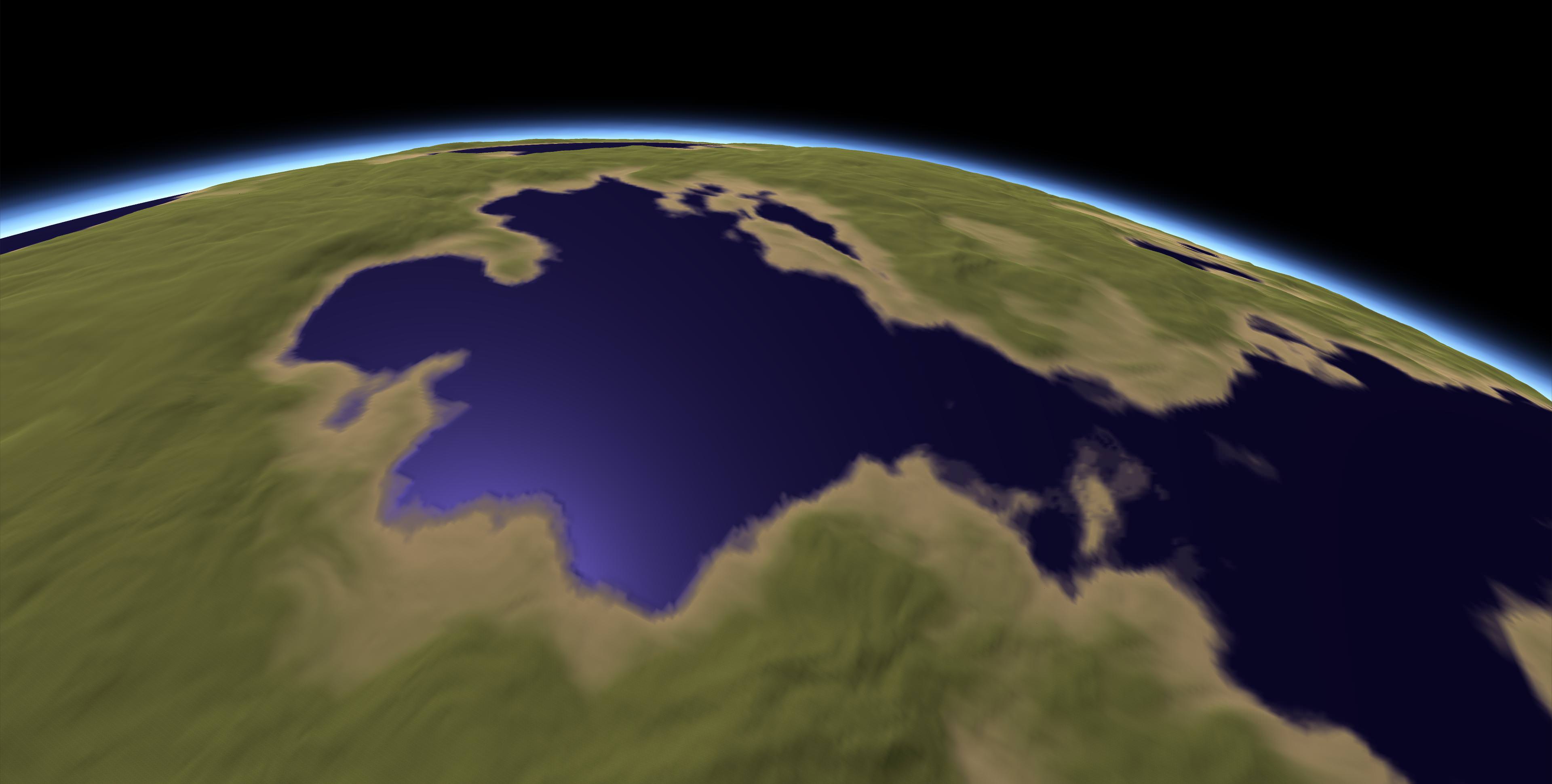
Planetary Terrain adds spherical worlds to Unity. The level of detail dynamically changes, high quality terrain always is around your camera. This allows for a smooth transition from space to the ground. A floating origin system always keeps the origin close to the player, it allows planets to have an essentially unlimited radius. An included demo scene has a planet the size of Earth.
Planets use spherical heightmaps that can be generated with a built-in tool or are dynamically created with noise. There is also a hybrid mode that uses both methods.
I do not know much.
But this is something like the old planetary terraine
With the possibility of larger planets. Like so.
I hope I understand correctly …
-Planet radius only limited by the floating point precision you need (10 000 ~ 100 000 units)
-Built in noise generator and converter from Textures for RAW-heightmaps
-Planet Shader with up to four textures and normal mapping
-Atmospheric scattering shader
-All source code included
-Quadtree based dynamic, adjustable LOD
-Bilinear Interpolation prevents pixely surface
-Unlimited heightmap resolution
Reply from publisher 1 week ago
Performance issues and exceptions have been fixed in the latest update. A better ocean system and floating origin will be added soon, that will allow for even larger planets and fix the seeming LOD blockyness. Terrain Generation at runtime isn’t included on purpose because of bad performance. Heightmaps are only about 10MB in size after compression.
It is a good starting point. Maybe the price for what it offer, is a bit high; but it is a good start as base to do quad manipulation.
Ideally you should make something that allow to spawn a planet; set parameters for water and land ratio, terrain variations and atmosphere, and then will be up to the users to add props on the terrain (trees, buildings, creatures and such).
same interresting is all that feachers (errosion ,those noise generators,sone brushes to directly edit what is done automatically,+++an big save and exportbutton wich works fine… )
[ probably nice to work an bit together with some others on asset store…:
probably…-
I am currently working on making the planets a little more visually appealing, and making the noise system easier to use. I will definitely include a randomized prop spawning and grass system, and probably different biomes to regulate it.
The new noise system is node-based and makes it easier to set the water to land ratio and terrain variations. Buildings and such can already be placed manually or spawned with the API. Make sure to add them to the Objects list of Floating Origin, if you’re using it.
You can import heightmaps with the “Heightmap Texture to RAW” utility already, though the resolution is limited. I will fix that eventually.
The problem with World Machine and such is that they can’t generate spherical terrain, heightmaps they produce would look very distorted, as this asset only supports equirectangular heigtmaps (Like these from NASA).
I am currently not planning on adding a painting or brush feature to alter the terrain, but if there is great interest in it, I can.
I think the system has progressed far from an idea and is definitely usable.
You would have to slightly edit the code in the current version, as the heightmap generator always generates an ocean. Otherwise a low frequency and high height scale yields good results, you could maybe add craters with an image editor:
The node editor that will be released in the next update also makes editing the code unnecessary.
That doesn’t look too bad. Maybe a little smoother. You’re saying edit the heightmap in an image editor? Don’t think it’d be easier to update the heightmap generator to sporadically insert craters if set to?
And I can set up to 4 textures+normals for heights? Do they blend?
What’s your planned time frame for the next update?
Are these generated in the editor? Or at runtime? I’d like to build structures on them and have them be loaded/saved.
As heightmaps are generated with 3D noise creating craters with it is not very straightforward, though doable.
You can currently assign the textures based on height and they blend.
Heightmaps are generated in the editor, but there is also a noise generation mode for planets, where you can set some parameters and then everything is generated at runtime. If you want to save the created meshes, you can easily write a script to do that. I might include one in the update.
I will release the update within the next two weeks.
The screenshots do not show cracks in the mesh. Has that been resolved? What about colliders, can I collide with the surface?
Do you have a video showing from orbit to landing?
The planet radius shown above is very small. Do you have an example showing things work at a more realistic planetary scale?
Cracks were never present in any release, there is just a picture in the documentation to show how it looked when they weren’t fixed. Colliders can be generated. Here is a video of going from orbit to the ground. It also includes a planet the size of Mercury, in the current release there is a demo scene with a planet the size of Earth.
My planets look nice from orbit, and i’m quickly getting the hang of the major generation parameters, but when I get down close to the surface no matter what I’ve tried it appears very smooth and flat, and the textures blurry. Or my framerate drops to a slideshow.
Is it possible to use different textures based on the LOD level, and can I introduce more noise in the really detailed meshes? I didn’t find the documentation to be of much help to be honest, and have just been using trial and error so far
What generation mode are you using? If you use a heightmap, try switching to hybrid mode and adding some high frequency noise (frequency depends on planet size). If you use noise, increase octaves, and maybe frequency.
The parameter Texture Scale of PlanetSurfaceShader is responsible for tiling, the normal texture tiling does nothing. You currently cannot use different textures based on LOD, only the scaled space copy has its own texture if you’re using it.