Sonagi Debug Watcher Console V1.34
Sonagi Debug Watcher Console in AssetStore
Sonagi Debug Watcher Console is an integrated debuging tool for Unity Projects.
- You can see the call log information (the script name, function name, line number)
- You can easily search for the log information.(Log Result Data, Log Group Data)
- You can see the history log was invoked, and the script can open the code directly into the editor.
- You can be put into the log information to a file.(Log_Temporary storage.log, LogView.log, CommandView.log)
- “Development Build” flag is set, the log is output.
- “Development Build” flag is not set, the log is not output.
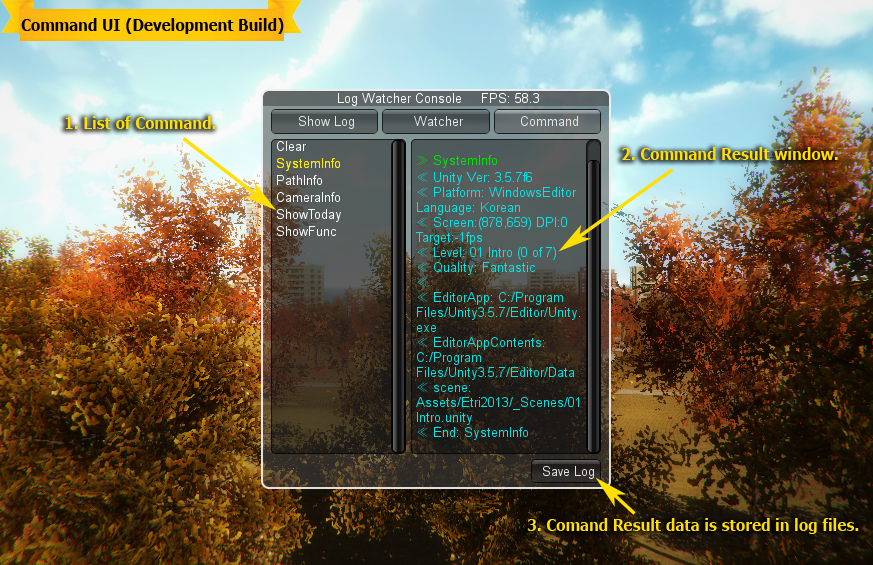
- You have set in the Command window by running the command you can see the results.
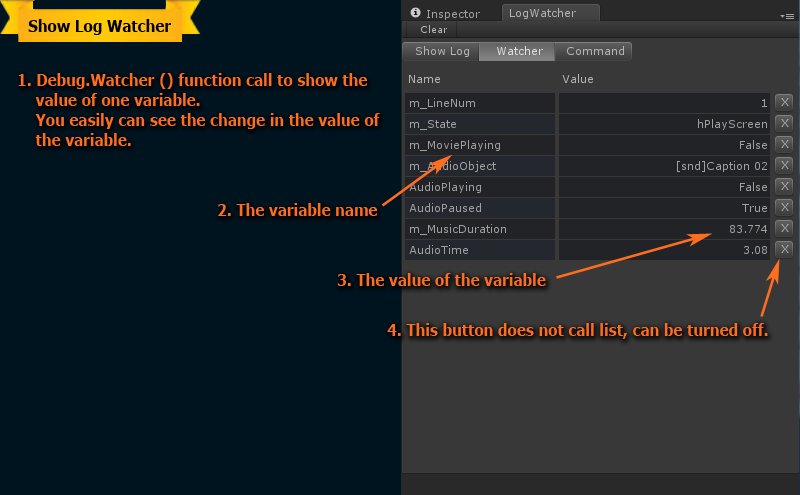
“Command” using the step-by-step debugging can be performed. - You have set the log can be found at the Watcher window.
“Watcher” on the screen using the selected logs can be seen.
Features:
- Mobile(Android and IOS), Desktop support
- Display Execute Time Stamp
- Optional Clear on Play
- Select Log Group
- Search Log Data
- Select Log Type (Info, Warning, Error)
- Save Log data
- Log Watcher View
- Command Run View
- Development Build mode Log Play