Hey everyone!
I’m a solo dev, just like many of you, and I’m incredibly excited to finally share a personal project I’ve been pouring my heart into: UI Effects Pro.
Honestly, I built this because I was tired of the constant headache of styling UI in Unity. Needed a rounded corner? Had to find a shader. Needed a drop shadow? That’s another shader, which would probably get clipped by a parent Mask. A simple gradient? You know the drill… I’d end up with a folder full of single-purpose materials and shaders that were a nightmare to manage.
So, I decided to create the solution I always wanted: an all-in-one, non-destructive tool focused on a fast, visual workflow.
The result is UI Effects Pro.
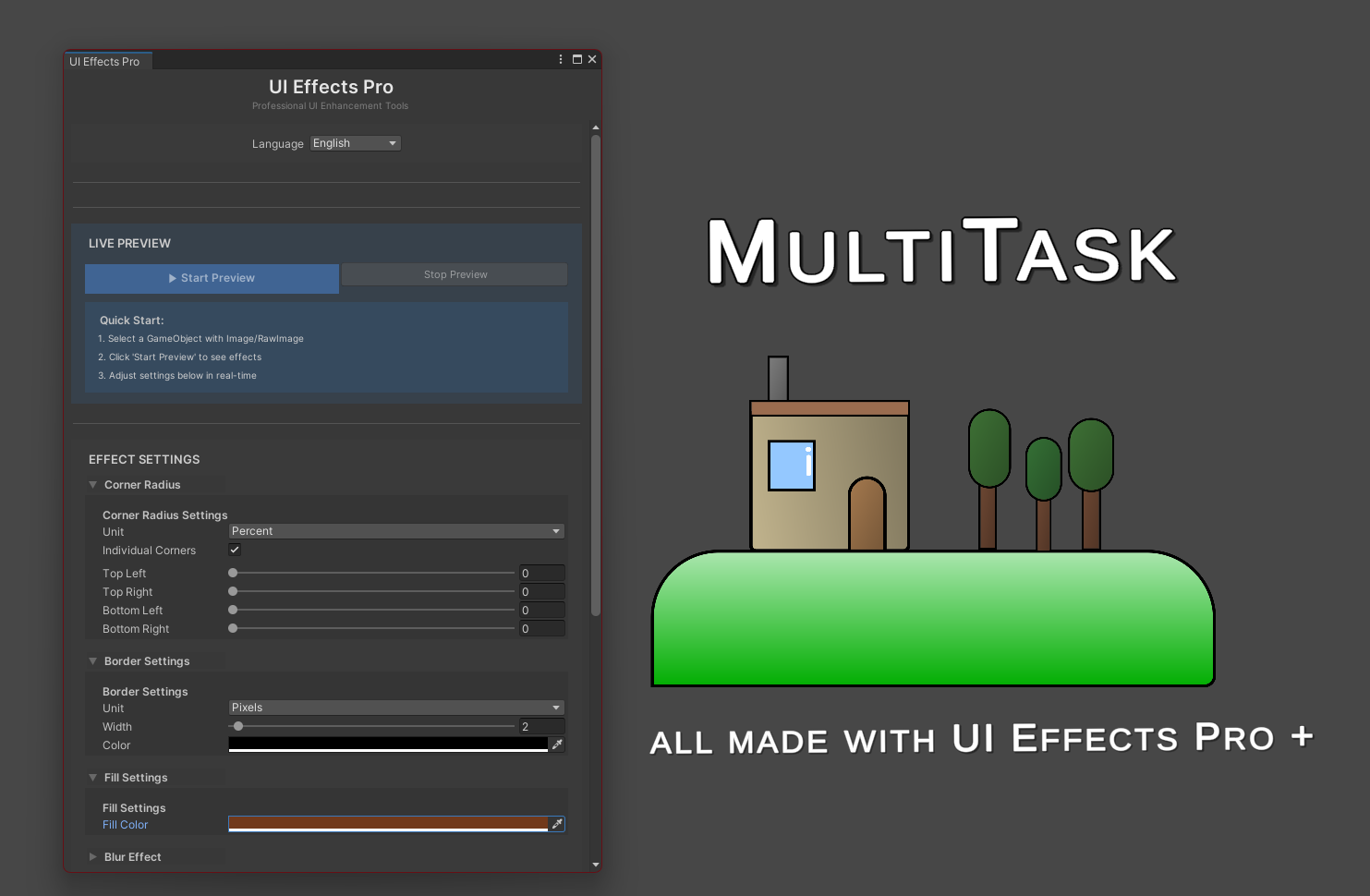

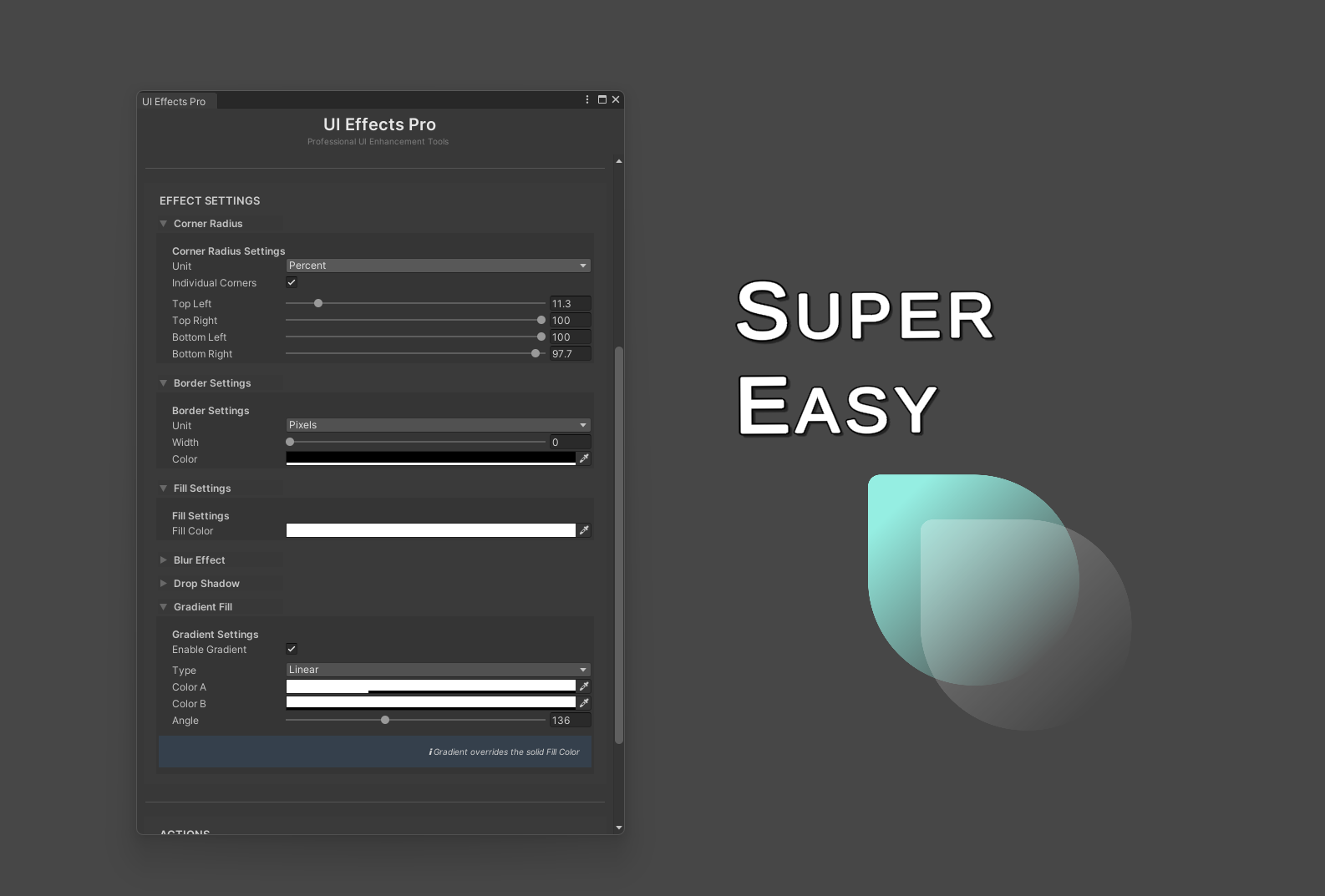

Core Features of UIEffects Pro
UI Effects Pro is an integrated solution for creating advanced and consistent UI styles directly within the Unity editor. Its workflow is designed to be both powerful for developers and intuitive for artists.
Here is a summary of its main capabilities:
- Centralized Effects Editor: Manage every visual aspect of your UI components from a single, well-organized window without ever leaving the editor.
- Live Preview on Scene Objects: Select any UI element in your scene and apply changes in real-time. This allows for rapid iteration and design adjustments without needing to enter Play Mode.
- Advanced Corner Radius Control: Go beyond simple rounding with options for both global and per-corner radius settings. Define values in absolute pixels for precision or as a percentage for responsive, resolution-independent designs.
- Sophisticated Border and Fill Options: Configure detailed borders with independent color and width (also in pixels or percentage). The fill color acts as a base that can be overridden by more complex effects.
- High-Performance Internal Blur: Add a frosted-glass effect to your UI elements. The blur effect comes with quality settings like radius, iterations, and downsampling to perfectly balance visual quality and performance.
- Non-Clipping Drop Shadow: The implementation intelligently modifies the UI mesh to prevent the common issue of shadows being cut off by parent masks or layouts, ensuring they always render correctly.
- Dynamic Gradient Fills: Override solid colors with fully customizable gradients. The system supports Linear, Radial, and Angular types, giving you complete control over the look of your UI backgrounds.
- Versatile Texture Overlays: Apply a secondary texture over your fill or gradient. The system provides advanced controls for tiling, offset, rotation, opacity, and multiple blend modes (e.g., Multiply, Overlay, Add).
- Integrated Preset Management: Save any design as a reusable
UIEffectProfileScriptableObject. Load, save, and apply presets across your entire project to maintain a consistent and professional art style with ease. - Smart Asset Import: The texture selector is not limited to project assets; you can directly select a texture file from your computer (
.png,.jpg, etc.), and the tool will automatically and correctly import it into your project. - Built-in Localization: The editor window is fully translated into English, Spanish, German, and Chinese to provide a more accessible and comfortable experience for international teams.
Who is this for?
-
Solo developers who want a polished UI without wrestling with shaders.
-
UI artists and designers who want more creative freedom.
-
Teams looking to maintain a consistent visual style with reusable profiles.
-
Anyone who, like me, is a little frustrated with the default limitations of Unity UI.
You can check it here: https://assetstore.unity.com/packages/slug/329695
You can also contact me: coldagsala@gmail.com