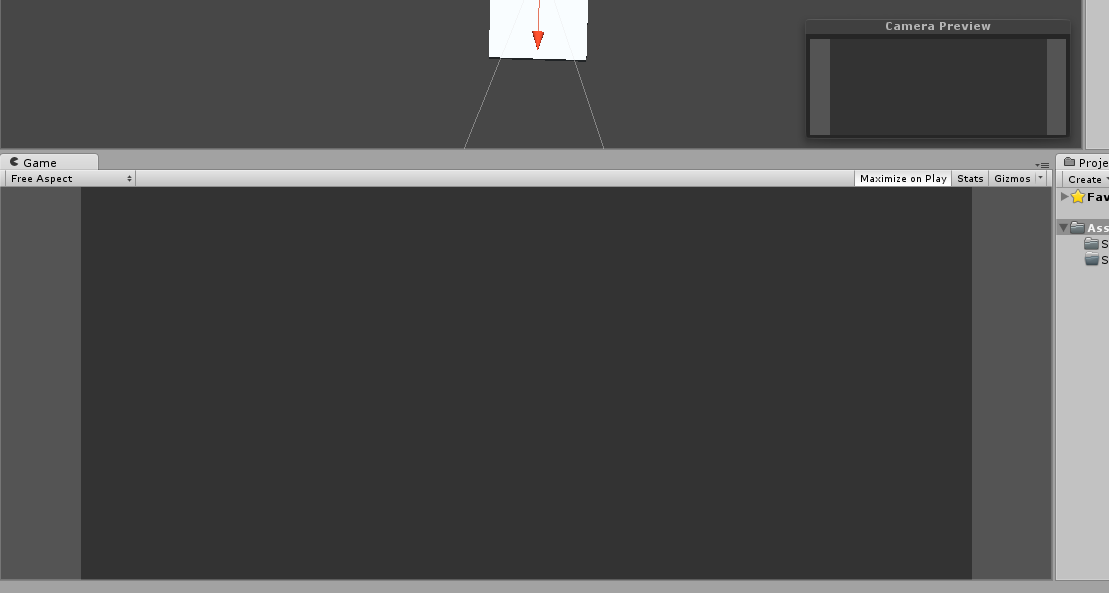
The light gray is where stats and other stuff will be, and the dark grey will be the area for the game. But when I launch my game, it comes out like this:
How can I get it so the screen stays the same as it is in the preview?
See where it says “Free Aspect” in your first screenshot? Switch it to 16:9 or whatever your target aspect ratio is, that will let you position your camera in a way that will be consistent when you run a build. Otherwise the preview/editor window is showing a view that’s as wide or as tall as you make the window, which is no good for positioning objects relative to frame.
You may also need to change your Player settings to only allow 16:9 aspect ratios to be used when setting resolutions. Unless you want to support different aspect ratios, in which case you’ll need to code something to handle it.