@livio3d
You can add many of them around your whole planet.
The main idea behind this component is that it allows you to achieve much higher detail and control than one texture like with SgtCloud. The example scenes with SgtCloud use an 8k texture which is already pretty massive, but even at low Earth orbit the pixels become massive and all detail is lost.
Detail can of course be enhanced with various detail textures, but these have quite a large performance impact, don’t give you much control, and have pretty obvious tiling issues (unless you use stochastic sampling which is much slower).
One limitation with SgtCloudTile right now is that it doesn’t cast shadows, so I plan to add that. Also, the current example clouds have a diameter of 50km, which means you need a ridiculous amount of them to cover the whole planet. Simply scaling it up looks bad, so I need to make some adjustments to allow for larger cloud tiles.
Also, here are some pictures of the new Earth sized planets in the latest version:
I dont get the probleme. When I render a cubemap with a reflection probe and put the cubemap to a material, why does the SgtStarfieldNebula looks different when HDR is on? How can I fix it?
@mudboxguru
How would changing its layer allow your ship to land on oceans? The ocean mesh doesn’t exist in the scene nor does it have colliders so you should pass through it by default. You can make some kind of component to repel it from the ocean radius.
Unrelated but I messed up the ocean shader and it looks cool!
What I do to detect if my ship is over an ocean is I check the world point underneath the ship and get its distance from the center of the world. If the distance is less than the ocean radius then the position is over an ocean. Use SgtLandscape.GetWorldPoint() like this:
Well, the point is to not be able to land on oceans. I coded my own snapping system that allows your ship to land on a specified layer (default in this case) which automatically “docks” on the terrain towards the center of mass when you hit land and if you’re within range of the center of mass (planet’s center), and while out of your ship and as the player character, the same snapping logic applies to be able to walk along the surface at any angle in third person. It also essentially uses it’s own physics system as well, so if you hit an obstacle (layered obstacle) it prevents you from walking through the object.
There needs to be a way to detect if the player is hitting water, so if people want to implement swim mode or just block the player from going into the water altogether.
Les-Bird’s method sounds brilliant though, I’m going to see if I can integrate it in my system.
I still need to add waves to the surface and the underwater effects, but the basics all work well. With this new technique, the clouds and atmosphere correctly fade out out when you go underwater, there are no more aliasing artifacts when you go underwater, and it should render a little faster too.
Are you planning to give the water a more physical appearance? Add dynamism to it, foam it up near the coast, or will it remain a visual cork for the planets? I was just thinking about waiting for you to finish with the water or starting to implement your own oceanic system
@andrey3062001
The ocean rendering is something I will improve over time, but it’s an incredibly difficult thing to implement on a planetary scale. Almost (all?) water systems in Unity take place on a flat plane or are localized to a very small (kilometers) area or utilized baked data. Making the ocean spherical already doubles the shader complexity, and scaling it to realistic sizes doubles it again, and having the underlying planet be semi procedural makes it far more complex.
What will you do besides oceans? It would be nice to expand the possibilities of planetary surfaces. By the way, have you thought about creating ring worlds like in halo?
@Darkcoder1 for the ocean can I suggest a thing?
Actually I use the KWS dynamic water asset from kripto289 , work out of the box on a single giant sphere added to the planet , only thing the caustic dont work properly underwater but for the rest its almost perfect and performant, can we hope in a collaboration with him for an official support from you ( like your ocean mesh wiht is system )?
I think can be beneficial for both you and for sure for us .
That’s really impressive, I didn’t know KWS could do that. How does it look from oorbit? I would assume that because the water isn’t baked into the surface it has issues at lower surface LOD.
@rezuma yep the lod can be a little annoying but not that big deal , If we find a way to pass the custom mesh to the water system can be a great thing.
That its why I suggest an official support/collaboration for passing the water mesh or data directly.
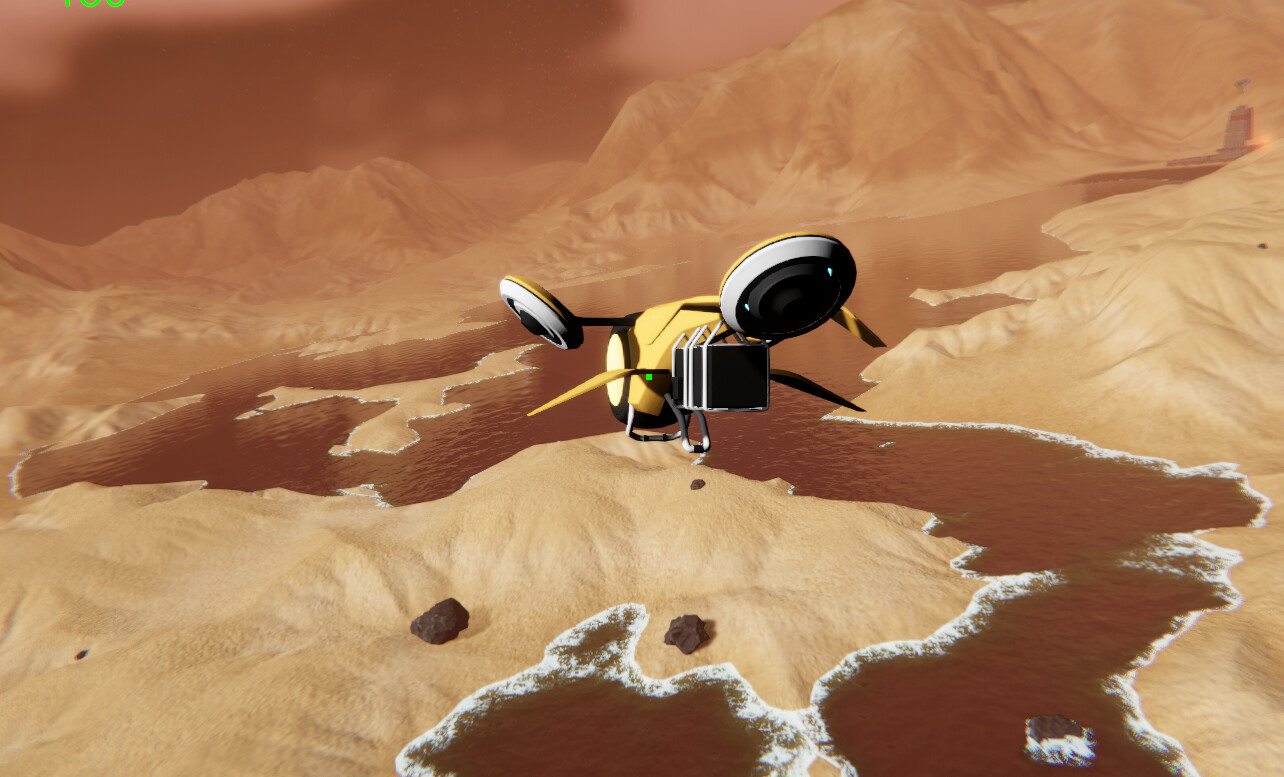
This is a very similar shore rendering and IOR refraction as seen in KWS. Still need to get caustics back in and underwater refraction, as well as experiment with SSR and improve those waves.
@Darkcoder1 the main problem here are the flat sensation and the plastic/repetation effect from the normals,
I did some water shader in past but stylized and a suggestion can be adding tasselation + gersnel waves
that way you can remove or lessen the tiling effect from normals and have complete controls on waves and change the waves beavior at will ( like more small on shorelines and bigger on high sea)
thats was my old stylized shader no normals only a texture for the fake caustic :