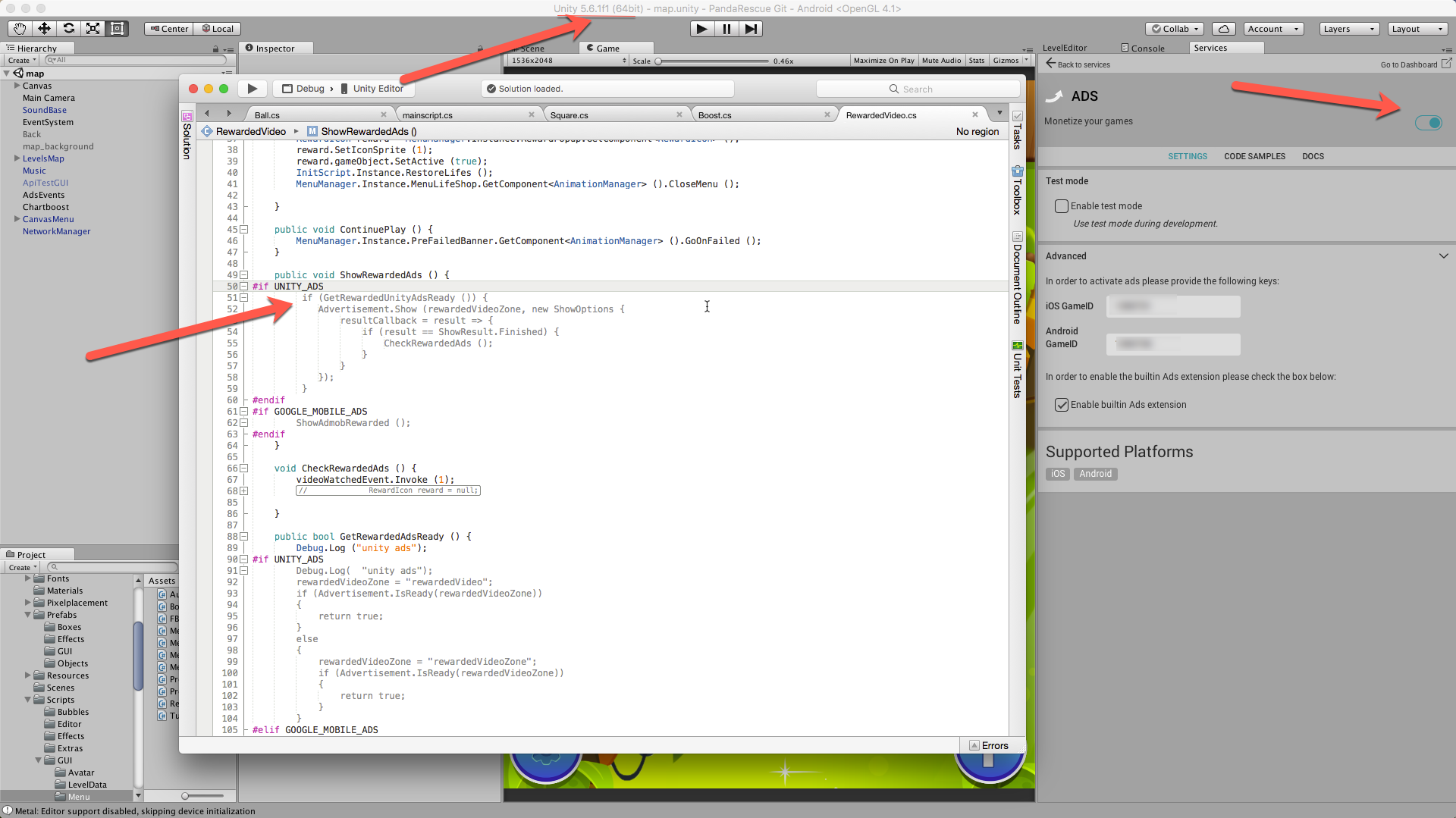
I have an issue with Unity ads.
Sometimes it is not initialized and nothing helps.

I have an issue with Unity ads.
Sometimes it is not initialized and nothing helps.
Select either Android or iOS as active build target. Unity Ads doesn’t support standalone.
(Unity editor title says “PC, Mac & Linux standalone”)
/Rasmus
Thanks it works now.
But next I got Error: UnityAdsEditor error: Server returned error message: Game profile not enabled.
How to enable game profile? I haven’t this option.
I have tried to find some info but looks like the same cases handled by PM to you @rasmus-unity .
So what can I do?
UnityAdsEditor error: Server returned error message: Game profile not enabled.
Thanks.
Did you create an entry for your game in UnityAds dashboard?
If not, click the three lines next to Settings in the Ads panel and choose DOCS.
Thank you for answer.
Project created automatically when I enabled ads. I also compared android and iOS ads id in Unity and in Unity Ads account.
Hello,
another game i encountered with the same problem.
Android platform selected, unity ads enabled.
Press play and nothing in logs about initialization.
Hi there,
I am facing the same problem.Have you found any solution?
Thanks.
Hi,
no i haven’t solution. I trying to get an answer from support.
Sometimes it works only on device without any log about initialisation, but sometimes not working and no information about error
Without logs no chance to handle this.
I noticed even detective UNITY_ADS not working sometimes after enabling ads in services.
Also noticed it stop to work after i changed project in services even if i back to worked project again it stop to work.
All tested with latest Unity 5.6.1f1
Support only advice to update Unity but it is not help.
Unity ads enabled but UNITY_ADS derective doesn’t works.
Looks like nothing happened when you enable Unity ads.
Looks like I found how to fix it!
No need to update the project to 5.6.1.
You should create new project in 5.6.1 and import all assets.
After that everything works fine!
Thank you!
Problem return if you try to relink your project from Services settings.
Problem was in ProjectSettings/ UnityConnectSettings.asset file.
I replaced UnityConnectSettings.asset from new created project and it works.
Developers of Unity ADS please take a look at this problem.
Hi @Sergey_Droba ,
Thanks for your investigation on this, also mentioned in other threads. People are looking into the issue now.
/Rasmus
Hi @Sergey_Droba ,
Funnily it started working for me after I log out from my Unity Account and then close Unity and afterwards restart Unity.
But now it again started giving problems.Unity ads has its own mind. Sometimes it works and sometimes it doesn’t.
Do you know exactly what it was in this file that you needed to change? It’s not making a difference for me
Hi,
You can see example UnityConnectSettings.asset of at Issues with Ads from Services window? Missing assemblies? - look here
/Rasmus
Hello, could you help me? I need to build ASAP and Unity Ads Button inside Services Tab is turning Off by itself. I tried to open UnityConnectSettings.asset or replace it and i see hexa code.
Note: I solved it Deleting UnityAdsSettings.asset and replacing UnityConnectSettings.asset with a new created project one. Sorry rough english. Thanks for the thread.
Ok, i solved it creating a new project, enabling Unity Ads. Copying UnityConnectSettings.asset to desktop, then back to my broken project and ERASING UnityAdsSettings.asset. Later, to paste UnityConnectSettings.asset. Voila. Please fix this. Thank you!
I had the same problem which happened to me when my first project in my laptop uses internal unityADS which is okay and it works, Then when I pulled my project to my desktop through collaborate Advertisement reference is missing.
SOLUTION:
Create a new project and enable unity ads and connect it to your UNITY dashboard. Create a script on the new project and confirm that importing UnityEngine.Advertisement works. After that reopen your real project and see if the ads work now. Then you can now archive the test project.
Ok, im in a 10 hours loop with this bug again. It’s nice feature. Thanks.