Visual Novel Toolkit

Visual Novel Toolkit is available on the Asset Store for $30.

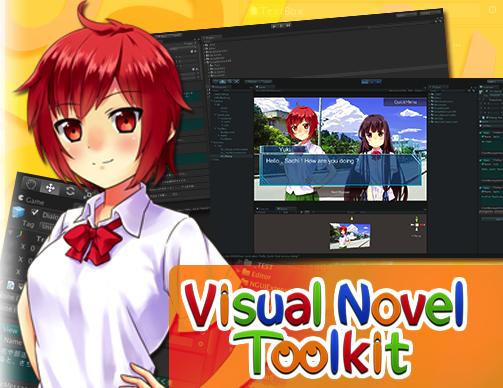
1451810--78525--$VisualNovelToolkit.png

WebPlayer Demo

Support site

Sample Scripts

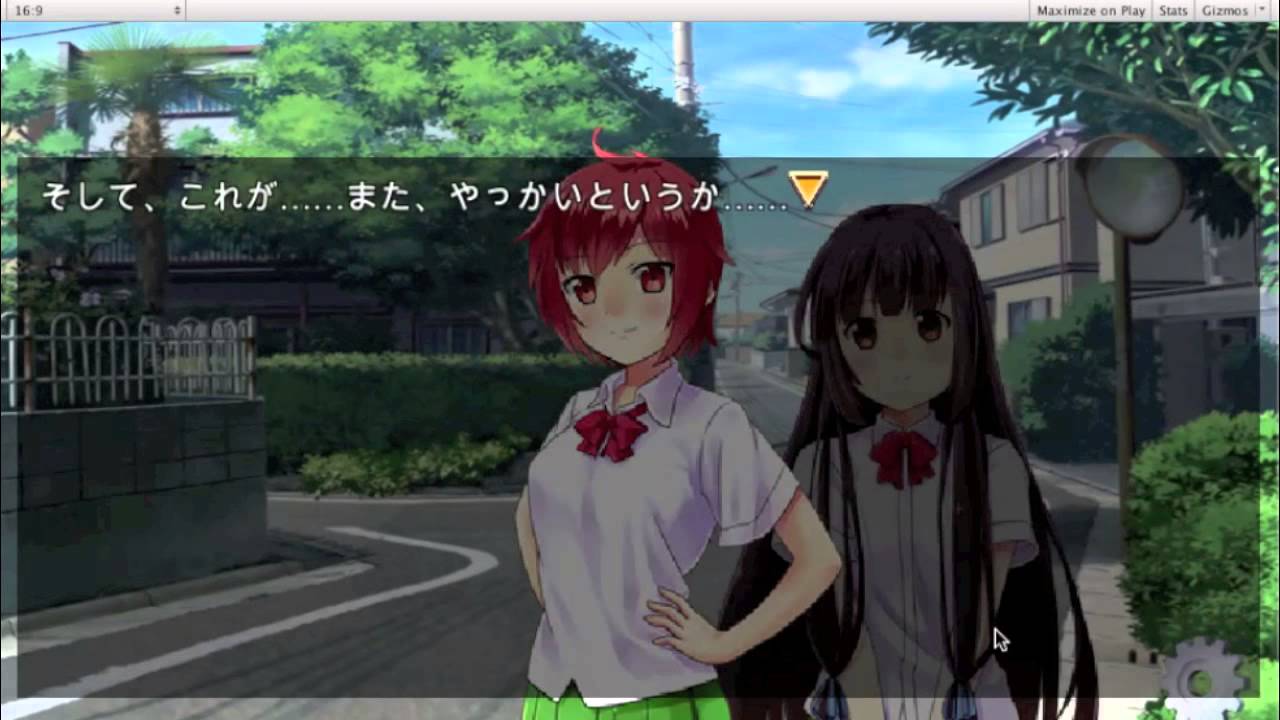
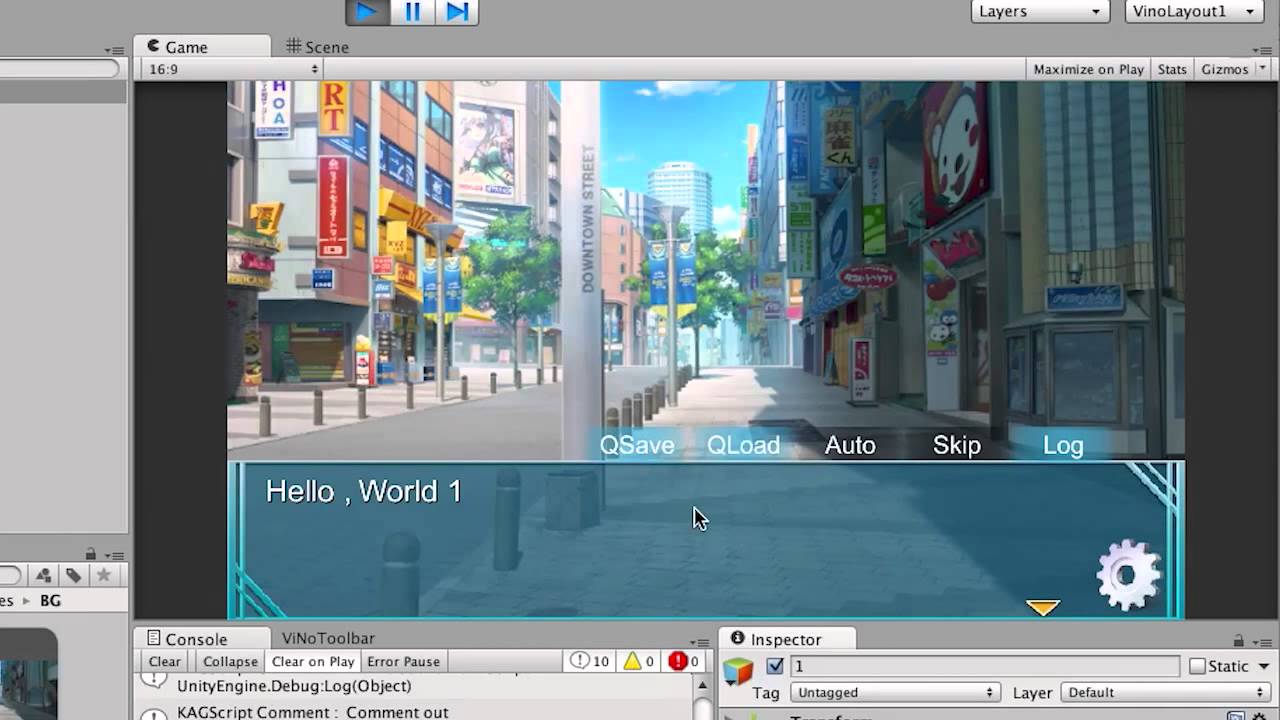
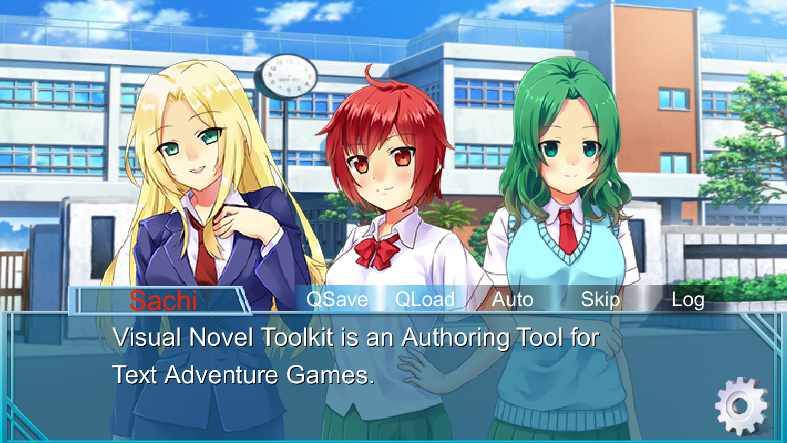
Visual Novel Toolkit is an Authoring Tool for Text Adventure Games.
You can make an adventure game also game tutorial, using this Toolkit.

Video Demo

Quick Start Videos
NEW ! Video Unity Visual Novel Toolkit Quick start ADV

NEW ! Video Unity Visual Novel Toolkit Quick Start Conversation

Features
● Create a Visual Novel with NO Programming !
● Make a scenario structure intuitively in Hierarchy
● Easy to create a object and Animate them
● Powerful dialog engine system
● Edit text WYSIWYG in GameView
● Transition effect ! (TileFade and Blind Effects)
● Simple tweening UI system ( NGUI not required )
● Easily create your actors and scenes
● Saving and loading of a game state
● Auto Mode , Skip Mode and BackLog
● Fade in and fade out sound

● NEW! (Paid Version) Sample Text Adventure Game
● NEW! (Paid Version) Playmaker integration
● NEW! (Paid Version) SoundEditor

● (Paid Version) Scenario Scripting such as Kirikiri is surpported.
● (Paid Version) More and more dialog actions
● (Paid Version) NGUI integration with visual novel demo. (including sample character atlas texture created by NGUI Atlasmaker )
● (Paid Version) Export as a Scenario Script File editing in Unity

Tutorial Videos
Tutorial01. Create a Conversation Scene
Tutorial02. How to Create Actors

Free version is available from our support site.

For more information , please visit the website.

If you have any feedback or questions , just let us know and we will try to answer them as soon as possible.
Thank you for viewing.

Visual Novel Toolkit is updated to Ver.1006

NEW ! Getting User Input

1457130--79134--$GetUserInput Game.jpg

NEW ! Event Triggering System in 3D Game

1457130--79135--$Example EventTrigger.jpg
1457130--79136--$EventB.jpg

And Visual Novel Toolkit Will Support Playmaker Integration !

Version : 1.1.1

  • NEW! : Added [addstate] tag. Define an actor state from scenario script file.
  • NEW! : Added Tutorial on How to create choices
  • FIXED : Import error of NGUI Support Packages.
  • CHANGED : [enteractor] tag. position attribute is center in default.

Version : 1.1.0

  • NEW! : Added Complete Sample Game (Japanese Scenario “Kamoi”)
  • NEW! : Playmaker Integration( Playmaker Version 1.6.0.f5)
    ・Scenario Flow Chart Demo
    ・Demo of moving the FPS Controlled Character and display the message in the particular point.
  • Added ViNo Playmaker Actions.
    ・Play Scenario In Resources : Play a Scenario in Resources folder.
    ・Play Scenario From Script : Play a Scenario from a scenario script(.txt).
    ・Play Node In Hierarchy : Play a ViNode in hierarchy.
  • NEW! : Added SoundEditor Window
    It is possible to add Effects to AudioClips even in Unity Free version.
  • NEW! : Added NGUI 3.X Support Package.
  • NEW! : Added ADV Create Wizard.
  • NEW! : Added Title Menu Panel and the controller (TitleCtrl).
    Also Added Title to Example Visual Novel.
  • NEW! : Added Video “Tutorial01 Create a Conversation Scene” demo.
  • NEW! : Added Tween Animations in UI SimpleButton while focusing.
  • NEW! : Added Material Utility Window to customize your material of System UI.
    ( Request function from User)
  • NEW! : Dialog PartNode is now compatible with SendMessage.
    Events category is added in DialogItemInspector window.
  • FIX :Popup has been fixed, which did not shown up in editor when the New Actor scene has added in Library.
  • FIX : Error log has been fixed while using with NGUI.
    Error log “Mobile/Particles/Alpha Blended doesn’t have a clipped shader version for None”

Version : 1.006

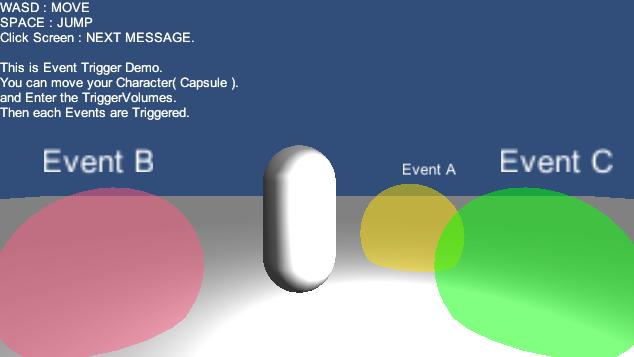
  • NEW : An event occurs when the player is entering in a trigger volume in 3D scene.
    ( Example EventTrigger )

Version : 1.005

  • NEW : Added possibility to add Userinput.
  • NEW : Added string field in FlagTable.
  • NEW : Added Popup in Name entry space for a charactor.
  • NEW : Displaying scene and actors in the GameView when editing in a dialog item.
  • NEW : Added Dialog Seek Bar in the DialogItemInspector Window.
  • NEW : Added demos.
  • Get user input demo. (Example GetUserInput)
  • Branch by flag demo. (Example Branch)
  • Load level after Visual Novel Part demo. (Example VN and LoadLevel)
  • NEW : Added Condition and LoadLevel icons in the Toolbar.
  • NEW : Added centering field in ViNoGrid component.
  • FIX : Fixed error of Scenario Script file output.
  • FIX : Fixed the conversation scene template.

Version : 1.004a

  • NEW : It is now responded to Scenario Scripting like Kirikiri.

  • NEW : Add a Panel of Saving and Loading of a Game State

  • NEW : It is now responded to Keyboard from standalone or Webplayer platform
    for viewing text message, backlog and menu.

  • NEW : Add Actions in DialogPartNode.
    Move actors , Change the Actor state actions.

  • FIX : Save Load Bug fixed in WebPlayer platform.

Version : 1.003

-NEW : Refined Documents and Demos.
-NEW : Add Example Visual Novel DEMO with NGUI version Demo.
( NGUI 2.6.3 currently not compatibility with NGUI 3.0 ).
-NEW : Add DialogItemInspector window.
-NEW : Added some Nodes.

Version : 1.002
-NEW : Easy UI System ( SimpleButton , TextButton , ViNoGrid ,… ).
Example UI Scenes are also added.
-NEW : Text Display Effects( TextMesh Fade in and Fade out ).
You can apply this in ViNoTextBox inspector.
-NEW : Text Mesh Effects( OUTLINE or SHADOW ).
You can change this in ViNoTextMeshEventListener inspector.
-NEW : DialogPartNode TextImport tab.

Version : 1.001
Released Initial Version.

This asset is a dream come true! excellent work ^^!

Thank you for your comment.

Playmaker Integration is now updated.

Playmaker Support Package is included.

If you have any further questions , please feel free to contact us.

Thank you.


this asset looks really great. maybe I’ll buy it after my current project finished :smile:

one Q. is this suitable/optimized for mobiles? especially androids. thanks.

Thank you for watching our page.
ViNo works on mobiles and is optimized for both ios and androids. Thanks );

Can it support unity movie texture?
I just want to added an opening movie anime(mp4 file) and event movie anime(mp4 file) in the game.
I hope it can control unity movie texture to play start , finish and loop in the dialogue system.
THX:p

Could you maybe make a more complete steep by step guide/tutorial? im having some problems and cant seem to work it out from just this small documentation you provide

Even now, it can call the function script from each Messages, so it should be possible to control the movie.

Thank you for your feedback. We will do our best to make the manual easier to understand.

Example Visual Novel AngryBots Opening

1545133--90135--$EventTriggerNode_AutoModeOn.jpg

Auto mode could be turned on.
It just needs to add the EventTriggerNode component from menu Component/ViNo/Nodes/System/EventTriggerNode

1545133--90136--$Example VN AngryBots Hierarchy.jpg

The Story Part will begin automatically.

When using the example/demo scenes provided and running on mobile how do I make it scale for all resolutions? So the text and graphics aren’t cut off?

Demo scene is fixed at 16:9 aspect ratio.
When you add below code to the “TouchScreen.cs”,
it will automatically adjust the scale for each different terminal resolution.

public class TouchScreen : MonoBehaviour {
	#region ScaleForAllResolution

	public bool autoScaleResolution = true;
	public int fixWidth = 854;
	public int fixHeight = 480;
	public bool portrait = false;

	public static float resolutionScale = -1.0f;

	#endregion

	void Awake() {
		if( autoScaleResolution ){
			int fw = portrait ? fixedHeight : fixedWidth;
			int fh = portrait ? fixedWidth : fixedHeight;
			
			// camera
			Rect rect = CalcAspect(fw, fh, out resolutionScale);
			camera.rect = rect;
		}		
	}

	Rect CalcAspect(float width, float height, out float resolutionScale) {
		float targetAspect = width / height;
		float windowAspect = (float)Screen.width / (float)Screen.height;
		float scale = windowAspect / targetAspect;
		
		Rect rect = new Rect(0.0f, 0.0f, 1.0f, 1.0f);
		if( 1.0f > scale ){
			rect.x = 0;
			rect.width = 1.0f;
			rect.y = (1.0f - scale) / 2.0f;
			rect.height = scale;
			resolutionScale = (float)Screen.width / width;
		}
		else {
			scale = 1.0f / scale;
			rect.x = (1.0f - scale) / 2.0f;
			rect.width = scale;
			rect.y = 0.0f;
			rect.height = 1.0f;
			resolutionScale = (float)Screen.height / height;
		}		
		return rect;
	}

To fill the blank space in the screen, add another camera.
Change the Clear Flags property to Solid Color, and make the color black.
Change the depth property to -1.

We will insert this function for future update.

hi i want to add a button here 1575056--93509--$t9o3BWf.png

but i cant find where is that menu script to add the button to it

its in the conversation scene template

any suggestions?

ViNo has Event Driven UI System.

“EventManager” object in conversation scene template is attached menu scripts.

For example , “SystemUIEvent” component handles the click events of System UI.

There is a “Menu” object in Conversation scene template.
You can add a button object in this menu.

For example , add a button with following steps.

  1. Select a Button object under “WidgetsGrid” object.
  2. duplicate a Button object with mouse right-click menu
  3. Change the Text property of TextMesh.

or you can create a button from Unity GameObject menu ViNo/Object/SimpleButton

  1. Select the SimpleButton inspector

If you click the “Set Default Event Receiver” Button in SimpleButton inspector,
the event receiver will be set to “EventManager” and the click event will be sent to “EventManager”.

If you have any further questions , please feel free to contact us.
Thank you.

Getting this error when importing and trying to run the tutorials on visual novel tool kit. I’ve uninstalled and reinstalled and re downloaded both unity and Visual Novel Toolkit multiple times.

Internal compiler error. See the console log for more information. output was:Assets/VisualNovelToolkit/Scripts/ViNo/Event/SceneEvent.cs(551,65): warning CS0618: UnityEngine.Transform.GetChildCount()' is obsolete: use Transform.childCount instead.’
Assets/VisualNovelToolkit/Scripts/ViNo/Event/SceneEvent.cs(559,69): warning CS0618: UnityEngine.Transform.GetChildCount()' is obsolete: use Transform.childCount instead.’
Assets/VisualNovelToolkit/Scripts/ViNo/Nodes/Basic/BaseNode.cs(103,42): warning CS0618: UnityEngine.Transform.GetChildCount()' is obsolete: use Transform.childCount instead.’
Assets/VisualNovelToolkit/Scripts/ViNo/Nodes/Basic/ViNode.cs(136,49): warning CS0618: UnityEngine.Transform.GetChildCount()' is obsolete: use Transform.childCount instead.’
Assets/VisualNovelToolkit/Scripts/ViNo/SaveLoad/SceneCreator.cs(95,68): warning CS0618: UnityEngine.Transform.GetChildCount()' is obsolete: use Transform.childCount instead.’
Assets/VisualNovelToolkit/Scripts/ViNo/SaveLoad/ViNoSceneSaveUtil.cs(48,56): warning CS0618: UnityEngine.Transform.GetChildCount()' is obsolete: use Transform.childCount instead.’
Assets/VisualNovelToolkit/Scripts/ViNo/SaveLoad/ViNoSceneSaveUtil.cs(67,56): warning CS0618: UnityEngine.Transform.GetChildCount()' is obsolete: use Transform.childCount instead.’
Assets/VisualNovelToolkit/Scripts/ViNo/Util/ViNoGOExtensions.cs(43,54): warning CS0618: UnityEngine.Transform.GetChildCount()' is obsolete: use Transform.childCount instead.’
Assets/VisualNovelToolkit/Scripts/ViNo/Util/ViNoGOExtensions.cs(67,56): warning CS0618: UnityEngine.Transform.GetChildCount()' is obsolete: use Transform.childCount instead.’
Assets/VisualNovelToolkit/Scripts/ViNo/Util/ViNoGOExtensions.cs(72,60): warning CS0618: UnityEngine.Transform.GetChildCount()' is obsolete: use Transform.childCount instead.’
Assets/VisualNovelToolkit/Scripts/ViNo/Util/ViNoToolUtil.cs(16,47): warning CS0618: UnityEngine.Transform.GetChildCount()' is obsolete: use Transform.childCount instead.’

Unhandled Exception: System.UnauthorizedAccessException: Access to the path “C:\Users\Kay\Documents\New Unity Project 1\Temp\Assembly-CSharp.dll.mdb” is denied.

at System.IO.FileStream…ctor (System.String path, FileMode mode, FileAccess access, FileShare share, Int32 bufferSize, Boolean anonymous, FileOptions options) [0x00000] in :0

at System.IO.FileStream…ctor (System.String path, FileMode mode, FileAccess access, FileShare share, Int32 bufferSize, Boolean isAsync, Boolean anonymous) [0x00000] in :0

at System.IO.FileStream…ctor (System.String path, FileMode mode, FileAccess access) [0x00000] in :0

at Mono.CompilerServices.SymbolWriter.MonoSymbolWriter.WriteSymbolFile (Guid guid) [0x00000] in :0

at Mono.CSharp.SymbolWriter+SymbolWriterImpl.WriteSymbolFile () [0x00000] in :0

at Mono.CSharp.SymbolWriter.WriteSymbolFile () [0x00000] in :0

at Mono.CSharp.CodeGen.Save (System.String name, Boolean saveDebugInfo, Mono.CSharp.Report Report) [0x00000] in :0

at Mono.CSharp.Driver.Compile () [0x00000] in :0

at Mono.CSharp.Driver.Main (System.String[ ] args) [0x00000] in :0
I am interested in your script but I am developing a VN for iOS and android devices, can I access their mobile APIs in your plugin ?
Or rather, can I still use custom programming and code to modify the behavior of some scenes as per my needs ?

The story will be divided in arcs (4) and each arc will have chapters. Each arc/chapter will have around 300 pages~ average.
The layering of the scene is like this :
-Background Image

-Character sprite image (left or right or both if 2 chars)

-Dialogue background image (just a placeholder to show convestation beween characters)

-Dialouges (actual conversations shown above the Dail.BG)

All these things will always be present per story page, and aside these sometimes 2-3 buttons will show to ask for user choice which will change how the story unfolds.
A small minigame might also be present using the gestures of touch devices but yeah that will reside in its own scene for the sake of it.

can i parse custom node?

In this case, virus software might blocking the access.
There is similar case below. Deactivate the anti virus software might help.
http://answers.unity3d.com/questions/628015/access-to-the-path-tempassembly-csharp-firstpassdl.html